A potential customer visits your website ready to inquire about your services. They navigate to the contact page and find: "Name, Email, Message" fields plus a generic submit button. No context about what they're requesting. No dropdown to select inquiry type. No indication of response time. The visitor types a vague message: "Hi, I'm interested in your services. Please contact me." They submit. Your team receives this lead with zero qualifying information. You email back: "What specific service? What's your budget? What's your timeline?" Two days pass with no response. The lead goes cold. You've lost a potential customer because your basic contact form gathered insufficient information for meaningful follow-up.
This happens thousands of times daily. Basic contact forms—just name, email, message—seem simple and user-friendly, but they fail both businesses and visitors. Businesses get unqualified leads requiring extensive back-and-forth. Visitors get delayed responses because businesses can't route inquiries properly or provide relevant information without follow-up questions. Meanwhile, advanced contact forms capture context upfront, enabling immediate, relevant responses that convert inquiries into customers.
Why Basic "Name, Email, Message" Forms Fail Everyone
Minimal contact forms create more problems than they solve:
1. No Context or Qualifying Information
Generic message field forces visitors to explain their situation from scratch with no guidance. They don't know what information you need. Result: vague inquiries like "I need help with my website" that tell you nothing about scope, budget, timeline, or technical requirements. Without context, you can't provide specific, helpful responses. Every inquiry requires multiple follow-up emails to gather basic facts—delaying response and frustrating prospects.
2. Impossible to Route Inquiries to Right Department
Customer service question? Sales inquiry? Technical support? Partnership opportunity? Basic forms dump all inquiries into one queue. Without inquiry type selection, routing becomes guesswork or manual sorting. Sales team gets support questions. Support team gets partnership proposals. Misdirected inquiries waste everyone's time and delay proper responses.
3. No Input Validation Leads to Garbage Data
Without validation, visitors submit: fake emails (test@test.com), single-word messages ("hi"), phone numbers in email fields, or completely blank required fields that somehow bypass checks. You receive notifications about new leads, only to find unusable data. Time wasted checking submissions that can't be acted upon.
4. Spam and Bot Submissions Overwhelm Real Inquiries
Basic forms with no spam protection receive 70-90% bot submissions selling SEO services, pharmaceuticals, or random spam. Real customer inquiries get buried in spam folder. Your team wastes hours filtering garbage to find legitimate leads. Or worse: legitimate inquiries get marked as spam and deleted.
5. No Confirmation or Next Steps Guidance
After submitting basic forms, visitors see: nothing, or generic "Thank you, we'll be in touch." No confirmation their submission worked. No indication when they'll hear back. No next steps. This uncertainty creates anxiety: "Did it send? Should I submit again? When will they respond?" Anxious prospects often submit multiple times or contact competitors who provide clarity.
Real-World Results: A consulting firm had basic contact form: name, email, company, message. Form completion rate: 31% (many started, didn't finish). Of completed forms, 68% required 2-3 follow-up emails to gather project scope, budget, timeline. Lead-to-client conversion: 8%. They implemented advanced form with: inquiry type dropdown (consulting, training, speaking), project scope checkboxes, budget range selector, preferred contact method, file upload for RFPs, CAPTCHA, and auto-response with next steps. Form completion increased to 67% (better guidance reduced abandonment). Follow-up emails needed dropped to 1.2 per lead. Lead-to-client conversion jumped to 23%—a 188% increase. Better upfront information enabled better, faster responses that closed more business.
How Advanced Contact Forms Qualify Leads and Accelerate Response
Sophisticated forms aren't just longer—they're strategically designed for mutual benefit:
1. Inquiry Type Selector Routes to Right Team Instantly
Dropdown or radio buttons: "What can we help you with? Sales inquiry, Technical support, Partnership opportunity, General question, Other." This single field enables automatic routing. Sales inquiries go to sales team. Support questions go to support. Each team sees only relevant inquiries, responds faster with appropriate expertise. Visitors get routed to people who can actually help them.
2. Structured Fields Capture Qualifying Information
Instead of open-ended message field forcing visitors to guess what you need, provide specific fields: Project type (checkboxes), Budget range (dropdown: <$5K, $5K-$10K, $10K-$25K, $25K+), Timeline (dropdown: ASAP, 1-3 months, 3-6 months, 6+ months), Current situation (textarea with character count). These structured inputs guide visitors to provide exactly the information you need for meaningful response, while showing you understand their decision factors.
3. Real-Time Validation Prevents Garbage Submissions
Email field validates format in real-time—"Invalid email address" appears immediately if entered incorrectly. Phone field formats automatically: typing "1234567890" becomes "(123) 456-7890." Required fields show red border if left empty on submit attempt. This instant feedback helps visitors fix mistakes before submission, ensuring you receive clean, usable data.
4. CAPTCHA and Honeypot Fields Block Bot Spam
reCAPTCHA (invisible or checkbox) verifies human submission. Honeypot fields (hidden from humans, visible to bots) catch automated spam. These protections reduce spam from 70-90% of submissions to under 5%. Your team sees only legitimate inquiries. Real leads don't get lost in spam noise.
5. File Upload Enables Detailed Project Information
Allow visitors to attach: RFPs, project briefs, design mockups, technical specifications, error screenshots. "Attach relevant documents (optional)" lets prospects provide comprehensive context without typing lengthy descriptions. You receive everything needed to provide accurate quote or detailed response on first contact. File upload also signals professionalism—serious businesses accept attachments.
6. Auto-Response Email Confirms Receipt and Sets Expectations
Immediately after submission, visitor receives automated confirmation email: "Thank you for contacting [Company]. We've received your [inquiry type] inquiry. Our [appropriate team] will respond within [timeframe]. In the meantime, here are resources relevant to your question: [relevant links]." This confirmation provides reassurance (it worked!), sets expectations (when to expect response), and offers immediate value (helpful resources while they wait).
7. Multi-Column Layout Reduces Form Height
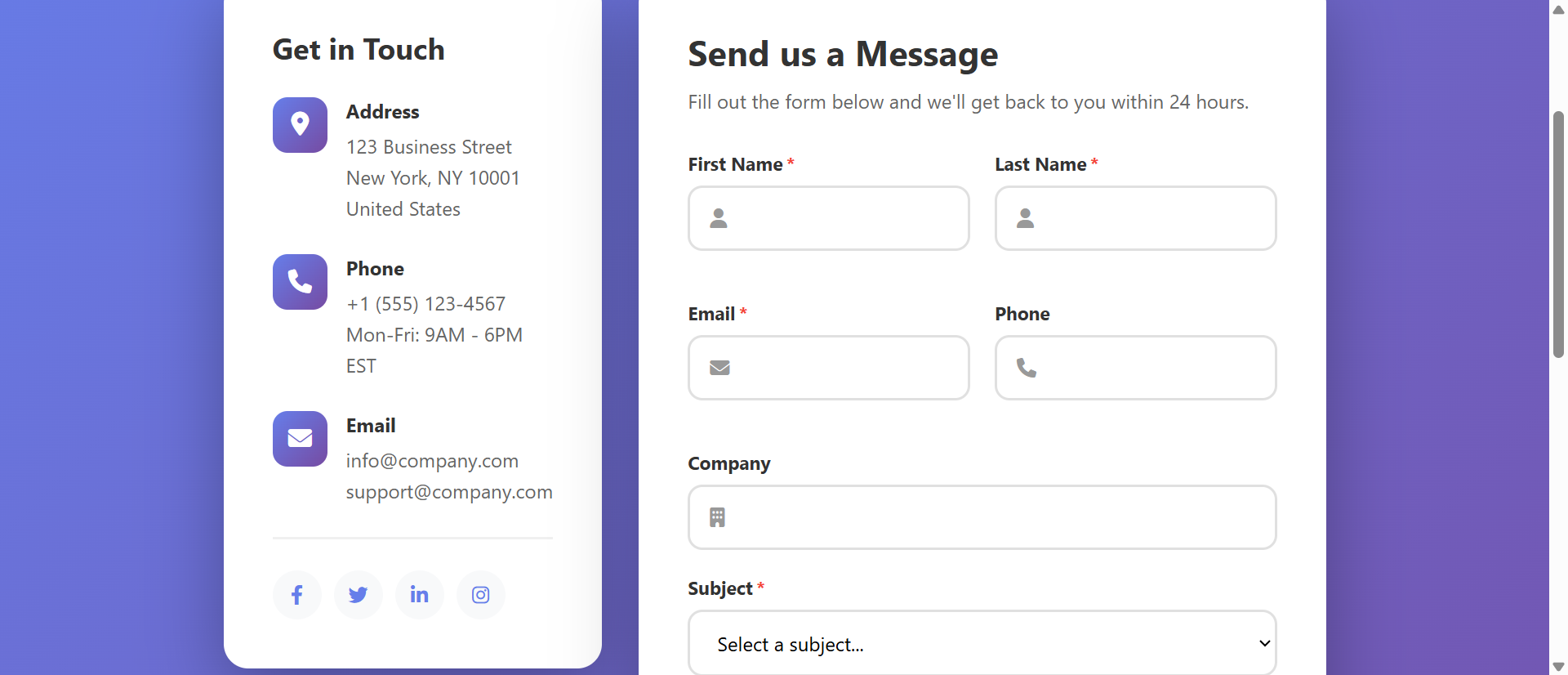
Advanced forms often have 10-15 fields. Stacked vertically, this creates intimidating tall form. Two-column layout (Name | Email, Company | Phone, etc.) presents same fields in half the vertical space. Form appears more manageable, less overwhelming. Perception matters—condensed layout feels easier despite same field count.
See Advanced Forms in Action
Experience how intelligent form design with validation and smart fields transforms vague inquiries into qualified, actionable leads.
Try Live DemoReal-World Applications Beyond General Contact
Advanced form patterns work for any lead capture or information gathering:
Service Business Quote Requests
Web design, consulting, contracting—services requiring custom quotes. Advanced form captures: service type, project scope, budget range, timeline, current situation, attachment upload. This enables accurate initial quote instead of "we need more information" response. A web design agency saw quote request form completions increase 89% and quote-to-project conversion increase 43% after adding scope and budget fields.
Product Support and Technical Help
Customer support forms benefit from: product/service dropdown, issue category (bug, question, feature request), urgency level, operating system/browser, error message field, screenshot upload. Structured technical details enable support team to diagnose and resolve issues faster. A SaaS company reduced support response time from 14 hours to 4 hours by capturing technical context upfront.
Event Registration and Reservations
Event signups, restaurant reservations, appointment booking. Advanced forms capture: date/time preferences, party size, dietary restrictions, special requests, payment/deposit if required. An event venue saw registration abandonment drop 52% after adding date selector and dietary options—attendees appreciated not needing separate follow-up for basic details.
Partnership and Vendor Applications
B2B partnership inquiries, vendor onboarding, affiliate applications. Forms include: company details, annual revenue, target market, partnership goal, relevant experience, references. A marketplace platform screening vendors saw application quality increase dramatically—serious vendors completed detailed form, time-wasters abandoned at first qualifying question, saving review team hours.
Job Applications and Recruitment
Career inquiries and applications. Forms capture: position interest, experience level, resume upload, portfolio link, availability, salary expectations, location preference. A tech company's careers form with structured fields reduced recruiter screening time by 60% because applications already contained filtering criteria.
The Psychology Behind Effective Contact Forms
Understanding behavioral science reveals why advanced forms can outperform basic ones:
Progressive Disclosure Reduces Overwhelm
Showing all 15 fields simultaneously intimidates. Progressive disclosure—showing basic fields first, expanding additional sections on click ("Show advanced options")—makes forms feel manageable. Users see 5 fields initially, choose to expand if they want to provide more detail. Perceived simplicity encourages completion.
Structured Choices Reduce Cognitive Load
Empty textarea: "Describe your project" forces visitor to figure out what to say. Checkboxes: "Select services needed: Web Design, SEO, Content Writing, E-Commerce" provides clear options requiring just clicks. Structured fields reduce mental effort. Humans prefer choosing from options over creating responses from scratch.
Real-Time Validation Builds Confidence
Green checkmark appearing as email is correctly formatted signals "you're doing it right." Immediate error correction prevents submission failure frustration. Positive feedback throughout form completion builds momentum and confidence, increasing likelihood of finishing.
Confirmation and Next Steps Reduce Anxiety
Auto-response email saying "We'll respond within 24 hours" eliminates uncertainty. Visitors know message sent successfully and when to expect response. Reduced anxiety about submission status prevents duplicate submissions and maintains positive brand impression.
Common Advanced Form Mistakes That Reduce Completion
Adding fields carelessly can make forms worse:
Too Many Required Fields (Everything Marked *)
Requiring 15+ fields guarantees abandonment. Distinguish truly required (name, email, inquiry type) from optional (phone, company, website). Optional fields still capture useful information from willing visitors without forcing everyone. A B2B company reduced required fields from 12 to 5, kept other 7 optional, and saw completion increase 78%.
Asking for Sensitive Information Too Early
Requesting social security numbers, income details, or other highly personal data on initial contact form triggers distrust. Collect only information appropriate to relationship stage. First contact: basic business details. After relationship established: sensitive financial/personal data if needed.
Poor Field Organization or Illogical Flow
Asking for project details before contact information, or mixing personal and business fields randomly creates confusion. Logical flow: Contact info → Company info → Project details → Additional information. Grouping related fields and following expected sequence reduces cognitive effort.
No Mobile Optimization
Two-column layouts that break on mobile, tiny dropdown menus, input fields too small for finger taps, file uploads that don't work on phones—these mobile failures kill 60%+ of potential submissions. Test on actual mobile devices. Ensure single-column stacking, large touch targets, mobile-friendly date/file pickers.
No Indication of Progress or Completion
Multi-step forms without progress bars ("Step 2 of 4") leave visitors uncertain. After submission, redirecting to homepage with no confirmation creates "did it work?" doubt. Always show progress in multi-step forms and display clear success message post-submission.
Case Study: A financial services firm implemented "advanced" contact form with 23 required fields including annual income, investment amount, social security number, and lengthy project description. Completion rate: 4%. They consulted UX expert who recommended: reduce to 6 required fields (name, email, phone, inquiry type, approximate investment range, preferred contact time), make 17 others optional or remove entirely, add progressive disclosure for optional fields, improve mobile layout. Completion rate increased to 47%—an 1,075% increase. Lesson: advanced doesn't mean ask everything. It means ask smart, structured questions that serve both parties.
Measuring Contact Form Performance
How do you know if your form is effective?
Form Completion Rate
Percentage of visitors who start form and complete submission. Industry average: 20-40%. Under 20% suggests too many fields, poor UX, or trust issues. Over 60% is excellent. Track completion by traffic source—organic visitors may have different completion rates than ads.
Field-Level Abandonment
Which specific fields cause visitors to abandon? Analytics can track: "60% of abandonment happens at 'budget range' field." This identifies friction points. Maybe budget field feels intrusive early in form—move it later or make optional. Field-level data guides specific improvements.
Lead Quality and Follow-Up Efficiency
What percentage of submissions are qualified leads requiring minimal follow-up? Advanced forms should increase qualified percentage. Track: average follow-up emails needed per lead. Basic form: 2-3 follow-ups. Good advanced form: 0-1 follow-ups. Higher quality leads = faster sales cycles.
Spam Submission Rate
Percentage of submissions that are spam/bots. Basic forms: 70-90% spam. Advanced forms with CAPTCHA: under 5% spam. Lower spam rate means your team sees more real leads, wastes less time filtering garbage.
Lead-to-Customer Conversion Rate
Ultimate measure: what percentage of form submissions become customers? Better qualified leads from advanced forms should convert higher. Track before/after implementing advanced features. If conversion doesn't improve despite more fields, you're asking wrong questions or too many.
The Future of Contact Form Technology
Modern contact forms are evolving: conversational forms (one question at a time, chat-style interface), AI-powered field suggestions (auto-fill based on partial input), smart routing based on IP/behavior (show different forms for different visitor types), integration with CRM/marketing automation (leads flow directly to sales pipeline), video messaging (visitors record video instead of typing), and real-time chat handoff (form converts to live chat if available).
But core principles persist: capture necessary context, validate input, prevent spam, confirm receipt, enable appropriate response.
Getting Started: Building High-Converting Contact Forms
Ready to transform vague inquiries into qualified, actionable leads?
- Add Inquiry Type Selector: Dropdown or radio buttons enabling automatic routing to appropriate team
- Include Structured Qualifying Fields: Budget range, timeline, project scope—guide visitors to provide context you need
- Implement Real-Time Validation: Email format checking, required field highlighting, helpful error messages
- Add CAPTCHA Protection: Invisible reCAPTCHA or checkbox verification blocks bot spam
- Enable File Uploads: Allow documents, specs, screenshots—comprehensive context on first contact
- Use Multi-Column Layout: Reduce vertical height by placing compatible fields side-by-side
- Mark Optional Fields Clearly: Only require truly essential information—rest optional but available
- Create Auto-Response Email: Confirm receipt, set expectations, provide helpful resources
- Optimize for Mobile: Single-column stacking, large touch targets, mobile-friendly inputs
- Display Clear Success Message: Post-submission confirmation page with next steps
- A/B Test Field Variations: Test field order, required vs optional, multi-page vs single-page
The advanced contact form module handles all functionality—multi-column responsive layout, real-time validation, file uploads, spam protection, auto-response configuration, mobile optimization. You configure your fields and routing rules; it creates the lead-qualifying experience that converts inquiries into customers.
Upgrade Your Lead Capture
See how advanced contact forms with intelligent fields and validation transform generic inquiries into qualified leads that convert.
View Live Module