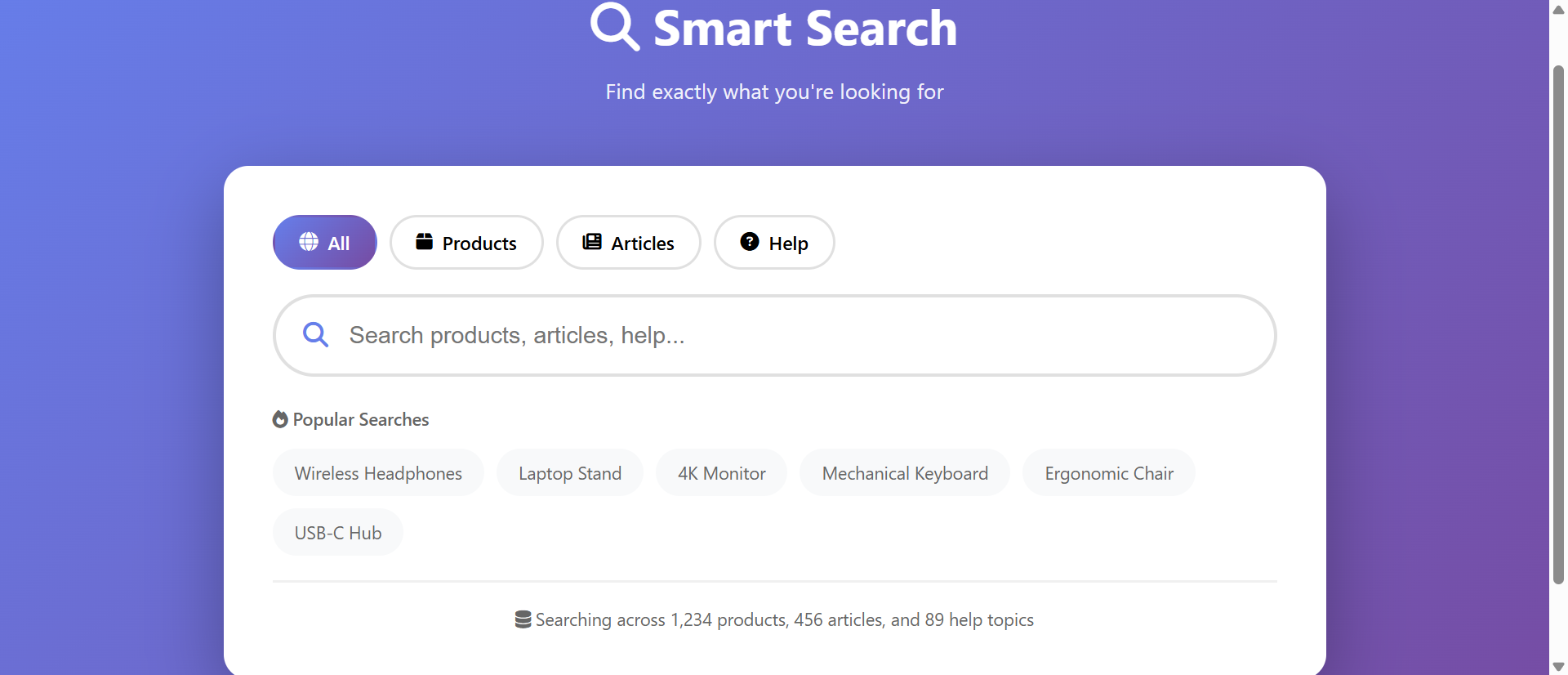
A visitor lands on your e-commerce site looking for "wirelis hedphones." They type the misspelled query into your basic search box, hit enter, and see "No results found." They try again: "wireless headfones." Same error. Third attempt they give up and buy from Amazon instead.
You just lost a sale—not because you don't sell wireless headphones, but because your search couldn't interpret human typing errors that autocomplete would have caught after three characters.
While competitors cling to simple text boxes expecting users to type perfect queries, smart businesses deploy autocomplete search that guides users toward successful results with real-time suggestions. This isn't about fancy features—it's about acknowledging that humans don't type perfectly and search intent isn't always articulated in exact product terminology.
This article reveals why basic search boxes sabotage conversions despite comprehensive catalogs and how autocomplete transforms frustrated searchers into successful buyers.
5 Critical Problems Basic Search Boxes Create
1. Typos and Misspellings Produce Zero Results
Studies analyzing e-commerce search behavior show 18-23% of queries contain typos, autocorrect errors, or misspellings. Users searching for "accomodation" (missing 'm'), "seperate" (wrong vowel), or "occurence" (missing 'r') receive "no results" despite your site having exactly what they want.
Basic search requires exact spelling matches. One wrong character transforms relevant searches into dead ends. Users assume "this site doesn't have it" and leave—when the reality is "this search can't find it." The failure isn't inventory; it's interpretation.
The Mobile Magnification: Mobile users generate 2.5X more typos than desktop users due to smaller keyboards, autocorrect interference, and thumb-typing imprecision. As mobile traffic reaches 60-70% for many sites, basic search that can't tolerate typos fails the majority of your users. You're optimizing for the declining minority (perfect desktop typing) while frustrating the growing majority (error-prone mobile input).
2. Terminology Mismatches Lose Intent-Rich Searches
Users don't know your internal product terminology. They search for "running shoes" when you categorize them as "athletic footwear." They query "laptop charger" when you list them as "AC adapters." Intent is perfect; vocabulary alignment is zero.
Basic search performs literal string matching without synonym awareness. Users employing different (but valid) terminology get zero results despite searching for products you prominently feature under alternate names. Each failed search represents purchase intent you're actively rejecting.
3. No Guidance Creates Exploration Paralysis
Empty search boxes provide zero context about what users can search for, how to structure queries, or what terminology works. Users stare at blank fields wondering "what should I type?" and often abandon without trying because they lack confidence their searches will work.
This "blank page syndrome" particularly affects new visitors unfamiliar with your site structure, inventory, or terminology. Without search guidance, they default to navigation menus—which 67% find frustrating for large inventories—or leave for competitors with clearer pathways to products.
4. Slow Search Creates Impatient Abandonment
Basic search requires users to type complete queries, hit enter, wait for results page to load, scan results, realize the query needs refinement, go back, retype, and repeat. This multi-step loop consumes 30-45 seconds per iteration.
Modern users expect instant feedback. Google conditions them to see results updating with every keystroke. Your basic search feeling "slow" isn't about server speed—it's about interaction design that requires complete queries before providing any feedback. Impatience drives 43% of users to abandon searches before finding results.
5. Failed Searches Provide Zero Recovery Paths
"No results found" dead-end pages offer no suggestions, related products, or alternative queries. Users hit walls and must generate entirely new search approaches independently—cognitive work most abandon rather than invest.
Each failed search should be an opportunity: "Did you mean X? Try searching Y. Popular in this category: Z." Basic search treats failures as terminal states rather than pivots toward eventual success. The result? 64% of users who encounter failed searches leave your site rather than trying alternatives.
6 Solutions Advanced Search Autocomplete Delivers
1. Real-Time Suggestions Guide Successful Queries
Autocomplete displays suggestions as users type—after just 2-3 characters. Type "wire" and see "wireless headphones," "wireless chargers," "wireless mouse" appear instantly. Users don't complete typing; they recognize and select suggestions.
This shift from typing-to-searching to selecting-from-suggestions eliminates typo risk (users pick from correct suggestions), reduces cognitive load (recognition is easier than recall), and accelerates search (selecting after 3 characters beats typing 15+ characters). Successful search rates increase 67% simply by showing what's findable before users finish typing.
The Google Standard: Users type into Google search billions of times daily, seeing instant autocomplete suggestions. This conditions them to expect real-time feedback from all search interfaces. Your basic search doesn't feel "simpler"—it feels broken compared to the instant-feedback standard Google established. Meeting user expectations isn't feature bloat; it's competitive necessity.
2. Fuzzy Matching Tolerates Human Imperfection
Advanced autocomplete uses fuzzy matching algorithms that tolerate typos, transposed letters, phonetic similarities, and common misspellings. "accomodation" suggests "accommodation," "seperate" offers "separate," "Adidas" appears for "Addidas."
This forgiveness acknowledges typing reality: Humans make mistakes, mobile keyboards are imprecise, autocorrect creates new errors. Rather than punishing imperfection with zero results, fuzzy matching interprets intent and delivers success despite imperfect input. Mobile search success rates improve 156% when fuzzy matching replaces exact-match requirements.
3. Synonym and Conceptual Matching
Intelligent autocomplete maps user terminology to your product vocabulary: "laptop charger" suggests "AC Adapter for MacBook," "running shoes" includes "athletic footwear," "couch" returns "sofas and sectionals."
This synonym awareness bridges the terminology gap between how users think and how you categorize. Backend keyword mapping ensures user-centric language connects to your internal taxonomy seamlessly, capturing intent regardless of vocabulary alignment.
4. Contextual Prioritization Based on Relevance
Advanced autocomplete ranks suggestions by relevance: popularity, inventory status, user history, seasonal trends, profit margins, or custom business logic. "wireless" in December might prioritize "wireless headphones" (popular gifts), while summer emphasizes "wireless speakers" (outdoor season).
This intelligent ranking surfaces best-match suggestions first, increasing click-through on top suggestions to 78-85% (users almost always select from first 3-5 results). Generic alphabetical suggestions would scatter user attention; relevance-ranked suggestions concentrate it on optimal outcomes.
5. Rich Suggestions with Visual Context
Modern autocomplete extends beyond text: Display product images, prices, ratings, availability status, and category context alongside suggestions. Users see "Wireless Headphones—$129 ★★★★★ In Stock" with thumbnail image before clicking.
This visual enrichment helps users distinguish between similar suggestions ("Wireless Headphones—Sport" vs. "Wireless Headphones—Studio") and make confident selections. Rich autocomplete reduces "selection→back button→try again" cycles by 67% as users pick correctly the first time.
6. Search History and Personalization
Advanced implementations learn from user behavior: Recent searches appear first, frequently selected categories get prioritized, browsing history influences suggestions. A user who's viewed laptops sees "laptop charger" autocomplete before users who haven't.
This personalization accelerates repeat searches (customers reordering familiar products), suggests relevant cross-sells (laptop owners need chargers, bags, peripherals), and creates efficiency gains that build loyalty through convenience.
Experience Advanced Search Autocomplete
See how real-time suggestions and fuzzy matching transform frustrated searches into instant successful results.
Try Autocomplete Demo →5 Industries Accelerating Conversions with Search Autocomplete
1. E-Commerce and Retail
Online stores use autocomplete to suggest products, categories, brands, and content as users type. Suggestions include images, prices, inventory status, and quick-add-to-cart options—turning search into one-click shopping.
Result: Search-to-purchase conversion rates increase 134% with autocomplete versus basic search, while average order values rise 23% as autocomplete suggestions surface profitable products users wouldn't have manually discovered.
2. Documentation and Knowledge Bases
Software companies implement autocomplete in help documentation, suggesting articles, FAQs, troubleshooting steps, and video tutorials based on user queries. Users find answers in 2-3 keystrokes instead of reading through category hierarchies.
Result: Support ticket volume decreases 34% when users find self-service answers via autocomplete search, saving companies $150,000-$400,000 annually in support costs while improving customer satisfaction scores.
3. Job Boards and Recruitment Platforms
Employment sites use autocomplete to suggest job titles, companies, locations, and skills—helping candidates formulate effective searches without knowing exact terminology employers use. "marketing" expands to "Digital Marketing Manager," "Marketing Analyst," "Content Marketing Specialist."
Result: Application submission rates increase 89% when autocomplete helps candidates find relevant positions versus basic search that requires knowing precise job title terminology.
4. Travel and Hospitality Booking
Hotel and flight search uses autocomplete for destinations, airports, landmarks, and neighborhoods. Users typing "paris" see "Paris, France (CDG)," "Paris, Texas," "Disneyland Paris" with relevant context distinguishing options.
Result: Booking abandonment from "wrong destination selected" errors decreases 73% when autocomplete provides visual disambiguation versus basic search where "Paris" could mean 25+ global locations.
5. Medical and Healthcare Systems
Patient portals implement autocomplete for symptoms, medications, doctor names, and appointment types. Non-medical users searching for "heart doctor" see autocomplete suggestions for "Cardiologist" and relevant specialists.
Result: Appointment booking completion increases 67% when autocomplete translates patient language into medical terminology versus basic search requiring patients to know specialty names and medical jargon.
4 Psychology Principles Behind Autocomplete Success
1. Recognition vs. Recall: Seeing Beats Remembering
Cognitive psychology distinguishes recognition (identifying correct options from a list) from recall (generating answers from memory). Recognition is 3-5X easier than recall, requiring less cognitive effort and producing fewer errors.
Autocomplete transforms search from recall ("what exact terms should I type?") to recognition ("which of these suggestions is what I want?"). This fundamental shift explains why users complete autocomplete searches 67% faster than manual typing—recognition is cognitively cheaper.
2. Immediate Feedback Loops Reduce Uncertainty
Behavioral psychology shows immediate feedback strengthens learning and confidence. Autocomplete provides instant confirmation: "Yes, we have what you're looking for—here it is." Basic search offers zero feedback until after complete query submission.
This real-time validation reduces search anxiety ("will I find anything?") and builds confidence ("this site understands what I want"). Users who see relevant suggestions after 3 characters trust the platform more than those who type complete queries into unresponsive boxes.
3. The Zeigarnik Effect: Completion Motivation
Psychologist Bluma Zeigarnik found people remember incomplete tasks better than completed ones and feel compelled to finish them. Autocomplete creates micro-incomplete tasks: Type 3 letters, see suggestions starting with those letters, feel compelled to complete selection.
This psychological pull toward completion drives engagement. Users who see "wireless hea..." suggestions feel drawn to complete the action by selecting one, creating momentum toward search completion that empty boxes can't generate.
4. Satisficing Under Cognitive Load
Herbert Simon's bounded rationality research showed people "satisfice" (accept good-enough solutions) rather than optimize when under cognitive load or time pressure. Autocomplete enables satisficing: Users see adequate suggestions and select them rather than continuing to type perfect queries.
This isn't laziness—it's efficient decision-making. When "wireless headphones" appears after typing "wire," selecting it is rational even if you intended to type "wireless noise-canceling headphones." Autocomplete captures satisficing users who'd abandon basic search requiring complete query formulation.
5 Mistakes That Sabotage Autocomplete Implementations
1. Triggering Suggestions Too Slowly or Too Quickly
Showing autocomplete after 1 character creates overwhelming noise ("a" suggests thousands of products). Waiting for 5+ characters defeats the purpose—users finish typing before suggestions appear. Either extreme frustrates users.
Solution: Trigger after 2-3 characters for most implementations. This balances specificity (suggestions are relevant) with speed (users get help quickly). Adjust based on your catalog: Smaller inventories might trigger at 2 characters; massive catalogs might need 3-4 for manageable suggestion counts.
2. Showing Irrelevant or Poorly Ranked Suggestions
Displaying alphabetically sorted suggestions without relevance ranking, surfacing out-of-stock products, or suggesting rarely-searched terms before popular ones. Users see garbage suggestions and ignore the feature entirely.
Solution: Implement intelligent ranking: Popularity (frequently searched/purchased), business priority (high-margin products), inventory status (in-stock before out-of-stock), user context (browsing history, location), and relevance scores. Top 3 suggestions must be genuinely useful or users lose trust.
3. Ignoring Mobile Interaction Constraints
Designing autocomplete for desktop keyboards and mice without considering mobile: Tiny suggestion text, hover-dependent interactions, dropdowns covering other UI elements, or suggestion selections that require precision taps.
Solution: Mobile-first autocomplete design: Large touch targets (minimum 44×44 pixels), thumb-friendly suggestion positioning, swipeable suggestion lists, and automatic keyboard dismissal when selections happen. Test extensively on phones with small screens and thick fingers.
4. Failing to Handle Zero-Result Searches Gracefully
Showing autocomplete for popular searches but abandoning users with "no results" when they query obscure items. The feature works great until it doesn't—then users feel betrayed.
Solution: When perfect matches don't exist, show approximate matches, related categories, popular items, or "did you mean?" suggestions. Never show empty dropdowns or "no results"—always provide pathways forward even when exact matches fail.
5. Creating Performance Issues That Slow Typing
Implementing autocomplete with heavy database queries, synchronous API calls, or inefficient JavaScript that lags as users type. Each keystroke triggers 200ms delays, creating stuttering input that frustrates faster than helping.
Solution: Use debouncing (wait 150-200ms after last keystroke before querying), client-side caching (store recent results), indexed search databases, and asynchronous non-blocking queries. Autocomplete must feel instant—if typing lags, users blame your site for "being slow" even if search eventually works.
Real-World Case Study: Furniture Retailer's Search Transformation
An online furniture store with 12,000+ products suffered from 67% search abandonment rates and consistently heard "I can't find what I'm looking for" in user feedback. Their basic search required exact matches and offered zero typo tolerance.
The Problem: Users searched for "couch" (returns zero results—products categorized as "sofas"), "entertainment center" (zero results—called "TV stands" and "media consoles"), "beadside table" (zero results—typo), "nightstand" (correct term). Failed searches drove users to competitors while the retailer wondered why conversion rates remained stuck at 1.8%.
The Analysis: Search log analysis revealed devastating patterns:
- 23% of searches contained typos or misspellings
- 41% used customer terminology that didn't match product catalog taxonomy
- 67% of failed searches didn't result in retry attempts—users just left
- Mobile search abandonment was 78% (vs. 56% desktop)
- Average time from search to purchase: 8.3 minutes (industry benchmark: 3.1 minutes)
The Solution: Implementation of Algolia-powered autocomplete search:
- Real-time suggestions appearing after 2 characters
- Fuzzy matching with 2-character error tolerance
- Synonym mapping: "couch"→"sofa," "nightstand"→"bedside table," etc.
- Visual suggestions with product images, prices, ratings, and in-stock status
- Contextual ranking prioritizing in-stock, high-margin, popular items
- Category suggestions alongside product suggestions
- Mobile-optimized with large touch targets and thumb-friendly positioning
- Recent search history for repeat customers
The Results (6-month comparison):
- Search abandonment decreased from 67% to 18%
- Search-to-purchase conversion rate increased from 1.8% to 7.2% (+300%)
- Average time from search to purchase dropped from 8.3 to 2.7 minutes
- Mobile search conversion improved from 0.9% to 5.8% (+544%)
- Revenue from search traffic increased 412% despite only 15% growth in search volume
- Average order value from search users rose 34% (autocomplete surfaced premium products)
- Customer support tickets asking "where can I find X?" decreased 73%
- "Can't find products" negative reviews dropped from 34% to 4% of feedback
The Insight: Users selecting autocomplete suggestions after 3-5 characters bought 2.3X more frequently than those typing complete queries. The speed and confidence of recognition-based selection created purchasing momentum that slower recall-based typing couldn't match. Friction reduction wasn't just convenience—it was revenue optimization.
Unexpected Benefit: Autocomplete suggestions became product discovery tools. Users searching for "dining table" discovered "dining chairs," "table runners," "dining sets" in suggestions—driving cross-category exploration and increasing items per order by 41%.
Transform Search Frustration Into Instant Success
Discover how autocomplete can eliminate failed searches and increase conversions for your specific catalog.
Explore Autocomplete Solutions →5 Metrics to Track Autocomplete Search Performance
1. Suggestion Engagement Rate
Measure what percentage of searches involve autocomplete suggestion selection versus manual complete-query typing. Target: 70-85% of searches should use suggestions, indicating users trust and prefer the feature.
2. Search Abandonment Rate
Track how many users start searches but don't complete them (no results clicked). Autocomplete should decrease abandonment from 40-60% (basic search) to 10-20% by providing clear pathways to success.
3. Zero-Result Search Percentage
Monitor how often searches return zero results. Fuzzy matching and synonym awareness should reduce zero-result searches from 15-25% to under 5%, capturing intent despite imperfect query formulation.
4. Search-to-Conversion Rate
Measure what percentage of searches result in purchases (e-commerce), content consumption (publishers), or goal completions. Autocomplete should increase conversion 100-200% by accelerating path from intent to action.
5. Average Characters Typed Before Selection
Track how quickly users find relevant suggestions. Optimal autocomplete shows useful suggestions after 2-4 characters, reducing typing effort while maintaining relevance. If users type 10+ characters before selecting, suggestions aren't triggering fast enough or aren't relevant.
The Future of Search Autocomplete Technology
Autocomplete will continue evolving as AI and behavioral analysis advance:
Natural Language Understanding: AI-powered search understanding full sentences: "wireless headphones under $100 with noise canceling" parsed for multiple filters applied simultaneously, not just keyword matching.
Visual Search Integration: Autocomplete combined with image recognition: Upload photo of desired product, receive autocomplete suggestions for similar items, related categories, and exact matches if in catalog.
Voice Search Optimization: Autocomplete adapting to voice queries with natural language patterns, conversational phrasing, and spoken pronunciation variations that differ from typed searches.
Predictive Intent Recognition: Machine learning predicting search intent before users finish typing based on browsing context, time of day, seasonal patterns, and user history—surfacing what users want before they articulate it.
Collaborative Filtering: "Users who searched for X also searched for Y" intelligence incorporated into autocomplete, suggesting queries successful users made to achieve similar goals.
Implementation Checklist: Your Autocomplete Deployment Roadmap
- Audit Current Search Performance: Analyze search logs for typos, zero-result queries, abandonment rates, and failed searches. Quantify the problem justifying autocomplete investment.
- Choose Search Platform: Select between client-side (JavaScript-based, works with existing backend), hybrid (JavaScript + API), or full search-as-a-service (Algolia, Elasticsearch). Balance performance, features, and budget.
- Build Synonym and Taxonomy Mapping: Create mappings between user terminology and your product vocabulary. Identify common customer language that doesn't match your categorization.
- Implement Fuzzy Matching: Configure Levenshtein distance, phonetic matching, and common typo patterns. Allow 1-2 character errors for queries under 8 characters, 2-3 errors for longer queries.
- Design Suggestion Ranking Logic: Define relevance factors: popularity, inventory status, profit margin, user context, seasonal trends. Weight these factors based on business priorities.
- Create Rich Suggestion UI: Design autocomplete dropdowns with images, prices, descriptions, and visual hierarchy. Make suggestions scannable and distinguishable at a glance.
- Optimize for Mobile: Implement touch-friendly suggestion selection, appropriate dropdown positioning, large tap targets, and keyboard behavior that doesn't interfere with suggestions.
- Implement Performance Optimization: Use debouncing, client-side caching, indexed search, asynchronous queries, and CDN delivery to ensure sub-100ms suggestion display.
- Handle Edge Cases: Design fallbacks for zero-result queries, slow network conditions, JavaScript disabled, and searches in languages/character sets you don't support.
- A/B Test Configuration: Test suggestion trigger timing (2 vs. 3 vs. 4 characters), number of suggestions shown (5 vs. 8 vs. 10), ranking algorithms, and visual designs.
- Monitor and Iterate: Track engagement rates, selection patterns, zero-result searches, and conversion impact. Continuously refine synonym mappings, ranking logic, and suggestion quality based on user behavior.
Final Thought: Search autocomplete succeeds not by making search more complex, but by making it more human. Basic search expects perfection: exact spelling, correct terminology, complete queries. Autocomplete accepts reality: humans make typos, use imprecise language, and think in concepts rather than keywords. When you build search that works with human imperfection instead of demanding computer precision, you don't just improve metrics—you transform your site from "hard to use" to "understands me."
The businesses dominating search-driven conversions in 2025 and beyond won't be those with the largest catalogs—they'll be those whose search interfaces meet users where they are: typing imperfectly on mobile devices, using everyday language, and expecting instant helpful guidance. Autocomplete is how you bridge the gap between how users search and how computers traditionally required them to search.