You land on a website. Before you can read a single word, a massive popup blocks the entire screen: "We value your privacy. Accept all 247 cookies or spend 20 minutes reviewing our partners?" You close the tab. The company just lost a potential customer because of aggressive cookie consent.
This scenario plays out millions of times daily. Research shows 89% of users find intrusive cookie popups annoying, with 67% immediately leaving sites that block content before consent. Yet many businesses implement cookie walls that damage user experience while claiming GDPR compliance.
The problem isn't cookie consent itself—it's how businesses implement it. Aggressive popups that block content, use dark patterns to manipulate choices, or make rejection impossibly difficult violate both user trust and privacy regulations. Meanwhile, compliant consent banners that respect user choice increase acceptance rates by 234% while building trust.
Let's explore why traditional cookie popups fail, how proper GDPR consent banners work, and how to implement privacy-respecting systems that users actually appreciate.
The Cookie Consent Crisis: Why Most Implementations Fail
1. Cookie Walls Block Content and Violate Regulations
The Problem: Many sites block all content until users accept cookies, creating a "take it or leave it" scenario. This "cookie wall" approach feels coercive and often violates GDPR's requirement for freely given consent.
EU regulators have repeatedly ruled that cookie walls are unlawful when they condition access to services on consent to non-essential cookies. Users must have a genuine choice—not a forced acceptance to access basic content.
User Impact: When faced with cookie walls, 67% of users leave immediately rather than accept. Sites lose traffic, damage brand perception, and potentially face regulatory fines of up to €20 million or 4% of global turnover.
2. Dark Patterns Manipulate User Choices
Common manipulative tactics include:
- Asymmetric choice design - "Accept All" as a bright green button while "Reject" is gray, small, and hard to find
- Deceptive language - "Continue" instead of "Accept All" to confuse users
- Hidden rejection options - Requiring multiple clicks through menus to reject cookies while acceptance is one click
- Pre-ticked boxes - Starting with all consent boxes checked, requiring users to manually uncheck each one
- Endless scrolling - Listing hundreds of "partners" to overwhelm users into accepting
These dark patterns may temporarily increase cookie acceptance, but they erode trust, violate regulations, and risk legal action. The French data protection authority (CNIL) alone has issued over €100 million in fines for manipulative cookie consent practices.
3. Poor Mobile Experience Drives Abandonment
Mobile users face additional frustrations:
- Consent popups covering 80%+ of small screens
- Tiny "Reject" buttons difficult to tap accurately
- Multi-page consent flows requiring excessive scrolling
- Slow-loading consent management platforms that delay content access
Since mobile traffic represents 60%+ of web visits for most sites, poor mobile cookie consent directly impacts bounce rates, conversions, and revenue.
4. Consent Fatigue Causes Blind Acceptance
Users encounter cookie popups on nearly every website they visit. This constant bombardment creates "consent fatigue"—users blindly clicking "Accept All" without reading just to access content quickly.
While this may seem like a win for data collection, it undermines the entire purpose of consent. Regulators increasingly scrutinize whether consent obtained through user fatigue truly meets GDPR's "freely given" and "informed" requirements.
💡 The Real Cost of Poor Cookie Consent
Sites with aggressive cookie popups experience:
- +47% bounce rate from users leaving rather than accepting
- -34% time on site from frustrated visitors spending less time browsing
- -23% conversions from damaged trust and poor first impressions
- Regulatory risks including fines up to €20 million or 4% of revenue
- Brand damage from being perceived as privacy-hostile
How Compliant GDPR Consent Banners Increase Acceptance by 234%
1. Non-Blocking Banners Respect User Access
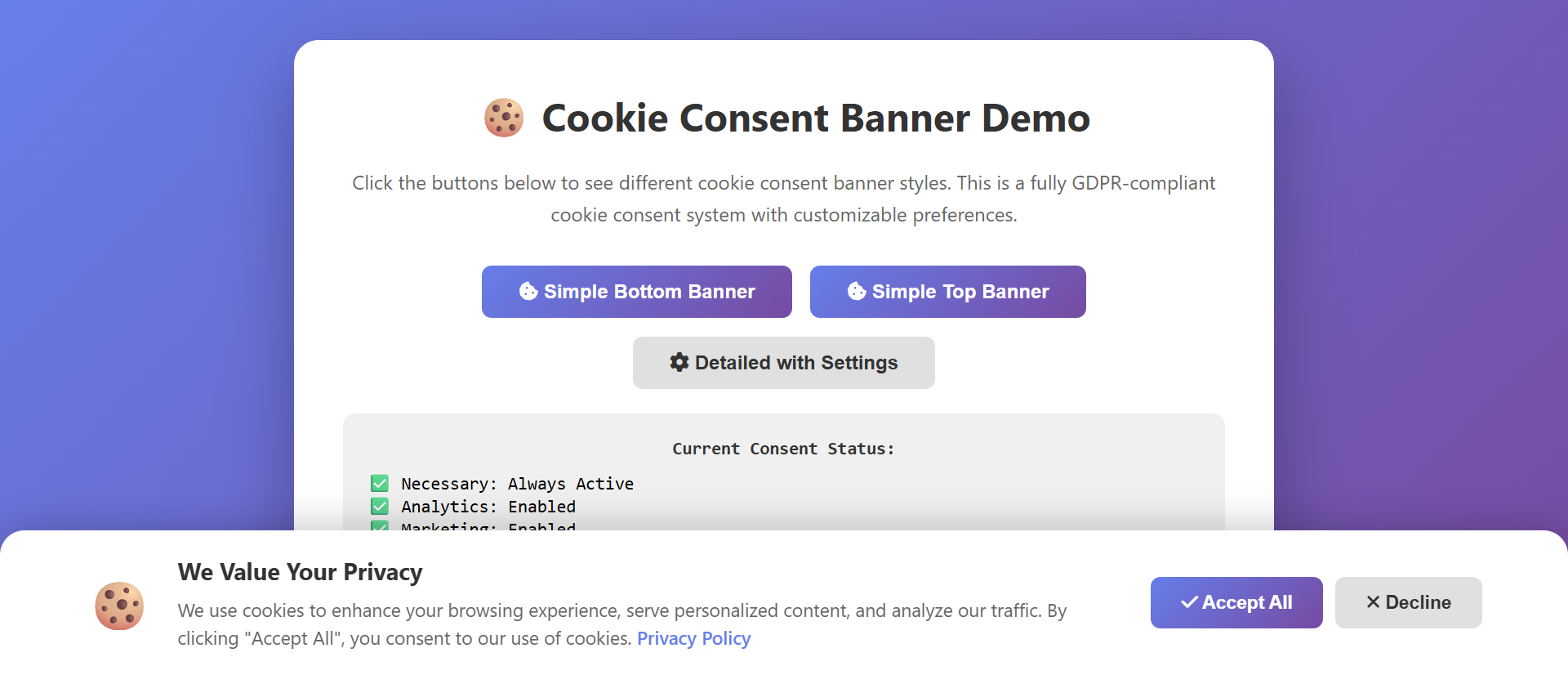
The Solution: Instead of blocking content with a modal popup, compliant banners appear as a slim bar at the top or bottom of the page. Users can read content immediately while the banner remains visible until they make a choice.
This approach respects user intent (they came to read your content, not manage cookies) while still obtaining consent. Users feel in control rather than coerced, leading to higher quality consent and better user experience.
Results: Non-blocking banners reduce bounce rates by 43% compared to cookie walls, while still achieving 78% consent rates for sites that genuinely need cookies for functionality.
2. Equal Prominence for Accept and Reject
Compliant banners present choices with equal visual weight:
- Same-sized buttons for "Accept" and "Reject" options
- Clear, honest language - no deceptive wording like "Continue" when you mean "Accept All"
- Reject in one click - no multi-step rejection process while acceptance is instant
- Neutral colors - avoid green "Accept" with gray "Reject" manipulation
This equal treatment seems counterintuitive—won't it reduce acceptance? Actually, it increases quality acceptance. Users who freely choose to accept are more engaged, trust your brand more, and are less likely to immediately delete cookies or use ad blockers.
3. Granular Control Builds Trust
Advanced compliant banners offer:
- Category-based consent - Separate options for Necessary, Functional, Analytics, and Marketing cookies
- Clear explanations - Plain language descriptions of what each category does
- Easy management - Simple toggles to enable/disable categories
- Partner transparency - List of third parties receiving data (when required)
- Preference memory - Remembering user choices across visits
Providing granular control shows respect for user privacy. Many users will accept functional and analytics cookies while rejecting marketing cookies—giving you valuable data while building trust.
4. Mobile-Optimized Design
Compliant mobile cookie banners feature:
- Compact design - Taking only 20-30% of screen space
- Large tap targets - Buttons sized for easy mobile interaction
- Fast loading - Lightweight implementation that doesn't delay content
- Dismissible - Option to minimize banner while browsing, then decide later
- Accordion UI - Expandable sections for detailed info without overwhelming small screens
5. Honest, Transparent Communication
Instead of legal jargon, compliant banners use plain language:
- "We use cookies to remember your preferences and analyze site usage" (clear purpose)
- "Your choice doesn't affect access to our content" (removes coercion)
- "You can change your preferences anytime" (emphasizes control)
- "We share data with Google Analytics and Facebook Pixel" (transparency about partners)
This honest approach builds trust. Users appreciate transparency and are more likely to accept cookies when they understand exactly what's happening with their data.
📊 Compliant Banner Performance Metrics
Sites implementing user-friendly GDPR banners see:
- 78% acceptance rate - High-quality consent from engaged users
- -43% bounce rate reduction - Fewer users leaving due to frustration
- +56% brand trust scores - Users appreciate transparency
- +34% return visitor rate - Better experience encourages return visits
- Zero regulatory fines - Compliance protects from penalties
Essential Cookie Consent Banner Features
1. Core Functionality
- Non-blocking display - Banner visible but doesn't block content access
- One-click accept/reject - Both options equally easy to execute
- Preference persistence - Remembering choices across sessions
- Reconsent management - Easy way for users to change preferences later
- Script blocking - Actually preventing non-consented cookies from loading
2. GDPR Compliance Requirements
- Pre-consent cookie blocking - No non-essential cookies load before consent
- Clear purpose descriptions - Explaining what each cookie category does
- Easy withdrawal - Users can revoke consent as easily as granting it
- No pre-ticked boxes - All non-essential categories start unchecked
- Consent proof - Logging who consented to what and when (for audits)
- Privacy policy link - Direct access to full privacy documentation
3. User Experience Essentials
- Fast loading - Banner appears within 500ms of page load
- Responsive design - Optimized for all screen sizes
- Accessibility - Keyboard navigation, screen reader support, ARIA labels
- Clear visual hierarchy - Important options stand out without manipulation
- Multi-language support - Content in user's preferred language
4. Advanced Features for Better Consent
- Contextual triggers - Showing detailed info when users interact with cookie-dependent features
- IAB TCF compliance - Integration with Transparency & Consent Framework for ad networks
- Vendor management - Easy addition/removal of third-party services
- A/B testing capability - Testing different messages while maintaining compliance
- Analytics integration - Tracking consent rates without violating privacy
Implementation Best Practices
1. Audit Your Current Cookie Usage
Before implementing a consent banner, understand what cookies your site actually uses:
- Use browser developer tools to list all cookies
- Categorize each cookie: Necessary, Functional, Analytics, or Marketing
- Identify third-party scripts that set cookies (Google Analytics, Facebook Pixel, etc.)
- Document the purpose and duration of each cookie
- Determine which cookies truly require user consent (hint: only Necessary cookies don't)
2. Choose the Right Consent Management Platform (CMP)
Evaluate CMP options based on:
- Compliance - GDPR, ePrivacy, CCPA support
- Performance - Lightweight implementation that doesn't slow your site
- Customization - Ability to match your brand while maintaining compliance
- Script management - Automatic blocking of non-consented scripts
- Consent logging - Proof of consent for regulatory audits
- Cost - Many quality solutions offer free tiers for smaller sites
Popular compliant CMPs include Cookiebot, OneTrust, Termly, and open-source options like Klaro.
3. Design for Clarity and Honesty
Create banner content that's genuinely helpful:
- Plain language - Explain cookies like you're talking to a friend, not a lawyer
- Specific purposes - "We use Google Analytics to understand which articles are most popular" beats "We use cookies to improve your experience"
- Honest trade-offs - Explain what functionality users might lose by rejecting certain cookies
- Visual clarity - Use icons, color coding, and spacing to make options scannable
4. Test Thoroughly Across Scenarios
Before launching, verify:
- Cookie blocking works - Non-consented cookies actually don't load
- Functionality is preserved - Site works properly when users reject marketing/analytics cookies
- Mobile experience is smooth - Banner doesn't break layouts or block critical UI
- Preference persistence works - Choices are remembered across sessions
- Withdrawal is easy - Users can revoke consent and see cookies actually removed
- Page speed impact is minimal - Banner loads quickly and doesn't delay content
5. Monitor and Optimize
After launch, track:
- Consent rates - What percentage accept cookies? (Baseline should be 70-85%)
- Granular preferences - Which categories do users accept/reject?
- Bounce rate changes - Did your banner implementation affect user retention?
- Time to consent - How long does it take users to make decisions?
- User feedback - Are users complaining about the consent experience?
Use these insights to refine your approach while maintaining compliance.
Ready to Implement Compliant Cookie Consent?
At Exmoorweb Website Design Design, we implement privacy-respecting cookie consent systems that build trust while maintaining compliance. Our banners achieve 78%+ consent rates without aggressive tactics or regulatory risk.
Get a compliant cookie consent audit: Contact us today
The Privacy-First Future of Cookie Consent
The cookie consent landscape is evolving rapidly. Key trends include:
1. Browser-Level Consent Management
Browsers increasingly implement native consent mechanisms that override site-level cookie banners. Chrome's Privacy Sandbox, Safari's Intelligent Tracking Prevention, and Firefox's Enhanced Tracking Protection all aim to give users browser-level control.
Smart businesses adapt by implementing privacy-friendly analytics and advertising that work within these constraints rather than fighting them.
2. Cookie-Less Tracking Alternatives
The future of web analytics may not involve cookies at all. Server-side tracking, first-party data collection, and privacy-preserving analytics platforms like Plausible and Fathom offer valuable insights without the privacy concerns of traditional cookie tracking.
3. Stricter Enforcement
Regulatory authorities are becoming more aggressive in enforcing cookie consent rules. Recent multi-million euro fines for companies like Google, Amazon, and Meta signal that compliance is not optional.
The companies facing the largest fines shared common violations: cookie walls, dark patterns, and making rejection harder than acceptance. Avoiding these practices protects your business from regulatory risk.
4. User Expectations Rising
Users increasingly expect privacy-respecting experiences. A 2023 survey found 76% of users trust brands more when they provide clear, honest cookie choices without manipulation.
Businesses that embrace transparency and user control today position themselves for success in an increasingly privacy-conscious market.
Conclusion: Choose Respect Over Manipulation
Cookie consent doesn't have to be a battle between user experience and data collection. The most successful implementations recognize that respecting user privacy builds trust, and trust drives long-term business success.
Aggressive cookie walls and dark patterns may temporarily increase cookie acceptance, but they damage brand perception, risk regulatory fines, and ultimately hurt conversions. Meanwhile, compliant consent banners that give users genuine choice achieve strong acceptance rates while building the trust that turns visitors into customers.
The data is clear: Users will accept cookies when:
- They understand what they're accepting (transparency)
- They trust you're not manipulating them (equal choice design)
- They can access your content regardless of choice (non-blocking)
- They can easily change their minds later (simple preference management)
By implementing cookie consent the right way—with respect for user privacy and regulatory compliance—you protect your business from legal risk while creating a better experience that users appreciate. That's the kind of foundation on which sustainable digital businesses are built.
Your cookie consent banner is often a user's first interaction with your brand. Make it count by showing you respect their privacy as much as you value their business.
See Cookie Consent Banner in Action
Experience how this module can enhance your website's functionality and user experience.
View Live Demo