The 5 Critical Problems With Text-Based Urgency
1. Vague Language Creates Skepticism Not Action
"Limited time only" could mean hours, days, or months—users have no way to verify the claim's legitimacy. This ambiguity breeds skepticism as buyers remember seeing identical language on the same site for weeks straight. When urgency messaging lacks concrete deadlines, it becomes background noise that trained shoppers automatically ignore. The absence of verifiable scarcity signals that the "urgency" is manipulative marketing rather than genuine opportunity, creating distrust that damages long-term brand perception even when occasional promotions are legitimately time-limited.
2. No Visual Prominence Allows Easy Dismissal
Text urgency buried in banner text or product descriptions lacks the visual prominence to capture attention in cluttered e-commerce layouts. Users scan pages looking for product images, prices, and reviews—not reading every text element for potential urgency messaging. Without distinctive visual treatment separating urgency from standard copy, the message blends into the background. Even users who intellectually understand time constraints dismiss them when presentation doesn't command attention. The visual weakness signals low importance, contradicting the urgent message content.
3. Static Text Fails to Convey Progression
Text claiming "Only 3 hours left!" presents time as abstract concept rather than tangible reality. Without visible countdown, users can't perceive time passage or deadline approach. This static presentation fails to leverage loss aversion psychology—the fear of missing out requires awareness that the opportunity is actively slipping away. Users who see "3 hours" at 2pm might return at 4pm without urgency because the static text didn't create emotional connection to diminishing time. The lack of dynamic countdown prevents the mounting pressure that drives decisive action.
4. Credibility Damage From Fake Deadlines
When users discover "24-hour flash sale" timers that reset daily, trust evaporates and future urgency claims lose all effectiveness. Fake countdown manipulation teaches customers to ignore all urgency messaging, legitimate or not. The short-term conversion gains from deceptive timers destroy long-term customer relationships and brand equity. Even worse, dishonest countdown practices have trained entire consumer segments to assume all urgency is fake, creating industry-wide skepticism that punishes honest marketers. Recovery from credibility damage takes years of consistent honest deadline enforcement.
5. Mobile Text Urgency Gets Missed Entirely
On mobile devices where screen real estate is precious, text-based urgency competes with product information, navigation, and calls-to-action—usually losing. Small text claiming limited availability gets scrolled past as users focus on primary purchase decisions. Without visual distinctiveness drawing eye attention, mobile urgency messaging achieves near-zero awareness. The failure is compounded when urgency text appears in collapsible sections users never expand. Mobile shopping's rapid, scan-based browsing pattern means anything not visually commanding gets functionally invisible, wasting urgency messaging entirely.
Ready to Drive Urgent Action?
See how countdown timers transform vague urgency claims into concrete deadlines that increase conversions through legitimate scarcity.
View Countdown Timer Demo →6 Ways Countdown Timers Transform Urgency Marketing
1. Precise Deadline Visualization Creates Accountability
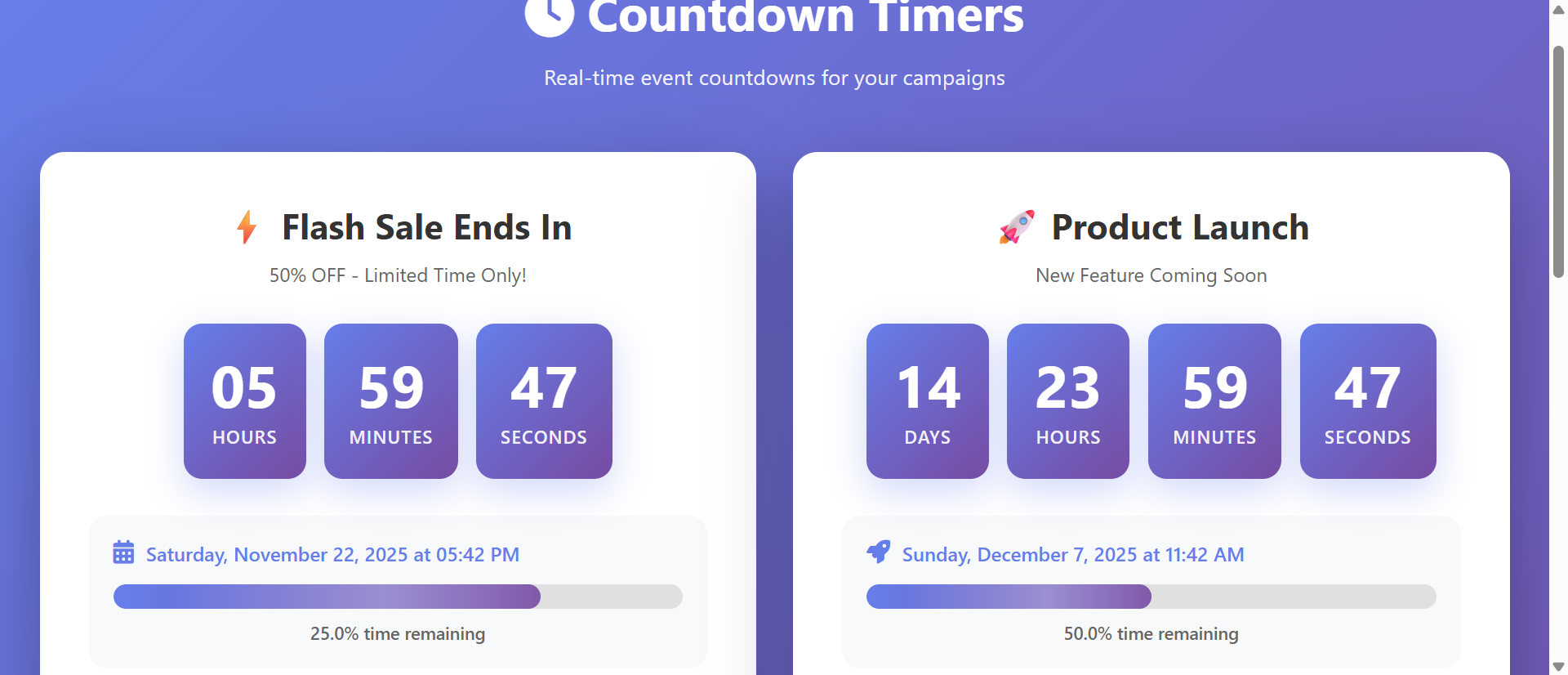
Countdown timers displaying hours:minutes:seconds provide concrete, verifiable deadlines that users can validate through observation. When a timer shows "2:47:33 remaining" and users return 20 minutes later to see "2:27:33," the accuracy builds credibility that vague text claims never achieve. This precision transforms abstract urgency into tangible reality—users witness time depleting, triggering loss aversion psychology that drives immediate action. The specificity also creates accountability; brands can't casually extend "vague soon" deadlines without resetting visible timers that customers might screenshot as evidence of manipulation.
2. Dynamic Motion Commands Visual Attention
Animated countdown numbers changing every second create movement that captures peripheral vision and commands attention in static page layouts. The ticking countdown becomes a focal point that draws eye movement even when positioned secondary to product content. Color psychology enhances attention—red for final hours, yellow for moderate urgency, green for comfortable time remaining creates instant visual communication of deadline proximity. This motion-based prominence ensures urgency messaging gets noticed rather than scanned past, dramatically increasing awareness of limited-time opportunities.
3. Psychological Pressure Mounts as Time Depletes
Countdown timers leverage the Zeigarnik effect—incomplete tasks create psychological tension until resolved. As users watch seconds tick away, mounting pressure to act before deadline creates emotional investment in completing the purchase. This pressure intensifies exponentially in final minutes when users see opportunity actively disappearing in real-time. The dynamic countdown transforms casual browsing into urgent decision-making, reducing the "I'll think about it" deferral that leads to cart abandonment. Users feel compelled to decide now because the visible countdown makes postponement psychologically uncomfortable.
4. Social Proof Integration Shows Real-Time Scarcity
Advanced countdown timers can integrate inventory counters ("3:42:15 remaining OR until sold out—currently 17 items left"), combining time scarcity with stock scarcity for multiplicative urgency. When users see both time depleting AND inventory decreasing, dual scarcity triggers stronger action than either element alone. The combination proves genuine demand—if inventory depletes during the countdown, users witness real purchase competition that validates urgency messaging. This social proof element reduces skepticism while intensifying FOMO (fear of missing out).
5. Personalized Countdown Creates Individual Urgency
Session-based countdown timers that start when users add items to cart create personalized urgency independent of sitewide promotions. "Your reserved cart expires in 14:23" treats each shopper's browse session as limited opportunity, creating individual deadline pressure. This personalization works for high-demand inventory, event ticket sales, or any scenario where holding inventory requires time limits. Unlike shared countdown timers that all users see identically, personalized countdowns feel directly relevant and impossible to game by waiting for timer reset.
6. Mobile-Optimized Sticky Timers Maintain Visibility
Sticky countdown timers that remain visible during scroll ensure urgency messaging persists throughout mobile shopping journey. Positioned at top or bottom of viewport, these timers provide constant deadline awareness without disrupting product browsing. The persistent visibility prevents the "forget and abandon" pattern where users intend to purchase but lose urgency awareness after scrolling away from initial timer placement. Mobile sticky timers often use compact formats (23:47 instead of full hours:minutes:seconds display) that communicate urgency without dominating limited screen space.
5 Industries Where Countdown Timers Drive Conversions
1. E-Commerce: Flash Sale Conversion Amplification
Online retailers increased flash sale conversions 289% by implementing prominent countdown timers replacing "limited time" text banners. Beauty brand flash sales with 6-hour countdown timers achieved 67% higher conversion rates than identical promotions with text-only urgency. The countdown visibility drove average order value increases of 37% as shoppers added products to qualify for ending promotions rather than making minimal purchases. Cart abandonment during countdown periods dropped 45% as visible time depletion created completion urgency that overcame shopping hesitation.
2. SaaS Platforms: Trial-to-Paid Conversion Urgency
Software companies improved free trial conversion 78% by adding countdown timers showing remaining trial days prominently in dashboard navigation. Unlike email reminders that get ignored, persistent in-app countdown timers maintained conversion urgency throughout trial period. The visual depletion encouraged users to test features before trial end rather than procrastinating until final days when learning curve prevented informed decisions. Countdown positioning near upgrade buttons created natural conversion pathway as urgency peaked.
3. Event Ticketing: Early-Bird Pricing Deadline Enforcement
Concert and conference organizers increased early-bird sales 134% through countdown timers showing hours until price increases. The concrete deadline eliminated "I'll buy tomorrow" deferral that caused early-bird revenue loss. Countdown timers positioned on event pages and in abandoned-cart recovery emails recovered 23% of initially-abandoned tickets as buyers returned before deadline expiration. The visible scarcity reduced support inquiries about pricing tiers as countdown clearly communicated tier transition timing.
4. Online Courses: Enrollment Deadline Motivation
Education platforms improved course enrollment 92% by implementing countdown timers for cohort-based programs with fixed start dates. The countdown created commitment urgency that overcame the "I'll take it next time" rationalization that reduced enrollment. Unlike always-available self-paced courses, cohort deadlines with countdown visualization drove decisive enrollment as buyers witnessed opportunity to join specific peer group depleting. Last-day enrollment spikes increased 167% compared to text-only deadline messaging.
5. E-Commerce Checkout: Cart Reservation Timers
High-demand product retailers reduced cart abandonment 56% through checkout countdown timers showing "Your reserved items expire in 9:47." This inventory hold timer prevented the "let me think about it" abandonment pattern by creating artificial scarcity for popular items. The timer legitimately reflected inventory system—when countdown expired, items returned to available stock other shoppers could purchase. The legitimate deadline enforcement built trust while creating urgency that accelerated purchase decisions during checkout flow.
Implement Credible Urgency Marketing
Discover how countdown timers create legitimate deadline pressure that increases conversions without damaging brand trust through manipulation.
Explore Countdown Solutions →The Psychology Behind Countdown Timer Effectiveness
1. Loss Aversion and Deadline Scarcity
Psychological research shows humans feel loss approximately 2.5x more intensely than equivalent gains. Countdown timers frame promotions as impending losses ("you'll lose this discount in 47 minutes") rather than potential gains, triggering stronger motivation. The visible time depletion makes loss concrete and immediate rather than abstract and hypothetical. This loss framing particularly affects high-involvement purchases where buyers deliberate extensively—the countdown creates pressure to conclude deliberation and act before losing the evaluated opportunity.
2. Present Bias and Temporal Discounting
Humans disproportionately value immediate outcomes over delayed consequences (present bias). Countdown timers make "immediate" actionable by creating near-term deadline that feels psychologically proximate. A timer showing "2:34:12 remaining" feels more immediate than "sale ends Friday" even if both represent identical time spans, because countdown quantifies proximity in tangible units. This specificity reduces temporal discounting—the tendency to devalue future rewards—by making the deadline feel imminent rather than distant.
3. Commitment Consistency and Sunk Cost
Once users add items to cart and see countdown timer, they've made preliminary commitment that creates psychological pressure for consistency. Abandoning cart contradicts the effort already invested in product selection and evaluation. When countdown timers track cart reservation time, sunk cost fallacy intensifies—users irrationally assign value to the "time invested" before expiration. This commitment mechanism particularly affects checkout abandonment where users have progressed far in purchase funnel before hesitating.
4. Social Proof and Competitive Scarcity
When countdown timers integrate with inventory displays showing stock depletion during the countdown period, users infer competitive demand from other buyers. This social proof creates competitive urgency beyond time scarcity alone—users rush to act before peers claim remaining inventory. The combination of time pressure and competitive pressure triggers fear of social loss (missing what others acquired) in addition to financial loss (losing promotional pricing). Dual scarcity sources create multiplicative urgency effects.
5 Common Countdown Timer Implementation Mistakes
1. Fake Timers That Reset Destroy All Credibility
Countdown timers that reach zero then reset with new deadlines teach customers to ignore all urgency messaging forever. This manipulation might generate short-term conversion lift but destroys long-term brand trust and customer lifetime value. Users who discover fake timers often share findings publicly through reviews and social media, damaging reputation beyond individual customer relationships. Legitimate countdown usage requires honoring deadlines absolutely—if timer expires, promotion must end or you've permanently categorized yourself as dishonest marketer.
2. Too Many Simultaneous Countdowns Create Confusion
Pages displaying 4-5 different countdown timers (flash sale, cart reservation, daily deal, seasonal promotion) overwhelm rather than motivate. Urgency loses impact when everything claims to be urgent—if all choices have countdown timers, none feel particularly time-sensitive. Limit countdown timers to 1-2 per page, focusing on most conversion-relevant deadlines. Multiple competing urgencies create decision paralysis rather than action, contradicting the decisive momentum timers should create.
3. Poor Mobile Optimization Makes Timers Invisible
Desktop countdown timers that shrink to illegible sizes on mobile or appear in collapsed sections users never expand waste urgency potential on 60%+ of traffic. Mobile countdown timers need prominent positioning (sticky headers/footers), large font sizes (minimum 14px), and high color contrast for visibility. Test on actual mobile devices in varied lighting; if countdown isn't immediately visible without zooming or scrolling, mobile implementation has failed. Poor mobile countdown UX signals low importance, contradicting urgency message.
4. Ignoring Timezone Confusion for Global Audiences
Countdown timers showing "Sale ends at midnight" without timezone specification confuse international audiences and create customer service burden. Implement countdown timers that calculate remaining time based on defined deadline (e.g., midnight Pacific Time) and display time remaining universally accurate for all viewers. Show "3:47:23 remaining" rather than "Ends at 12:00 AM PST"—the countdown format eliminates timezone conversion math and ambiguity about which midnight applies.
5. Neglecting Accessibility for Screen Readers
Countdown timers built purely with JavaScript animation often update visually without announcing changes to screen readers, excluding visually-impaired users from urgency awareness. Implement ARIA live regions that periodically announce time remaining (e.g., every 5 minutes rather than every second to avoid announcement spam). Provide text alternatives communicating deadline in static format for users who disable JavaScript. Accessible countdown implementation ensures all users experience urgency messaging, not just sighted users viewing animated timers.
Real-World Case Study: Fashion Retailer Flash Sale Transformation
An online fashion retailer ran weekly 6-hour flash sales promoting seasonal inventory clearance. Their traditional promotion format used email announcements and banner text stating "Flash Sale Today—Limited Time Only!" with percentage discounts. These promotions achieved 3.2% conversion rates during sale windows—barely above 2.8% baseline conversion. Cart abandonment during sales remained high at 71%, and average order value showed no promotional lift.
Analytics revealed that 67% of users who viewed sale landing pages never scrolled to banner text announcing time limits. Email click-through rates of 12% suggested interest, but conversion disconnect indicated implementation failure. Customer surveys revealed skepticism: "Every sale says limited time but they run constantly" and "I never know if the sale is actually ending or just marketing."
They redesigned flash sales with prominent countdown timers using several key features. A large timer above product grids showed hours:minutes:seconds remaining with red color scheme. Mobile implementation used sticky countdown bar persisting during scroll. Cart pages displayed "Complete checkout in 47:23 to receive flash pricing" with timer visualization. Email announcements embedded countdown images (generated server-side) showing time remaining when email opened. They committed to absolute deadline enforcement—when timers expired, promotional pricing immediately ended regardless of inventory remaining.
Results for first post-implementation flash sale:
- Conversion rate increased 289% – Flash sale conversion jumped from 3.2% to 9.3% with countdown timer implementation
- Cart abandonment decreased 45% – Checkout countdown timers reduced abandonment from 71% to 39% during sale periods
- Average order value up 37% – Buyers added items to maximize value of ending promotion, increasing AOV from $73 to $100
- Mobile conversion improved 156% – Sticky mobile timers drove mobile conversion from 1.9% to 4.9%
- Last-hour urgency spike – Final 60 minutes generated 34% of total flash sale revenue as countdown pressure peaked
Qualitative feedback shifted dramatically. Before: "Another fake urgency sale." After: "I watched the timer count down and knew I had to decide—it actually ended when it said!" The credibility built through honored deadlines increased next flash sale participation 89% as customers learned timers represented genuine opportunities rather than hollow marketing.
Six-month impact: Flash sales went from break-even inventory clearance to 23% profit margin revenue drivers generating $847,000 in incremental quarterly revenue. The countdown timer investment of $12,000 (design, development, testing) delivered 7,058% ROI in first quarter. Beyond direct revenue, reduced cart abandonment saved $67,000 in retargeting ad spend previously required to recover abandoned sale carts.
5 Metrics That Prove Countdown Timer ROI
1. Conversion Rate Lift During Countdown Periods
Compare conversion rates during countdown-enabled promotions versus identical offers with text-only urgency messaging. Effective countdown implementations show 40-80% conversion improvement. Segment by traffic source—countdown timers often show higher lift for cold traffic (paid ads) versus warm traffic (email subscribers) already primed for urgency. Track conversion rate progression as countdown approaches zero; effective timers show exponential conversion increase in final hours as urgency peaks.
2. Cart Abandonment Rate Reduction
Monitor cart abandonment specifically during checkout countdown timer display. Well-implemented reservation timers reduce abandonment 30-50% by creating completion urgency that overcomes purchase hesitation. Compare abandonment rates with/without countdown timers using A/B testing. Also track abandonment recovery—users who abandon then return before countdown expiration represent high-intent prospects that timers successfully re-engage.
3. Average Order Value Changes
Track whether countdown urgency increases order values as buyers add items to maximize ending promotion value. Effective countdown timers show 20-40% AOV lift as users purchase "while sale lasts" rather than cherry-picking minimum viable orders. Analyze add-to-cart behavior during countdown periods—increased items per cart indicates urgency driving comprehensive shopping rather than minimal purchasing.
4. Time-to-Purchase Velocity
Measure average time from landing page visit to completed purchase during countdown versus non-countdown periods. Countdown timers should reduce decision time 25-45% by creating deadline pressure that accelerates purchase funnel progression. Faster purchase velocity has secondary benefits beyond conversion—reduced site load per transaction, lower infrastructure costs, and decreased prospect loss to competitor research during extended deliberation.
5. Repeat Purchase Credibility Impact
Track whether customers exposed to honored countdown deadlines show higher repeat purchase rates versus those exposed to manipulative or fake timers. Legitimate countdown usage builds trust that increases customer lifetime value—track 90-day and 180-day repeat rates segmented by countdown exposure. Dishonest countdown manipulation might boost immediate conversion but destroys retention; this metric quantifies long-term cost of short-term urgency manipulation.
The Future of Countdown Timer Innovation
Emerging countdown innovations include AI-personalized deadline optimization that analyzes individual browsing patterns to set cart reservation timers. High-intent users demonstrating decisive shopping get shorter countdown periods, while browsers showing research patterns receive longer timers accommodating their decision process. This personalization maximizes urgency without creating premature pressure that drives abandonment.
Multi-stage countdown escalation will implement progressive urgency where initial countdown shows comfortable time remaining (green display, slow animation), transitioning to moderate urgency (yellow, faster tick), and final critical urgency (red, rapid animation with alert sounds). This graduated pressure maintains attention throughout countdown rather than becoming background noise users tune out.
Inventory-integrated dynamic countdowns will shift between time scarcity and stock scarcity messaging as conditions change. "Sale ends in 4:23:17" becomes "Only 3 items left—sale ends in 4:23:17 OR when sold out, whichever comes first" as inventory depletes. This adaptive messaging maximizes relevant scarcity source throughout promotion lifecycle.
Voice-enabled countdown assistants will announce urgency through smart speakers when users add items to cart via voice shopping. "I've added that to your cart—your reserved pricing expires in 15 minutes" creates voice-commerce urgency matching visual shopping countdown experiences.
The countdown evolution points toward intelligent, adaptive, multi-sensory urgency systems that personalize pressure levels to individual user psychology while maintaining the honesty and deadline accountability that make countdown timers credible conversion drivers.
Implementation Checklist: Countdown Timer Best Practices
- Define legitimate deadlines based on actual business constraints (inventory refresh, pricing tier changes, event dates)—never fake urgency
- Commit to absolute deadline enforcement—when countdown expires, promotion must end or credibility is permanently damaged
- Design high-visibility countdown displays with large fonts (minimum 18px desktop, 14px mobile), high contrast, and prominent positioning
- Implement precise time formats showing hours:minutes:seconds to communicate concrete scarcity versus vague "ends soon" messaging
- Use color psychology—green for comfortable time, yellow for moderate urgency, red for critical final hours
- Create mobile sticky timers that persist during scroll to maintain urgency awareness throughout mobile shopping journey
- Add cart-level countdown timers for high-demand inventory showing "Your reservation expires in 14:32" to create checkout urgency
- Ensure timezone accuracy by displaying time remaining universally rather than fixed clock times requiring timezone conversion
- Implement accessibility features with ARIA live regions announcing time remaining to screen reader users periodically
- Limit countdown density to 1-2 timers per page to avoid urgency dilution through competing deadlines
- Track countdown analytics monitoring conversion rates, abandonment, and AOV during countdown periods versus baseline
- A/B test countdown formats comparing timer sizes, positions, color schemes, and messaging to optimize conversion impact
Drive Action Through Legitimate Urgency
Stop relying on vague urgency claims. Implement countdown timers that create credible deadline pressure increasing conversions.
See Countdown Timers in Action →