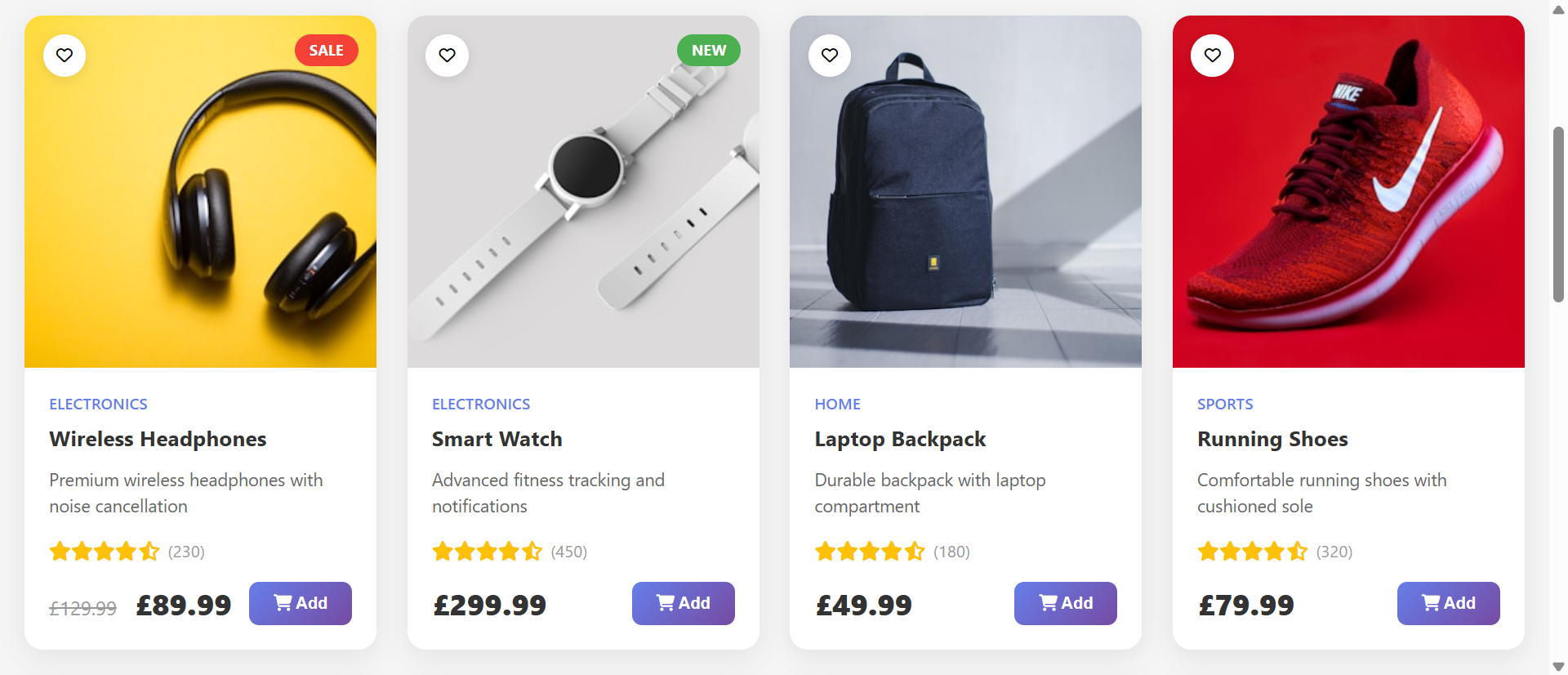
A shopper lands on your online store looking for "women's running shoes." Your catalog loads: 847 products displayed in chronological order. The shopper scrolls. Page after page of shoes—hiking boots, casual sneakers, men's shoes, sandals, dress shoes, everything mixed together. No way to filter by gender, activity, or price range. After two minutes of scrolling through irrelevant products, frustration peaks. They leave. Your competitor has filters. They find the perfect shoe in 30 seconds and buy.
This scenario costs e-commerce businesses millions daily. Large product catalogs are assets when shoppers can navigate them efficiently. Without filtering, they become overwhelming obstacles. The paradox: more product variety should increase sales opportunities, but without organization tools, variety creates paralysis and abandonment.
Why Unfiltered Product Catalogs Destroy Conversion Rates
Product abundance without discovery tools transforms shoppers into frustrated searchers:
1. Overwhelming Choice Paralyzes Decision-Making
The "paradox of choice" is well-documented: beyond 7-10 options, decision quality and satisfaction decline. When shoppers face hundreds of products without filtering, they experience cognitive overload. Too many choices, no clear path to narrow them. The mental effort required exceeds their motivation. Result: abandonment rather than purchase.
Studies show conversion rates drop 68% when shoppers must scroll through more than 30 products to find relevant options. Each irrelevant product encountered increases abandonment probability.
2. Time-Consuming Search Creates Friction
Modern shoppers expect instant gratification. They want to find the right product within seconds, not minutes. Scrolling through pages of inventory searching for "the one that matches my criteria" takes too long. Every additional 10 seconds of search time increases bounce rate by 8-12%. Shoppers who can't find relevant products quickly leave to competitors offering better discovery tools.
3. No Way to Express Preferences or Requirements
Every shopper arrives with specific needs: budget constraints, size requirements, color preferences, brand loyalty, feature requirements. Unfiltered catalogs force shoppers to manually identify products matching their criteria by inspecting each one individually. This manual screening is tedious and error-prone. Shoppers miss good matches buried deep in results and waste time evaluating poor matches.
4. Mobile Browsing Becomes Impossible
Over 60% of e-commerce traffic is mobile. Scrolling through hundreds of products on a 6-inch screen is excruciating. Slow loading, tiny product cards, constant swiping—mobile shoppers abandon even faster than desktop users when catalogs lack filtering. What's merely frustrating on desktop becomes completely unusable on mobile.
5. Inability to Comparison Shop (Apples to Oranges)
Shoppers want to compare similar products to make informed decisions. Unfiltered catalogs mix categories, price ranges, and product types, making comparison impossible. "Is this $80 shoe better than that $120 shoe?" requires finding both in the massive list, remembering details, navigating back and forth. Most give up rather than investing that effort.
Real-World Results: An online apparel retailer had 3,200 products displayed in one massive scrollable page. Bounce rate: 71%. Average session duration: 47 seconds. Conversion rate: 0.8%. They implemented product grid with filters: category (men's/women's/kids), type (shirts/pants/shoes/accessories), price range slider, size, color swatches, brand checkboxes, and sort options (price, popularity, newest). Bounce rate dropped to 34%. Average session duration increased to 4 minutes 12 seconds. Conversion rate jumped to 3.1%—a 288% increase. Same products, dramatically better discovery experience.
How Smart Product Filters Transform Browsing Into Buying
Effective filtering systems don't just organize products—they match inventory to shopper intent:
1. Category Filters Create Logical Product Segmentation
Primary category filters (Electronics, Clothing, Home & Garden, Sports, etc.) immediately narrow inventory to relevant domains. Clicking "Women's Clothing" eliminates 80% of irrelevant products instantly. Secondary subcategory filters (Tops, Bottoms, Dresses, Outerwear) refine further. This hierarchical filtering mirrors how shoppers think: broad to specific.
Well-designed category filters show product counts: "Dresses (127)" helps shoppers understand result set size before filtering, setting expectations.
2. Price Range Sliders Respect Budget Constraints
Budget is often the primary constraint. Price range sliders let shoppers immediately filter to affordable options: "Show me running shoes under $100." This saves everyone time—shoppers don't waste energy on unaffordable products, and you don't create desire you can't fulfill. The slider visual interface is intuitive; shoppers can see price distribution and adjust thresholds easily.
3. Multi-Select Attribute Filters Enable Precise Criteria Matching
Checkboxes for attributes (size, color, brand, material, features) let shoppers express complex requirements: "Size 10, Nike or Adidas, under $120, blue or black." Each filter narrows results, progressively revealing products matching their exact needs. The multi-select nature acknowledges shoppers often have flexible preferences ("either Nike or Adidas is fine") rather than rigid requirements.
Smart implementations show how many products match as filters are applied: "Showing 12 of 847 products" provides feedback that refinement is working.
4. Search Boxes Enable Specific Product Discovery
Integrated search lets shoppers who know exactly what they want type "Dyson V15 vacuum" and find it immediately. Search combined with filters is powerful: search for "running shoes," then filter by size, price, and brand. This hybrid approach serves both directed search ("I want specific model X") and exploratory browsing ("show me options that match my criteria").
5. Sort Options Prioritize by Shopper Preference
Sort by: Price (Low to High), Price (High to Low), Popularity, Newest Arrivals, Top Rated, Best Selling. Different shoppers have different priorities. Budget shoppers want cheapest first. Early adopters want newest. Quality-focused shoppers want top-rated. Sorting empowers shoppers to view results in their preferred order, seeing most-relevant-to-them products first.
6. Active Filter Display and Easy Reset
Show active filters as removable tags: "Women's | Running Shoes | $50-$100 | Size 8 | Nike [x]." This visibility confirms what's currently filtered and enables easy adjustment—click the [x] to remove one filter without resetting everything. "Clear All Filters" button returns to full catalog. This control reduces anxiety about "losing" products through over-filtering.
See Smart Filtering in Action
Experience how intuitive product filters transform overwhelming catalogs into effortless product discovery and higher conversions.
Try Live DemoReal-World Applications Beyond Retail E-Commerce
Product grids with filters work anywhere users need to find items within large collections:
Online Retail and E-Commerce Stores
Obviously the primary use case. Fashion retailers, electronics stores, home goods, sporting equipment—any product catalog benefits. An electronics retailer implemented filters for category, brand, price, screen size, processor, RAM, storage. Laptop category conversion increased 156% because shoppers could quickly identify specs matching their needs and budget.
Real Estate Listings and Property Search
Filter properties by: location, price range, bedrooms, bathrooms, square footage, property type (house/condo/land), features (pool, garage, fireplace). Real estate filtering is critical—buyers have very specific requirements. A property portal added map-based filtering plus traditional filters. User engagement increased 203%, and contact form submissions increased 127%.
Job Board and Career Portals
Filter jobs by: location, salary range, job type (full-time/part-time/contract), experience level, industry, remote options, benefits. Job seekers value their time highly. A job board implemented comprehensive filtering and saw application completion rate increase 89% because candidates found relevant positions faster.
Event and Course Directories
Filter events/courses by: date range, location/virtual, topic/category, price (free/paid), duration, difficulty level. A continuing education platform added filters and saw course enrollment increase 67%. Learners could quickly find courses matching schedule, budget, and skill level.
Service Provider Directories
Filter service providers (contractors, lawyers, consultants) by: service type, location, price range, availability, ratings, years of experience, specialization. A contractor directory added filtering and saw lead generation increase 112% as homeowners quickly found qualified providers matching their project needs.
The Psychology Behind Effective Product Filtering
Understanding cognitive science reveals why filters dramatically improve conversion:
Progressive Disclosure Reduces Cognitive Load
Rather than presenting all 847 products simultaneously (overwhelming), filters progressively narrow to relevant subset (manageable). This matches human information processing limits. We can evaluate 12 relevant options far better than 847 mixed options. Filters reduce cognitive load by reducing choice set to meaningful, comparable alternatives.
Perceived Control Increases Satisfaction
Filters give shoppers control over their experience. "I choose to see only blue shoes under $100" feels empowering. Scrolling through pre-determined product order feels passive and frustrating. Psychological research shows people prefer situations where they control outcomes. Filters provide that control, increasing satisfaction and likelihood of purchase.
Efficient Information Foraging
Information foraging theory suggests humans navigate digital environments using strategies similar to animals foraging for food. We scan for "information scent"—cues that desired information is nearby. Filters are strong scent indicators: "Blue Shoes (23)" tells you exactly where your desired products are. Without filters, every product must be inspected to determine relevance—inefficient foraging that leads to abandonment.
Decision Confidence Through Comparison
After filtering to relevant subset, shoppers can compare similar products meaningfully. "These 8 running shoes all match my size, price, and brand preferences—which has best features?" Comparing apples to apples builds decision confidence. Comparing running shoes to hiking boots to sandals (unfiltered catalog) creates confusion and doubt.
Common Filtering Mistakes That Hurt Instead of Help
Poorly implemented filters can actually harm conversion:
Too Many Filter Options (Overwhelming the Filters)
Offering 40 different filter attributes recreates the overwhelm problem you're trying to solve. Limit to 6-10 most important filters. Prioritize based on how shoppers actually make decisions in your category. Clothing: size, color, price, brand, style. Electronics: brand, price, specs. Less is more if chosen wisely.
Filters That Return Zero Results
Nothing is more frustrating than applying filters and seeing "No products match your criteria." This suggests broken system or poor inventory. Smart filtering either disables filter options that would create zero results or shows product counts before applying: "Size 15 (0)"—shopper knows to avoid. Better yet, show "Size 15 not available in this category" rather than letting them filter to nothing.
Slow Filter Response (Multi-Second Delays)
If clicking a filter takes 3-5 seconds to update results, shoppers abandon. Filtering should feel instant—under 0.5 seconds. Implement client-side filtering for small catalogs or Ajax loading for large ones. Perceived performance matters enormously. Even 1-second delays reduce conversions by 7%.
Poor Mobile Filter UX
Desktop-style filter sidebars don't work on mobile. Implement mobile-specific patterns: filter button opens full-screen filter panel, collapsible filter groups, clear "Apply Filters" button to dismiss panel. Test on actual phones. If filters are hard to use on mobile, 60%+ of your traffic has broken experience.
No Visual Feedback on Active Filters
If shoppers can't see which filters are active, they get confused about why they're seeing certain results. Display active filters prominently with ability to remove individually. "You're viewing: Women's Shoes, Size 8, $50-$100, Nike [Clear All]" prevents confusion and enables easy adjustment.
Case Study: An outdoor gear retailer implemented 22 different filter options (overwhelming) with no indication of which combinations would yield results. Shoppers frequently filtered to zero products, assumed inventory was poor, and left. Filter usage: 34%. The retailer reduced to 8 core filters (category, price, brand, size, color, rating, availability, activity type), disabled unavailable filter combinations, and showed result counts dynamically. Filter usage increased to 78%. Conversion rate increased 142%. Simplification and smart defaults outperformed comprehensive options.
Measuring Product Grid and Filter Performance
How do you know if your filtering system is actually working?
Filter Usage Rate
What percentage of shoppers use filters? Healthy rate: 60-80% on category pages with large inventories. Low usage (under 30%) suggests filters aren't prominent, intuitive, or valuable. Track which specific filters get used most—prioritize those in design and positioning.
Search Refinement Patterns
How many filters does average shopper apply before purchasing? Typical: 2-4 filters. Very high (6+) might indicate filters aren't effective—shoppers keep refining because they're not finding what they want. Very low (0-1) suggests catalog is small enough that filtering isn't needed, or filters aren't relevant to decision-making.
Time to First Product View
How long from landing on catalog page to clicking first product? With effective filtering: 15-45 seconds (time to filter + scan + select). Without filtering or with poor filtering: 2-5 minutes of scrolling. Faster time to relevant product view indicates filtering is working.
Bounce Rate and Exit Rate on Category Pages
High bounce rate (over 60%) on category pages suggests shoppers aren't finding products they want. Effective filtering should reduce bounce rate to 30-45% as shoppers discover relevant products worth exploring.
Conversion Rate Lift by Filter Usage
Compare conversion rates: shoppers who used filters vs. shoppers who didn't. Expect 80-200% higher conversion for filter users. If filter users don't convert better, filters might be leading shoppers to wrong products or creating friction rather than helping.
The Future of Product Discovery
Modern filtering systems are evolving: AI-powered recommendations ("Customers like you often filter for..."), visual search (upload photo, find similar products), natural language filtering ("Show me blue running shoes under $100 in size 10"), personalized default filters based on browsing history, and AR try-before-you-buy integrated with filtering.
But core principles persist: reduce cognitive load, enable efficient discovery, respect shopper preferences, and present manageable, relevant choice sets.
Getting Started: Building High-Converting Product Grids
Ready to transform overwhelming catalogs into intuitive shopping experiences?
- Analyze Your Product Attributes: What dimensions do shoppers care about? Price, size, color, brand, features—identify 6-10 key filters
- Implement Category Hierarchy: Primary categories + subcategories create logical product grouping
- Add Price Range Slider: Visual slider with min/max values—budget is almost always a key constraint
- Multi-Select Attribute Filters: Checkboxes for size, color, brand, features—let shoppers express complex preferences
- Search Integration: Combine search box with filters for hybrid discovery (search + refine)
- Sort Options: Price, popularity, rating, newest—different shoppers prioritize differently
- Show Active Filters: Display current filters as removable tags with "Clear All" option
- Display Result Counts: "Showing 23 of 847 products" provides feedback that filtering is working
- Optimize for Mobile: Filter button → full-screen filter panel → apply filters (test on actual phones)
- Ensure Fast Response: Filter updates should feel instant (under 0.5 seconds)
- A/B Test Filter Presentation: Sidebar vs. top bar vs. panel, filter order, default states
The product grid with filters module handles all functionality—responsive grid, multi-attribute filtering, search integration, sort options, mobile optimization, smooth animations. You configure your product attributes and filter options; it creates the discovery experience that converts browsers into buyers.
Transform Product Discovery
See how intuitive filtering systems turn overwhelming product catalogs into effortless shopping experiences that drive conversions.
View Live Module