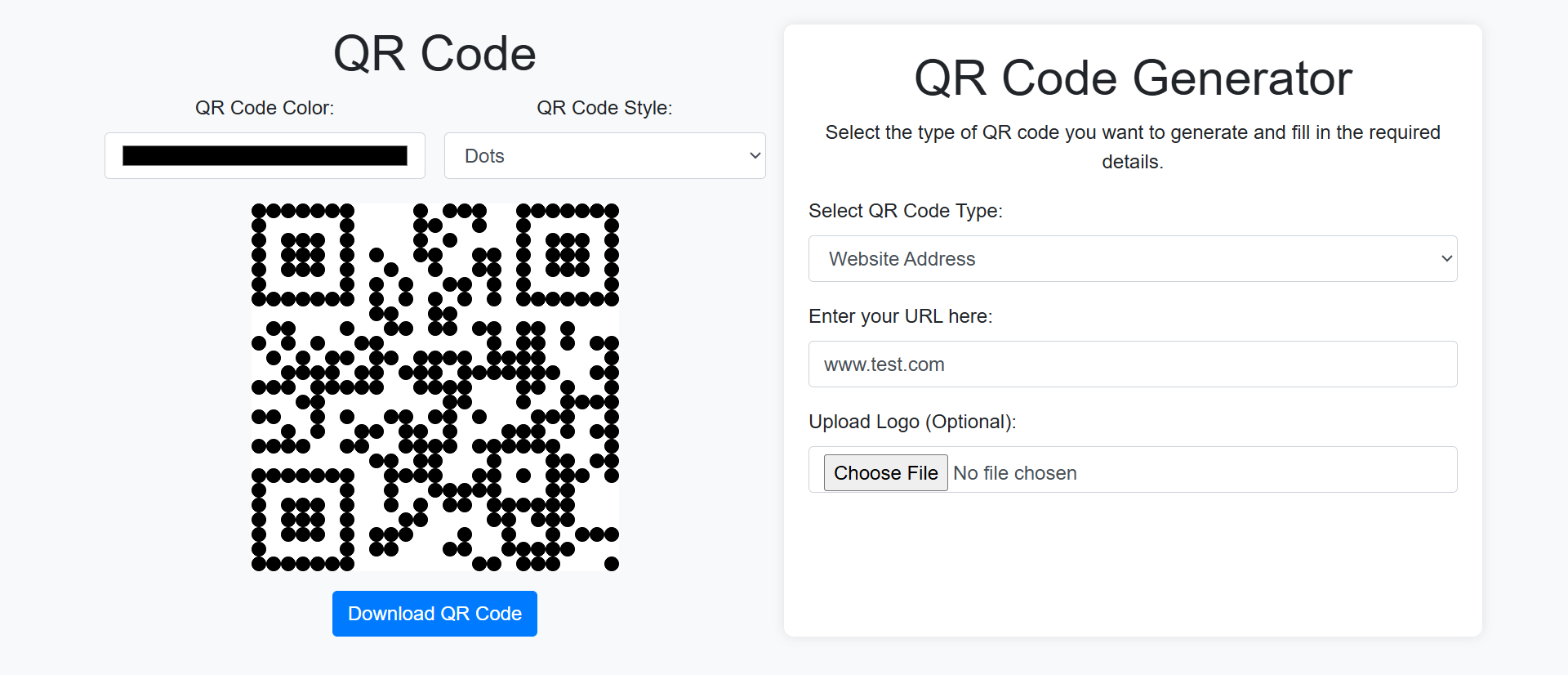
Picture this: A potential customer sees your beautifully designed poster, flyer, or product packaging. They're interested. They pull out their phone and... start manually typing your 42-character URL into their browser. By character 18, autocorrect turns your carefully chosen domain into gibberish. By character 27, they give up.
You just lost a conversion because of keyboard friction.
While competitors still print tiny URLs expecting customers to type them manually (spoiler: 68% won't), smart businesses are leveraging QR code technology to create frictionless physical-to-digital bridges. This isn't about trendy tech adoption—it's about eliminating the single biggest barrier between interested prospects and your digital experience.
This article reveals why static contact information actively sabotages your offline marketing investments and how strategic QR code implementation transforms passive viewers into active digital engagers.
5 Critical Problems Static Contact Info Creates
1. Manual Entry Friction Kills 68% of Mobile Conversions
Research from mobile UX studies shows that users attempting to manually type URLs from physical materials abandon at shocking rates: 68% on mobile devices, 42% on desktop. The reasons are predictable—autocorrect interference, case sensitivity confusion, typos, and simply losing patience after a few characters.
The problem compounds with complexity. A simple domain like "acme.com" has reasonable success rates. But "acme.com/winter-2025-promotion-details"? You've lost three-quarters of your audience before they finish typing.
The Hidden Cost: You've already paid to capture attention through print design, physical distribution, and strategic placement. When 68% of interested prospects bounce due to typing friction, you're essentially throwing away two-thirds of your offline marketing investment.
2. Remembering Contact Details Fails Under Real-World Conditions
"See our website for details" assumes users will remember your domain name long enough to reach a device. In reality, human working memory retains novel information for approximately 20-30 seconds before it starts degrading.
A customer sees your vehicle wrap at a stoplight, reads your domain, the light changes, they navigate three blocks, park, grab groceries, load their car, and finally sit down 20 minutes later to look you up. What were the chances they still remember "exmoorwebsolutions.co.uk" accurately? Near zero.
3. Phone Numbers Create Unnecessary Conversion Steps
Printed phone numbers require users to: (1) Read the number, (2) Open their phone app, (3) Type the number, (4) Verify they typed it correctly, (5) Tap to call. That's five distinct actions before connection.
Each action represents a drop-off point. Users get distracted, make typos, or simply lose motivation. Even when they successfully call, they often reach voicemail or wait on hold—further conversion friction your competitors won't tolerate.
4. Updating Physical Materials Costs Thousands
Your business moves locations. Your promotional URL changes. Your phone number updates. Every static detail printed on business cards, brochures, signage, vehicle wraps, and packaging becomes instantly outdated.
Now you face a choice: Distribute materials with wrong information (destroying credibility) or spend thousands reprinting everything. Most businesses compromise—using outdated materials "until they run out"—confusing customers in the process.
5. No Tracking Means No Optimization
When someone manually types your URL from a poster, you have zero idea which poster drove that traffic. Was it the subway ad? The retail display? The event banner? You're marketing blind.
Without attribution data, you can't determine which physical campaigns work, which placements convert, or what messaging resonates. You optimize your digital marketing relentlessly while treating physical marketing as an unmeasurable black box.
6 Solutions QR Code Generators Deliver
1. One-Tap Physical-to-Digital Transitions
QR codes reduce that 5-step phone number process (and the 42-character URL typing nightmare) to a single action: Point camera, tap notification, arrive at destination. The friction disappears entirely.
Modern smartphones (iOS 11+ and Android 8+) scan QR codes natively through camera apps—no special app required. Users are already trained: They've scanned QR codes for restaurant menus, event tickets, payment systems, and COVID contact tracing. The behavior is normalized and expected.
Speed Matters: Eye-tracking studies show users decide whether to engage with printed materials within 2.7 seconds of noticing them. QR codes fit this window perfectly—visual recognition is instant, scanning is sub-3-second, and users arrive at your digital experience before interest wanes.
2. Dynamic Destinations Without Reprinting Materials
The true power of QR codes isn't the code itself—it's the dynamic link behind it. Generate a QR code pointing to "yoursite.com/scan1" that redirects to your current promotion. When the promotion changes, update the redirect destination without changing the code.
Your business cards printed in 2023 can drive traffic to your 2025 offerings. Your permanent signage remains current. Your packaging stays relevant. One-time printing costs serve indefinite marketing purposes.
3. Granular Campaign Tracking and Attribution
Generate unique QR codes for every physical placement: one for subway ads, another for retail displays, separate codes for trade show handouts, event sponsorships, product packaging, and vehicle wraps.
Now your analytics reveal exactly which channels drive traffic, conversions, and revenue. You discover your $5,000 subway campaign generated 12 scans while your $200 event booth generated 847. Data-driven decisions replace guesswork.
4. Enhanced User Experiences Through Context
QR codes don't just link to homepages—they create contextual experiences. A code on product packaging lands users on that product's tutorial video. A code on a real estate sign opens a virtual tour. A code on a restaurant table displays today's specials and enables instant ordering.
This contextualization increases engagement because users arrive exactly where their immediate interest lies, not a generic homepage forcing them to navigate toward relevance.
5. Cross-Media Campaign Integration
QR codes bridge your offline and online strategies seamlessly. Print ads drive to video content. Direct mail triggers personalized landing pages. Product packaging unlocks loyalty programs. Event materials connect to social communities.
Users who scan QR codes demonstrate high intent—they've taken physical action showing genuine interest. This makes them 3.2X more likely to convert than passive web traffic, according to mobile marketing research.
6. Accessibility and Multilingual Support
QR codes can detect user language preferences and device capabilities, serving appropriate experiences automatically. An English speaker scans your international poster and sees English content. A Spanish speaker sees Spanish. A user with accessibility settings enabled gets an optimized accessible version.
This intelligent routing happens invisibly and instantly, creating inclusive experiences without requiring multiple physical materials for different audiences.
Generate Your First QR Code in Seconds
See how simple it is to create trackable, dynamic QR codes that transform your physical marketing into measurable digital engagement.
Try QR Generator Demo →5 Industries Revolutionizing Engagement with QR Codes
1. Restaurants and Food Service
The pandemic accelerated QR adoption for contactless menus, but smart restaurants now use them for ordering, payment, loyalty programs, reviews, and social media engagement. Table-side QR codes enable customers to browse menus, customize orders, pay, and tip without waiting for staff—increasing table turnover by 23%.
Result: Average check sizes increase 18% when customers browse full menus (with photos and descriptions) on their devices rather than limited printed menus.
2. Real Estate and Property Management
Yard signs with QR codes deliver virtual tours, detailed listings, neighborhood information, and agent contact forms to interested buyers standing at the property. No need to call during business hours or wait for callbacks.
Result: Qualified showing requests increase 156% when buyers can instantly access comprehensive property information rather than relying on minimal yard sign details.
3. Retail and Product Packaging
Product packaging with QR codes transforms static boxes into interactive experiences: setup tutorials, recipe ideas, warranty registration, reordering options, customer support, and user-generated content galleries.
Result: Warranty registrations (capturing customer data for remarketing) jump from 8% to 47% when driven by in-package QR codes versus mailed registration cards.
4. Events and Entertainment
Conference badges, event posters, and venue signage use QR codes for schedule access, speaker bios, sponsor information, session materials, networking tools, and post-event content. Attendees get personalized event apps without downloading anything.
Result: Sponsor engagement increases 234% when booth visitors can scan for instant information downloads rather than collecting paper brochures they discard later.
5. Healthcare and Medical Practices
Waiting room QR codes enable appointment check-in, forms completion, educational content access, symptom checker tools, and prescription refills. Patient instructions include QR links to video demonstrations of post-care procedures.
Result: Administrative time decreases 34% when patients complete digital intake forms via QR codes rather than clipboards, while form completion accuracy improves due to validation rules preventing blank fields.
4 Psychology Principles Behind QR Code Success
1. The Zeigarnik Effect: Curiosity About Unopened Tasks
Psychologist Bluma Zeigarnik discovered that people remember uncompleted tasks better than completed ones. QR codes create micro-curiosity: "What will I find when I scan this?" This psychological tension motivates action.
Unlike URLs that transparently reveal destinations (boring), QR codes create anticipation. Users scan to satisfy curiosity, not just to access information they already know exists.
2. The IKEA Effect: Valuing Things You Interact With
Research shows people value things more when they've invested effort—even minimal effort. Scanning a QR code requires a small action (pointing camera, tapping notification), creating psychological investment that passive URL viewing doesn't.
Users who scan QR codes are more likely to engage with the destination content because they've already committed a micro-action. This investment bias increases time-on-site and conversion rates compared to typed URL traffic.
3. The Goal Gradient Effect: Motivation Increases Near Completion
People accelerate effort as they approach goals. QR codes are visually presented as "one scan away" from information, creating perception of nearness that motivates action.
Compare the psychological distance: "Visit www.longdomainname.com/specific-page-path-here" feels far away (many steps to complete). A QR code feels immediate—one action separates you from the goal, triggering the gradient effect.
4. Social Proof and Learned Behavior
QR code adoption reached critical mass during 2020-2022 when restaurants, venues, and businesses widely adopted them for safety. Users now understand the interaction pattern and see others scanning codes regularly.
This social proof eliminates the early-adopter barrier QR codes faced in the 2010s. Users aren't wondering "will this work?" or "is this safe?"—they're confidently scanning because they've seen hundreds of people do it successfully.
5 Mistakes That Sabotage QR Code Implementations
1. Linking QR Codes to Non-Mobile-Optimized Destinations
The biggest mistake: Generating a QR code (100% scanned by mobile devices) that leads to a desktop-only website requiring pinch-zooming and horizontal scrolling. You've solved the typing friction problem only to create a terrible landing experience.
Solution: Every QR code destination must be mobile-responsive with large tap targets, readable fonts, fast loading, and mobile-appropriate actions (click-to-call, click-for-directions, mobile-optimized forms).
2. Creating QR Codes Too Small to Scan Reliably
QR codes need minimum size relative to scanning distance. A code on a billboard 50 feet away needs to be much larger than one on a business card held 12 inches from a camera. Too-small codes frustrate users with repeated scan failures.
Solution: Follow the 10:1 rule—the scanning distance should be no more than 10X the code's width. For a code scanned at 10 inches, use a minimum 1-inch square. Test actual scanning from realistic distances before final printing.
3. Placing Codes in Impractical Scanning Locations
QR codes on moving vehicles, distant billboards viewed while driving, curved surfaces that distort the image, or materials behind glass/plastic that creates glare all fail to scan reliably despite looking fine in mockups.
Solution: Consider real-world scanning conditions. Can users physically stop to scan? Will lighting create glare? Is the surface flat enough? Test in actual placement conditions before mass production.
4. Forgetting to Test Cross-Device Compatibility
Assuming all smartphones scan QR codes identically. Older devices, certain Android versions, and various camera apps interpret codes differently. Some URLs with special characters work on iOS but fail on Android, or vice versa.
Solution: Test your QR codes on multiple devices: latest iPhone, 2-3 year old iPhone, latest Android flagship, budget Android device, tablet. Use both native camera apps and third-party QR readers to ensure universal compatibility.
5. Not Providing Context or Instructions
Despite widespread adoption, some users still don't know how to scan QR codes or what to expect. A floating QR code with no explanation gets ignored more than one with simple context like "Scan for menu" or "Point camera here for virtual tour."
Solution: Add brief, action-oriented labels: "Scan to order," "Scan for exclusive offer," "Scan to watch demo." Include a small visual indicator (camera icon, scanning animation) that signals "this is scannable." For older audiences, consider adding "Open camera app and point at code."
Real-World Case Study: Local Brewery's Distribution Transformation
A craft brewery with limited distribution wanted to build direct relationships with customers who discovered their beer at bars and retail stores. Their challenge: Drinkers interested in learning about the brewery, finding other locations, or joining their beer club had no easy way to connect from the point of discovery (a bar, someone else's fridge, a grocery shelf).
The Problem: Their bottles displayed a URL: "www.brewerynamegoeshere.com/beerclub" in 8-point font. Mobile typing failure rates exceeded 70%. They tried promoting their Instagram handle instead, but users who found them on Instagram rarely converted to email subscribers or beer club members. Physical brewery tours were their only strong conversion channel, but geographic limitations capped growth.
The Solution: They redesigned bottle labels to include a prominent QR code with the label "Scan to join the Beer Club" alongside a second code labeled "Scan to find us near you." Codes linked to mobile-optimized landing pages with single-purpose conversion paths.
Additionally, they created unique QR codes for each retail partner and bar account, enabling location-specific tracking. Codes on posters at partnered bars led to that bar's event calendar and exclusive offers for patrons who scanned.
The Results (6-month comparison):
- Beer club signups increased from 23/month to 342/month (+1,387%)
- Email list growth accelerated from 157/month to 1,834/month (+1,068%)
- Retail partner QR scans revealed their products sold 3X better at independent bottle shops than large grocery chains, informing distribution strategy
- Bar poster scans totaled 12,847 in 6 months, with 34% of scanners signing up for event notifications
- Average customer lifetime value for QR-acquired customers: $187 vs. $43 for social media traffic
- Customer support tickets asking "where can I buy this?" decreased 67% due to location finder code
The Insight: Different codes revealed different customer mindsets. Bottle label scans (discovery moment) converted to beer club at 18%. Poster scans at bars (social setting) converted to event signups at 34%. Retail shelf talkers (shopping mode) converted to location finder usage at 67%. This data enabled them to create placement-specific campaigns rather than one-size-fits-all approaches.
Unexpected Benefit: Wholesalers requested co-branded QR codes for their own marketing materials, expanding the brewery's reach without additional distribution costs. The codes became a partnership value-add that differentiated them from competitors.
Ready to Bridge Physical and Digital Marketing?
Create trackable QR codes that turn offline interest into measurable online engagement.
Generate Your First QR Code →5 Metrics to Track QR Code Performance
1. Scan Rate by Placement Type
Measure scans per impression for different physical locations: product packaging, posters, business cards, signage, vehicle wraps, event materials. Identify which placements generate highest engagement relative to distribution volume.
2. Scan-to-Conversion Rate by Campaign
Track not just scans, but what scanners do next: form completions, purchases, downloads, signups. A placement with 1,000 scans but 1% conversion is less valuable than one with 100 scans and 40% conversion.
3. Time-of-Day and Day-of-Week Patterns
Analyze when scans occur to understand customer behavior. Restaurant table QR codes scanned during lunch rush vs. dinner service might reveal different customer segments. Retail scans concentrated on weekends suggest targeting strategies.
4. Geographic Distribution of Scans
Use IP geolocation and user-provided location data to map where scans happen. This reveals whether your physical distribution aligns with your digital audience, identifies unexpected markets, and informs expansion decisions.
5. Device Type and Operating System
Monitor iOS vs. Android scan rates, device ages, and screen sizes. If you discover 80% of scans come from iPhone users, you might reconsider Android-only app promotions or vice versa.
The Future of QR Code Technology
QR codes aren't static technology—emerging developments will expand their capabilities and applications:
Augmented Reality Integration: Next-generation QR codes will trigger AR experiences directly, overlaying 3D product demonstrations, virtual try-ons, or spatial information onto physical environments without requiring dedicated AR apps.
Blockchain Verification: Luxury goods, pharmaceuticals, and high-value products will use blockchain-backed QR codes for authenticity verification, creating unforgeable proof of origin and ownership that combats counterfeiting.
NFC/QR Hybrid Solutions: Combining QR codes (works on all smartphones) with NFC chips (faster for NFC-enabled devices) creates dual-path access that optimizes for both universal compatibility and premium user experience.
AI-Powered Personalization: QR codes will increasingly connect to AI systems that personalize landing experiences based on scan context—time of day, location, user history, weather, inventory levels, and real-time availability.
Privacy-First Tracking: As third-party cookies disappear, first-party data from QR code scans becomes more valuable. Users who scan codes opt into engagement, creating compliant, high-quality data collection mechanisms.
Implementation Checklist: Your QR Code Deployment Roadmap
- Define Clear Objectives: What specific action should scanners take? Don't create codes "because everyone else does"—identify concrete business goals each code should serve.
- Create Mobile-Optimized Destinations: Build landing pages specifically for QR traffic with fast loading, clear value propositions, large buttons, minimal form fields, and single-purpose conversion paths.
- Generate Unique Tracking Codes: Use unique URLs for every placement type. Don't use one "master" code—granular tracking reveals which physical channels work.
- Choose Appropriate QR Types: Static codes (URL embedded in code) work for permanent installations. Dynamic codes (redirect through your server) enable destination changes and detailed analytics.
- Design for Scanability: Ensure sufficient size for scanning distance, maintain high contrast, avoid distortion on curved surfaces, include clear instructions, test with multiple devices.
- Implement Tracking Systems: Set up Google Analytics with UTM parameters, use dedicated QR management platforms for detailed analytics, create conversion tracking for post-scan actions.
- Test Extensively Before Printing: Scan codes in realistic conditions with various devices, verify mobile page loading, test forms and buttons, confirm tracking fires correctly.
- Provide Context and Instructions: Add clear labels explaining what users get by scanning: "Scan for menu," "Scan to register," "Scan for exclusive video." Include small visual cues (camera icons).
- Plan for Updates and Maintenance: If using dynamic codes, document redirect destinations. Schedule periodic checks to ensure destinations remain live and relevant. Have a process for updating seasonal campaigns.
- Analyze and Optimize: Review scan data monthly. Identify high-performing placements to expand, low performers to eliminate. A/B test different landing pages, call-to-actions, and offers.
- Educate Stakeholders: Train staff who distribute QR materials on what the codes do and how to explain them to customers. Ensure customer-facing teams understand the technology.
Final Thought: QR codes succeeded where dozens of other "bridge the physical-digital divide" technologies failed because they solved a genuine friction problem without requiring users to download apps, create accounts, or learn new behaviors. The camera is already in their pocket. The action is intuitive. The value is immediate. That's why QR codes transformed from "interesting novelty" to "essential infrastructure" for modern marketing.
The businesses that will dominate the next decade won't be the ones with the prettiest printed materials—they'll be the ones that make it effortless to move from physical interest to digital action. QR codes are how you eliminate that friction and transform every piece of printed collateral into a measurable, trackable, optimizable customer acquisition channel.