You're about to hire a consultant. Or buy from a new company. Or sign a contract for services. Before making that decision, you do what 85% of people do: you check out their team page. You want to see who you'll be working with. Are these real people? Do they look professional? Can you trust them?
Here's the problem: Most team pages actively undermine trust instead of building it. Static headshots from 2015. Generic job titles with zero personality. "Meet John, our Marketing Director." Okay... but who is John? Why should I care? The team page that should be your strongest credibility builder becomes forgettable corporate filler that visitors scroll past in three seconds.
Why Generic Team Sections Fail to Build Credibility
Your team page is prime real estate for humanizing your business. It's where skeptical visitors decide whether you're a legitimate, trustworthy company or just another faceless operation. But most team sections completely waste this opportunity:
1. They Look Like Every Other Corporate Website
Four headshots in a grid. Names underneath. Job titles. Maybe an email address. This format is so ubiquitous that our brains don't even register it anymore. It's visual wallpaper. There's nothing memorable, nothing that makes your team stand out from the thousands of identical layouts visitors have seen before.
2. They Provide Zero Personality or Connection
Job titles tell you what someone does, not who they are. "Sarah Johnson, CEO & Founder" communicates authority, but it doesn't create connection. Visitors can't relate to a title. They relate to people—their stories, their quirks, their humanity. Without personality, your team members are just professional-looking strangers.
3. Photos Are Outdated or Clearly Stock Images
If your "team photo" is obviously a stock image or a headshot from five years ago, you've instantly destroyed credibility. Visitors aren't stupid. They can spot fake authenticity from a mile away. Using stock photos for team members is essentially saying "we don't think you're worth showing our actual team."
4. No Social Proof or External Validation
Your website can say anything about your team. "10 years experience." "Award-winning expert." "Industry leader." But visitors are skeptical of self-promotion. Without links to LinkedIn profiles, professional portfolios, or other external validation, these claims feel hollow.
5. Mobile Experience Is Terrible
Try viewing a traditional team grid on your phone. Tiny photos. Cramped text. Awkward spacing. Most visitors are on mobile, and if your team section doesn't look professional on a small screen, it reflects poorly on your entire business.
Real-World Impact: A B2B consulting firm redesigned their static team page with an interactive team section featuring hover effects, social links, and personality-driven bios. Their "Contact Us" page visits from the team page increased by 58%. More telling: client feedback during sales calls began referencing specific team members by name—proof that people were actually engaging with the content.
How Interactive Team Sections Transform Credibility
An effective team section isn't just about displaying names and faces—it's about creating connection, demonstrating professionalism, and building trust through strategic design.
1. Hover Effects That Invite Engagement
When visitors hover over a team member card, it lifts slightly with a smooth animation and enhanced shadow. This micro-interaction does something subtle but powerful: it signals that these are interactive elements worth exploring, not just static images. The movement catches peripheral attention and encourages visitors to move their mouse across each team member.
Every hover creates a moment of engagement. And each engagement moment increases the likelihood that visitors will actually read the information, notice the details, and remember your team members as real people.
2. Professional Photos That Establish Quality
The team photos aren't profile pictures cropped from Facebook. They're high-quality, consistent images with similar backgrounds and lighting. This consistency communicates professionalism and attention to detail. If you care enough about presentation to ensure cohesive team photos, visitors assume you bring that same care to your work.
The photos should be recent, authentic, and appropriately professional. Not stiff corporate headshots that feel like mugshots, but approachable images that show personality while maintaining credibility.
3. Social Media Links That Provide External Validation
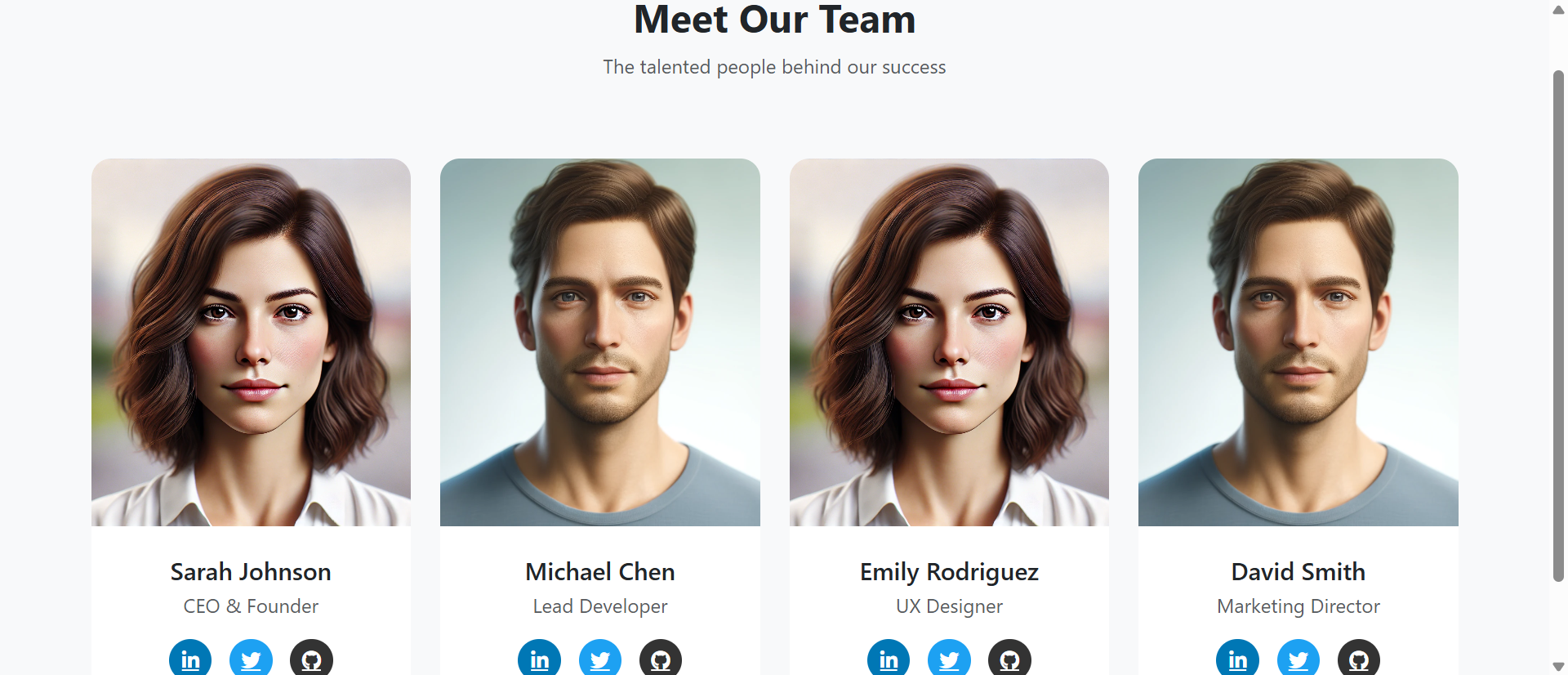
Each team member card includes icons linking to LinkedIn, Twitter, or GitHub. These aren't just contact methods—they're credibility amplifiers. Visitors can click through to verify that Sarah Johnson really is a CEO with 15 years of experience. They can see Michael Chen's GitHub contributions proving he's actually a developer. They can read Emily Rodriguez's design articles validating her expertise.
This external validation carries more weight than anything you could say on your own website. You're essentially saying "don't just trust us—verify it yourself." That confidence builds trust.
4. Responsive Grid That Adapts Beautifully
On desktop, the team displays in a four-column grid. On tablets, it adapts to two columns. On mobile, it stacks into a single column with appropriately sized cards. The design never breaks. Photos scale proportionally. Spacing adjusts intelligently. The professionalism you project on desktop carries through to every screen size.
This responsive design isn't just about aesthetics—it's about respecting your visitors' time and experience regardless of how they access your site.
Pro Tip: The social media icons use recognizable brand colors (LinkedIn blue, Twitter blue, GitHub black) rather than generic gray. This makes them instantly identifiable and clickable without requiring visitors to decipher unlabeled icons. Small detail, big impact on usability.
Real-World Applications Across Business Types
Team sections work differently depending on your business model and what visitors need to trust:
Professional Services (Consultants, Agencies, Advisors)
When clients are hiring expertise, they need to trust the people delivering it. A financial advisor used an interactive team section highlighting certifications and LinkedIn profiles. New client inquiries increased by 42% because prospects could verify credentials before the first call. The team section became the credibility checkpoint that converted skeptics into confident clients.
Software and SaaS Companies
Tech buyers want to know there's a real team behind the product. A project management software startup featured their 8-person team with GitHub links and Twitter profiles showing they're active in the dev community. Enterprise clients mentioned during sales calls that seeing the team gave them confidence this wasn't a one-person operation that might disappear.
E-Commerce and Product Brands
Online shoppers want to know there are real people behind the brand. A sustainable clothing company showcased their team including designers, sustainability coordinators, and customer service staff. Customer reviews began mentioning team members by name, and support tickets dropped because people felt like they were interacting with real humans, not a faceless corporation.
Local Service Businesses
When you're inviting someone into your home (contractors, cleaners, landscapers), knowing the team creates comfort. A local HVAC company featured photos of their 12 technicians with years of experience listed. Appointment bookings increased and customer feedback specifically mentioned appreciating that they could see who might show up before booking.
Healthcare and Professional Practices
Patients choosing a dentist, therapist, or medical practice want to see who they'll be trusting with their health. A dental practice featured their team including office staff, not just dentists. New patient bookings increased because the team page demonstrated the welcoming, professional environment patients could expect.
See It In Action
Experience how hover effects and professional presentation can transform your team from generic headshots into genuine connection.
Try Live DemoThe Psychology Behind Effective Team Sections
Understanding why interactive team sections work helps you maximize their effectiveness:
The Similarity-Attraction Effect
People trust people who seem similar to them. When team photos show diverse ages, backgrounds, and personalities, different visitors can find someone they relate to. "Oh, there's someone who looks like they're my age" or "I like that they have a UX designer—they take design seriously." Finding similarity creates instant connection.
Social Proof Through External Validation
A LinkedIn profile with 500+ connections and recommendations from colleagues is third-party validation you can't fake. When visitors can verify your team's credentials externally, the credibility transfers back to your business. You're not asking them to trust your claims—you're proving those claims through verifiable evidence.
The Transparency Heuristic
Businesses that openly share information are perceived as more trustworthy than those that hide behind corporate anonymity. Showing your team—real names, real faces, real social profiles—signals transparency. You're not hiding behind a corporate facade. This openness creates trust even before any direct interaction.
Micro-Interactions Create Investment
When visitors hover over team cards and see the interaction, they're actively engaging rather than passively viewing. This engagement creates psychological investment. They're participating with your content, which increases both attention and retention. Active participants remember more than passive observers.
Common Mistakes That Undermine Credibility
Even with a well-designed team section, these errors can sabotage trust:
Using Obvious Stock Photos
If your "team" is clearly models from a stock photo site, you've instantly destroyed all credibility. Visitors know. They always know. Use real team photos or skip the team section entirely. Fake authenticity is worse than no authenticity.
Outdated Photos That Don't Match Reality
If someone books a consultation based on your team page and meets someone who looks nothing like their photo from 2010, that's a trust violation. Keep photos current. If your appearance has changed significantly, update the photo.
Including People Who No Longer Work There
Nothing screams "we don't maintain our website" like featuring former employees. Audit your team section regularly. Remove people who have left. Add new team members promptly. A current, accurate team page signals attention to detail.
Broken Social Media Links
If LinkedIn icons link to error pages or deleted profiles, you look unprofessional. Test every link regularly. If a team member doesn't have a professional social presence, omit the icon rather than including a broken link.
Inconsistent Photo Quality or Style
One professional headshot next to three smartphone selfies looks disorganized. Invest in consistent professional photos for everyone, or use a consistent DIY approach for all. Visual consistency communicates professionalism.
Case Study: A marketing agency initially used a mix of professional headshots and casual photos from company events. Client feedback revealed confusion about who actually worked there versus who was just in event photos. They switched to uniform professional photos for all 14 employees. Clarity improved, and new business inquiries mentioning specific team expertise increased by 31%.
Measuring Team Section Effectiveness
How do you know if your team section is actually building trust? Track these indicators:
Click-Through Rate on Social Links
Use event tracking in Google Analytics to measure how many visitors click through to LinkedIn profiles or other social media. High click-through indicates visitors are interested enough to verify credentials—a strong trust signal.
Time on Team Page
If visitors spend 30+ seconds on your team page (long enough to view multiple team members), they're genuinely engaging. Low time suggests they're bouncing immediately, indicating the page isn't compelling.
Navigation Path Analysis
Where do visitors go after viewing your team page? If they proceed to contact forms, service pages, or pricing, the team page built enough trust to move them forward. If they bounce, it failed to create connection.
Qualitative Mentions in Sales Conversations
Pay attention to what prospects say during sales calls. Do they mention specific team members? "I saw Sarah has 15 years of experience" or "I noticed you have a UX designer on staff." These mentions prove the team page created genuine engagement.
Direct Team Member Contact Requests
When prospects request to speak with a specific team member they saw on the team page, it's the ultimate validation. They've connected with a person, not just a business.
The Future of Team Pages: Humanity Over Corporate Polish
We're in the middle of a major shift in business communication. For decades, the trend was corporate professionalism—polished, formal, distant. But modern consumers and B2B buyers increasingly value authenticity and human connection over corporate facade.
The businesses winning trust are those showing the real humans behind the brand. Team sections aren't optional "About Us" content anymore—they're strategic trust-building tools. As AI-generated content floods the internet, proving you're a real business with real people becomes even more valuable.
Interactive team sections with hover effects, social validation, and professional presentation hit the sweet spot: professional enough to convey credibility, human enough to create genuine connection.
Getting Started: Building Your Team Section
Ready to transform your team page from forgettable to trust-building? Here's what you need:
- Professional Photos: High-quality, consistent headshots with similar backgrounds and lighting for all team members
- Real Names and Titles: Authentic job titles (avoid inflated or vague titles that sound fake)
- Active Social Profiles: LinkedIn profiles for all team members (minimum requirement for credibility)
- Optional Additional Links: Twitter, GitHub, personal portfolios, or professional profiles relevant to your industry
- Short Bios (Optional): One sentence highlighting expertise or personality—keep it concise
- Consistent Layout: Same format for everyone (no favoritism or inconsistent presentation)
The interactive team section module handles all the technical complexity—responsive grid layout, smooth hover animations, social icon styling, mobile optimization. You provide the photos and information, and it transforms them into a professional, trust-building presentation.
Transform Your Team Page
See how interactive team sections can turn generic headshots into your strongest credibility-building asset.
View Live Module