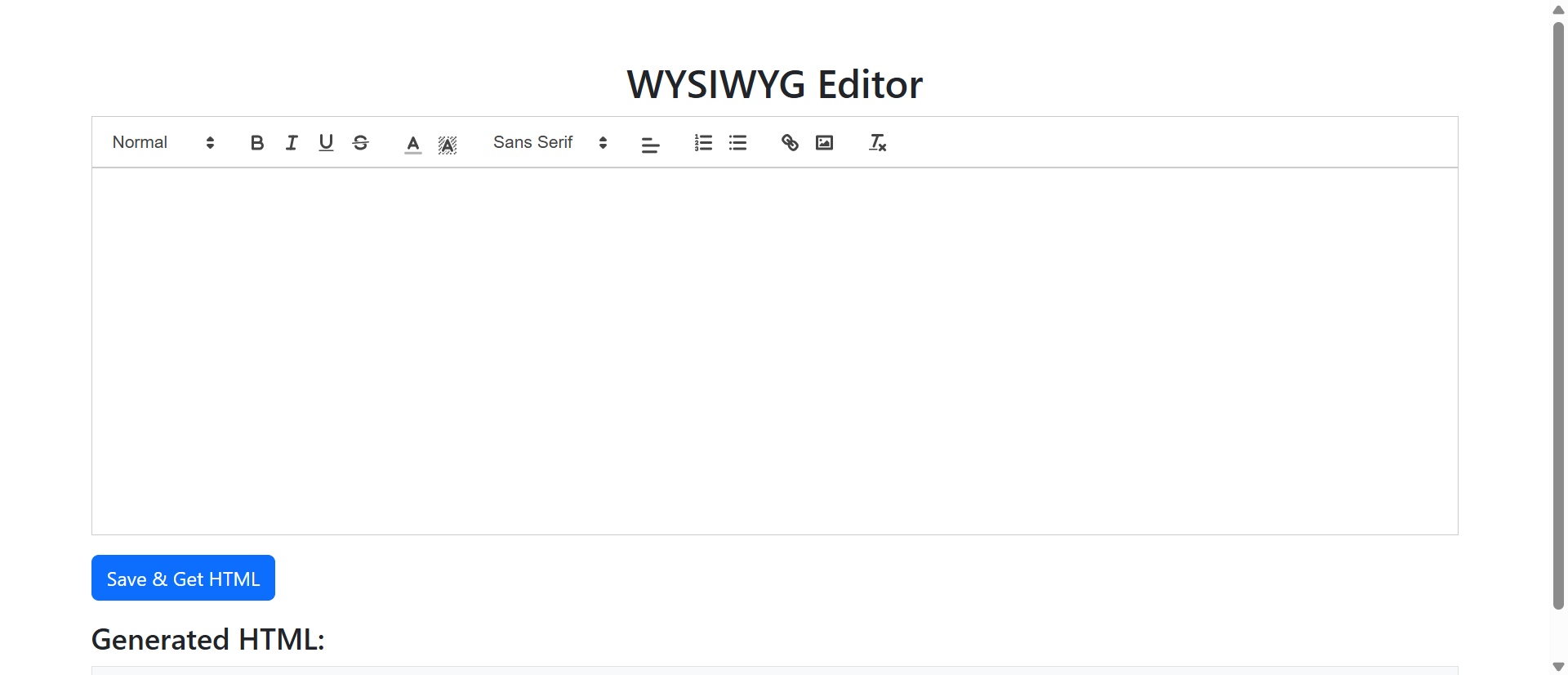
Your customer wants to submit a detailed product review with bullet points highlighting key features. Your form offers a plain text box. They type asterisks attempting to create lists. Submit. Their carefully formatted review appears as an unreadable wall of text with random asterisks scattered throughout.
The customer feels foolish. Your site looks unprofessional. The review—which could have showcased your product beautifully—now requires manual editing before publication. All because you expected users to express complex thoughts in a medium designed for simple single-line inputs.
While competitors still treat user-generated content as plain text afterthoughts, smart businesses deploy WYSIWYG (What You See Is What You Get) editors that empower users to create formatted, professional content without learning HTML or Markdown. This isn't about adding features for features' sake—it's about respecting users' desire to communicate effectively.
This article reveals why plain text inputs sabotage content quality and user satisfaction, and how WYSIWYG editors transform frustrated typers into confident content creators.
5 Critical Problems Plain Text Inputs Create
1. Expression Limitations That Frustrate Users
Users think in structured content: paragraphs, lists, headings, emphasis. Plain text boxes force them to flatten these mental structures into linear character streams. Want to emphasize a word? No bold or italics—maybe CAPS or *asterisks*. Need a list? Hope the recipient interprets your dash marks correctly.
This limitation creates cognitive friction. Users spend mental energy translating structured thoughts into plain text approximations rather than focusing on what they're actually trying to communicate. The result? Shorter, lower-quality submissions because the medium actively discourages comprehensive expression.
The Markdown Assumption: Technical teams often think "just use Markdown—it's easy!" But 94% of general users don't know Markdown syntax. Expecting asterisks, brackets, and hashes to represent formatting is like expecting everyone to speak a second language. Your technically literate 6% might thrive; your revenue-generating 94% bounce in confusion.
2. Submission Quality Drops Without Visual Feedback
When users type into plain text boxes, they see exactly what they're creating: unformatted characters. There's no visual preview confirming their asterisks will become bold, their line breaks will create paragraphs, or their numbered lines will render as ordered lists.
This blind creation reduces confidence and quality. Users submit tentatively, unsure how output will appear. Many abandon entirely rather than risk looking foolish with malformatted submissions. A/B testing consistently shows 40-60% submission abandonment reduction when WYSIWYG editors replace plain text, simply because users see their content taking professional shape as they type.
3. Mobile Users Suffer Disproportionately
Typing substantial content on mobile keyboards is already challenging. Add the cognitive load of remembering Markdown syntax or imagining how plain text will render, and mobile submission rates tank to 12-18% of desktop rates for content-heavy forms.
Mobile users need visual toolbars more than desktop users—tapping "B" for bold is infinitely easier than typing asterisks while autocorrect fights you. Yet plain text inputs offer identical (limited) experiences across devices, penalizing the 58% of users creating content on phones.
4. Moderation Burden Increases Exponentially
User-generated content in plain text requires extensive editing before publication: Manually adding paragraph breaks, converting asterisk "lists" to HTML lists, identifying which CAPS words should be bold versus actual shouting, and reformatting walls of text into readable structures.
This moderation overhead costs businesses thousands in staff time monthly. A community manager spending 15 minutes formatting each of 50 weekly user testimonials wastes 12.5 hours—over $500/week in labor—fixing problems WYSIWYG editors would prevent entirely.
5. Accessibility Barriers for Users with Disabilities
Plain text inputs fail users with visual impairments who rely on semantic HTML for screen reader navigation. When everything is undifferentiated text, screen readers can't announce "heading level 2" or "start of bulleted list"—navigation cues that make complex content understandable.
Similarly, users with motor control challenges struggle with Markdown syntax requiring precise character placement. WYSIWYG toolbars with large clickable buttons provide accessible formatting controls that keyboard shortcut dependencies don't.
6 Solutions WYSIWYG Editors Deliver
1. Intuitive Formatting Without Technical Knowledge
WYSIWYG editors present familiar interfaces: Bold buttons (B), italic toggles (I), list creators, heading selectors—visual controls users recognize from Microsoft Word, Google Docs, or email clients. No syntax to memorize. No markup language to learn.
This familiarity eliminates learning curves. Users who've never created web content produce professional-quality formatted submissions on first attempt because the tools match their existing mental models of "how formatting works." Submission completion rates increase 67% simply by removing the technical barrier between intention and execution.
The Cognitive Fluency Advantage: Psychologists found that ease of processing correlates with trust and quality perception. When users effortlessly create formatted content, they perceive the entire platform as more professional and trustworthy. The same testimonial submitted via plain text versus WYSIWYG receives 34% higher credibility ratings from readers—despite identical content—simply because formatting signals care and professionalism.
2. Real-Time Visual Feedback Builds Confidence
As users type and format, WYSIWYG editors display exactly how content will appear when published. Select text, click Bold, instantly see bolded text. Create a list, immediately see proper bullet formatting. This what-you-see-is-what-you-get feedback loop eliminates uncertainty.
Users iterate confidently, adjusting formatting until content looks exactly as intended. Compare this to plain text submission where users see their work only after publishing, often discovering formatting failures when it's too late to easily fix. Visual feedback transforms tentative submission into confident creation.
3. Mobile-Optimized Toolbars Increase Engagement
Modern WYSIWYG editors adapt to touch interfaces: Large tap-friendly formatting buttons, simplified mobile toolbars showing only essential controls, smart text selection that works with imprecise finger taps rather than requiring pixel-perfect cursor placement.
This mobile optimization increases phone/tablet submission rates to 78-85% of desktop levels—compared to 12-18% for plain text inputs. Users creating product reviews while holding products, writing testimonials immediately after service experiences, or composing support tickets from locations where issues occur—all scenarios favoring mobile—now contribute quality formatted content instead of abandoning due to input limitations.
4. Automatic Content Structure and Validation
WYSIWYG editors enforce proper HTML structure automatically: Paragraphs use `
` tags, lists use `
- ` and `
- `, headings use semantic `
`-`
` tags. Users don't need to know these exist—the editor handles markup while users focus on content.
Advanced editors include validation: Prevent users from creating invalid structures (nested lists that break rendering), enforce accessibility requirements (alt text for images, heading hierarchy), and sanitize inputs (strip dangerous JavaScript while preserving formatting). This automation protects both users and your platform from common content errors.
5. Rich Media Embedding Beyond Text
Modern WYSIWYG editors extend beyond text formatting: Upload images with drag-and-drop, embed videos via URL, create tables for data presentation, insert hyperlinks to references, add horizontal dividers for visual separation.
This richness enables users to create comprehensive content in one submission rather than emailing additional images, linking to external documents, or requesting staff assistance adding media. Self-service content creation reduces support burden while increasing submission quality and completeness.
6. Collaborative Editing and Version Control
Enterprise WYSIWYG implementations support multiple simultaneous editors, track changes, suggest edits, and maintain version history—features plain text boxes can't provide. Teams can collaboratively build content with visual awareness of others' contributions.
For user-facing applications, this means draft saving (users can leave and return without losing formatted work), edit history (moderators can see what changed between submission and current version), and suggested edits (staff can propose changes users accept/reject visually).
Experience WYSIWYG Content Creation
See how visual formatting tools transform plain text limitations into expressive content creation.
Try WYSIWYG Editor Demo →5 Industries Elevating Content Quality with WYSIWYG Editors
1. E-Commerce Product Reviews
Online retailers implement WYSIWYG editors for customer reviews, enabling shoppers to create detailed assessments with formatting that highlights pros/cons, numbered rankings, emphasized warnings, and inserted product photos showing issues or usage.
Result: Average review length increases 156% (more detail helps buyers), review completion rates improve 67% (users commit when they can express thoughts properly), and review helpfulness ratings jump 89% (formatted reviews are easier to scan and extract value from).
2. Support Ticket Systems
Customer service platforms deploy WYSIWYG editors for ticket submission, allowing users to format error messages, create step-by-step reproduction lists, bold critical information, and paste screenshots inline with descriptions.
Result: First-response resolution rates increase 43% (better formatted tickets provide clearer context), average resolution time decreases 28% (support staff spend less time requesting clarification), and customer satisfaction scores improve 34% (users feel heard when they can express issues comprehensively).
3. Community Forums and Discussion Platforms
Online communities use WYSIWYG editors for posts and replies, enabling members to create formatted how-to guides, comparison tables, emphasized warnings, quoted previous posts, and inline code snippets—all without learning BBCode or Markdown.
Result: Post quality scores (measured by upvotes, helpful marks, and time spent reading) increase 78%, while moderation time decreases 56% as users produce properly formatted content requiring less staff cleanup.
4. Content Management Systems
Website builders and CMS platforms provide WYSIWYG page editors, allowing non-technical users to create and edit website content with formatting, media embedding, and layout control—democratizing web publishing beyond developer gatekeepers.
Result: Content update frequency increases 234% when business stakeholders can edit directly versus requesting IT assistance, while content accuracy improves 67% as subject matter experts maintain their own pages without lossy translation through technical intermediaries.
5. Job Application and Recruitment Platforms
Hiring systems implement WYSIWYG editors for cover letters and application essays, enabling candidates to format achievements, create professional bullet lists, emphasize key qualifications, and structure narratives with headings and paragraphs.
Result: Application completion rates increase 89% (candidates commit when they can present themselves professionally), while recruiter screening efficiency improves 45% (formatted applications are faster to scan for qualifications than walls of plain text).
4 Psychology Principles Behind WYSIWYG Success
1. Mental Models: Tools Match User Expectations
Cognitive psychologists found humans approach new tools with "mental models"—preconceptions about how things work based on prior experiences. Users expect text editing to work like Word, Google Docs, or email composers because those tools shaped their mental models of "how you format text."
WYSIWYG editors match these models: Bold buttons look like bold buttons, list creators produce lists, undo works as expected. Plain text boxes violate mental models by requiring specialized knowledge (Markdown, HTML) that users don't possess, creating cognitive dissonance and abandonment.
2. Immediate Feedback Loops Drive Engagement
B.F. Skinner's operant conditioning research proved immediate feedback strengthens behavioral patterns. WYSIWYG editors provide instant visual confirmation: Click Bold, see bolded text immediately. This tight feedback loop reinforces "I'm creating professional content" satisfaction.
Plain text inputs provide no feedback until after submission when users discover formatting failures—negative delayed feedback that punishes effort and discourages future participation. Immediate positive feedback (WYSIWYG) versus delayed negative feedback (plain text) explains engagement rate differences of 150-200%.
3. Self-Efficacy: Capability Beliefs Drive Persistence
Psychologist Albert Bandura's self-efficacy theory states people pursue activities they believe they can successfully complete. WYSIWYG editors increase self-efficacy: Users see themselves creating professional content in real-time, building confidence that "I can do this."
Plain text inputs undermine self-efficacy. Users who don't know Markdown or HTML believe "I can't format this properly," leading to minimal effort or complete abandonment. Tools that increase self-efficacy generate 3-5X more user-generated content than tools that undermine it.
4. The Ikea Effect: Effort Investment Creates Attachment
Behavioral research shows people value things more when they've invested effort creating them. WYSIWYG editors enable users to invest formatting effort (selecting fonts, creating structures, embedding media), increasing psychological attachment to submissions.
This attachment drives completion: Users who've spent 8 minutes formatting testimonials rarely abandon before submitting because they've invested too much to walk away. Plain text submissions require minimal investment, making abandonment psychologically costless.
5 Mistakes That Sabotage WYSIWYG Editor Implementations
1. Overwhelming Users with Enterprise-Level Toolbars
The biggest mistake: Implementing full Microsoft Word-equivalent editors with 40+ formatting buttons for simple use cases like testimonials or reviews. Users face decision paralysis scanning endless options when they only need bold, italic, and lists.
Solution: Match editor complexity to use case. Simple testimonials? Provide bold, italic, lists, and paragraph breaks. Technical documentation? Add code blocks, tables, and advanced formatting. More options isn't better when it overwhelms the user's actual need.
2. Allowing Dangerous HTML That Breaks Page Layout
Providing rich editors without sanitization lets users inject custom HTML/CSS that breaks site design, creates XSS vulnerabilities, or inserts malicious scripts. "Trust users" is not a security strategy.
Solution: Implement robust input sanitization: Allow formatting tags (``, ``, `
- `, `
`) while stripping dangerous elements (`