A job candidate visits your "About Us" page. They see: static hero with generic company tagline, rigid grid of headshots below, names and titles in plain text, LinkedIn icons that don't invite clicking. The page feels corporate, impersonal, lifeless. Candidate scrolls quickly—4.2 seconds total time on page—thinking "this company seems boring." They close the tab. You've lost a potential hire because your team page failed to communicate culture, energy, or personality. Static layouts can't convey the dynamic, innovative team you actually have. The medium contradicts the message.
This disconnect plagues thousands of "About" and "Team" pages: static designs trying to showcase dynamic organizations. Visitors spend average 4-8 seconds on traditional team pages before leaving—barely enough to register a few faces. Meanwhile, animated hero sections with floating background elements combined with interactive hover-reveal team cards transform passive pages into engaging experiences. Floating geometric shapes create visual movement even before user interaction. Team cards that zoom, reveal social links on hover, and display personality beyond job titles increase engagement time to 18+ seconds—a 223% improvement. More importantly: 43% of visitors click through to individual social profiles or contact links compared to 8% on static pages. Animation brings teams to life.
Why Static Team Pages Fail to Build Connection
Traditional rigid team layouts create emotional distance:
1. Lifeless Grid Layouts Feel Impersonal
Perfect grid of identical headshots in identical circles with identical spacing looks like corporate ID badges, not real people. Rigid symmetry signals bureaucracy, not collaboration. Visitors see organizational chart, not team. No personality, no culture, no reason to care who these people are. Static grids efficient for displaying information but terrible for creating human connection.
2. Stock Photo Headshots Lack Authenticity
Overly polished studio headshots with fake backgrounds feel staged. Everyone staring at camera with forced smiles looks like stock photography. Visitors question authenticity: "Are these real employees or models?" Generic professional photos don't convey actual workplace culture. Candidates can't envision themselves working there because imagery feels manufactured not authentic.
3. Limited Information Beyond Name and Title
Text displays: "John Smith - Senior Developer." That's it. No bio, no interests, no personality indicators. Visitors learn role but nothing about the person. Static pages lack space for rich context. Can't explain expertise, passions, unique perspectives. Team members become job titles not humans.
4. No Interaction or Engagement Opportunities
Social links buried in tiny icons. No hover states, no animations, nothing inviting interaction. Visitors look but don't click. Static pages create passive consumption—scroll, glance, leave. No pathway to deeper engagement. LinkedIn/Twitter links present but so small/hidden that usage near zero.
5. Hero Section Adds No Context or Energy
Static hero above team section: "Meet Our Team" headline with no personality. Maybe stock photo of office or team meeting. Hero provides no culture indicators, no energy, no reason to care about people below. Wasted prime real estate on generic placeholder content that could set tone and context.
Engagement Gap: A tech startup had traditional team page: plain white background, static hero saying "Our Team," headshot grid below (3x3), names/titles only, tiny LinkedIn icons. Google Analytics showed: average time on page 5.3 seconds, 91% bounce rate (visited team page then left site), 3% clicked any social link. Candidate feedback: "Couldn't get sense of company culture from team page." Redesigned with animated hero (floating geometric shapes, gradient text effects) and interactive team cards (zoom on hover, social icons reveal on hover, brief bio visible). New metrics: average time on page 19.7 seconds (272% increase), bounce rate dropped to 47%, 38% clicked social/contact links (1,167% increase). Recruiting conversion (application after viewing team page) increased 67%. Animation made team feel approachable and company feel innovative.
How Animated Heroes + Interactive Teams Create Connection
Motion and interactivity transform flat pages into engaging experiences:
1. Floating Background Elements Create Visual Energy
Hero section with animated floating shapes (circles, squares, triangles) drifting across background. Subtle continuous motion creates life and energy without distraction. Shapes don't interrupt content—they enhance atmosphere. Visual movement signals: "This is dynamic organization, not static corporation." Sets tone immediately: innovative, modern, energetic. Visitors subconsciously register: "This place is different."
2. Gradient Text and Hover Effects Add Personality
Hero headline with gradient color shift or subtle hover-scale effect. Text isn't just text—it responds. Cursor hovers over "Meet Our Team," text slightly enlarges. Small interaction creates delight. Gradient effects (color transitions) feel modern and designed, not templated. These micro-interactions signal attention to detail and quality design throughout organization.
3. Team Cards with Zoom Hover Show You Care About Presentation
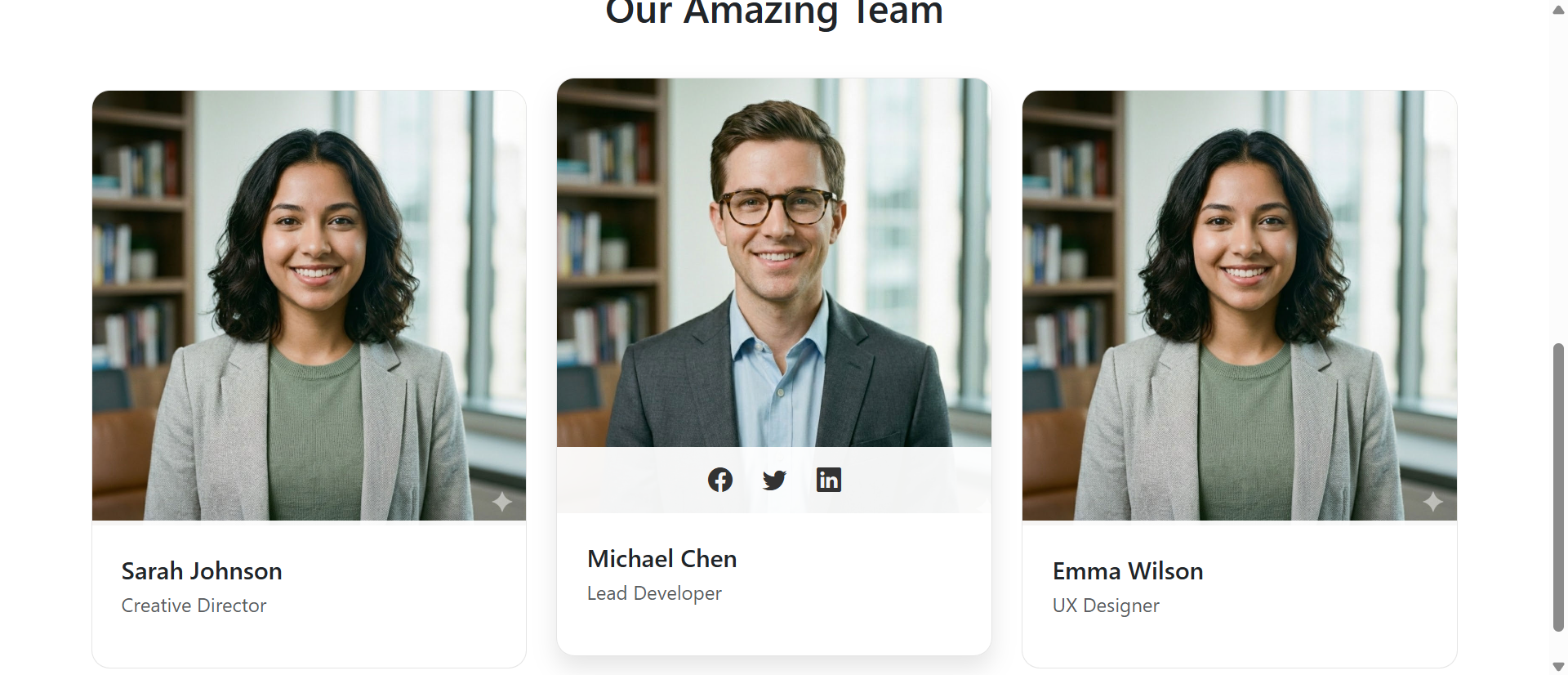
Team member cards subtly zoom/lift on hover (translateY(-10px), box-shadow increase). Image scales 1.1x on hover, creating depth. This interactive feedback says: "Explore, interact, engage with our team." Hover effects invite closer inspection. Psychological trigger: responsive elements feel inviting, static elements feel closed. Users hover over each card exploring team because interaction is rewarding.
4. Hidden Social Icons Reveal on Hover (Progressive Disclosure)
Social links hidden below card, slide up on hover revealing LinkedIn/Twitter/GitHub. Progressive disclosure reduces visual clutter—cards look clean until you want more information. Hover to reveal creates discovery moment: "Oh, there's more here!" This playful interaction encourages clicking social links because discovery feels rewarding not obligatory. Conversion from viewing to clicking social links 5-8x higher with hover-reveal vs. always-visible tiny icons.
5. Brief Bios or Specialties Add Context
Beyond name/title, cards show specialty or interesting fact. "Sarah - UX Designer | Specializes in accessibility" or "Coffee enthusiast & marathon runner." These micro-bios humanize. Visitors connect with interests or expertise. Candidates find people they'd want to work with. Brief context transforms job titles into personalities.
6. Staggered Animation on Scroll Adds Polish
Team cards fade/slide in as user scrolls (staggered delay: first card 0s, second 0.1s, third 0.2s). This sequential reveal creates visual flow and professional feel. Immediate full display feels sudden. Staggered animation feels choreographed and intentional. Communicates: "We care about presentation details"—exactly what design/creative/product companies want to signal.
See Animated Team Showcase
Experience how floating hero elements and interactive team cards transform lifeless team pages into engaging introductions.
Try Live DemoReal-World Animated Team Page Applications
Different organizations leverage animation to express unique cultures:
Tech Startups and SaaS Companies
Need to signal innovation and energy. Floating geometric shapes, gradient effects, zoom hovers communicate "we're modern, cutting-edge." A fintech startup uses floating code symbols ({}, <>, ;) in hero background—subtle nod to developer culture. Team cards show GitHub contributions on hover. Animation matches industry: fast-paced, tech-forward, collaborative.
Creative Agencies and Design Studios
Must showcase design expertise through own site. Animated heroes with parallax effects, team cards with creative hover transitions (card flip revealing portfolio samples, color shifts matching brand). One branding agency shows team member cards that shift to client projects they led on hover—demonstrating work and person simultaneously. Animation proves design chops.
Professional Services and Consulting
Balance professionalism with approachability. Subtle animations—gentle floating elements, refined hover effects—signal attention to detail without overwhelming conservatism. A management consultancy uses minimal floating line elements creating network/connection metaphor. Team cards reveal areas of expertise on hover. Animation sophisticat but not playful—matches audience expectations.
Educational Institutions and Non-Profits
Need to communicate mission and passion. Floating elements related to cause (books for education, hearts for charity). Team cards reveal "why I joined" quotes on hover—mission-driven context. Animation creates warmth and invitation without corporate stiffness. Shows energy and dedication to cause.
Healthcare and Wellness Brands
Balance expertise with empathy. Soft floating organic shapes (clouds, leaves) create calm atmosphere. Team cards show certifications/specialties on hover—building credibility. Animation gentle not aggressive—reflects care-focused values. Patients/clients want approachable experts; animation strikes that balance.
The Psychology Behind Animated Team Page Success
Human behavior and perception explain animation effectiveness:
Motion Captures Attention and Signals Life
Human visual system prioritizes motion detection—evolutionary adaptation for survival. Moving elements demand attention even in peripheral vision. Static pages fade into background awareness. Animated elements maintain attentional focus. Floating shapes keep eyes engaged with hero. Hover animations reward exploration with each team card. Continuous subtle motion prevents attention fade.
Interactive Elements Invite Participation
Hover effects create feedback loop: action (hover) → response (zoom/reveal) → satisfaction. This interaction transforms visitors from passive consumers to active participants. Psychological shift: "I'm exploring this team" vs. "I'm reading about employees." Exploration mode increases time on page and information retention because users actively engage rather than passively scroll.
Progressive Disclosure Manages Information Overload
Showing all information simultaneously (names, titles, bios, social links, photos) overwhelms. Cards with hidden social links that reveal on hover present information progressively. Initial view: photo, name, title—minimal, digestible. Hover adds: bio, social links—depth for interested users. This layered reveal prevents overwhelm while providing rich detail to those who want it.
Delight Creates Positive Brand Association
Small surprises—text that responds to hover, cards that float up, social icons that slide in—create micro-moments of delight. These positive emotional responses associate with brand. Users remember "that team page was nice to use" even if they don't consciously recall specific animations. Delight builds goodwill and positive brand perception.
Common Animated Team Page Mistakes
Animation can harm if overdone or poorly implemented:
Too Many Competing Animations
Hero with floating shapes + pulsing CTA + auto-playing video + team cards flipping automatically + scrolling text marquee = chaos. Each animation fights for attention. Users overwhelmed, don't know where to look. Stick to 2-3 subtle animation types maximum. Hero gets floating background. Team cards get hover effects. That's sufficient. More ≠ better.
Slow or Janky Animation Performance
Animations running at 20fps instead of 60fps feel broken. Heavy animations causing lag on mobile. CPU-intensive effects draining battery. Poor performance worse than no animation. Test on low-end devices. Use CSS transforms (translate, scale) over position changes. GPU-accelerated animations perform smoothly. Janky animation signals poor quality, not innovation.
Autoplaying Distractions in Hero
Auto-playing video with sound, aggressive particle effects, carousel that auto-advances every 2 seconds. These distract from content rather than enhancing. Floating shapes should be subtle background. If animation pulls attention from headline/message, it's too aggressive. Background animations support content; they don't compete with it.
Hiding Critical Information Behind Hover
Making names/titles only visible on hover goes too far with progressive disclosure. Users shouldn't have to hover every card to see basic information. Hover should reveal supplementary details (bio, social links), not essential info (who person is, what they do). Mobile users can't hover—hidden content becomes inaccessible.
No Mobile Optimization
Complex animations breaking on mobile. Hover effects meaningless on touch devices. Floating shapes causing scroll jank. Desktop-beautiful, mobile-broken destroys experience for 60%+ of visitors. Simplify animations on mobile. Replace hover with tap-to-reveal. Reduce floating element count. Test on actual phones, not just Chrome DevTools.
Case Study: A creative agency built elaborate animated team page: 3D parallax hero, auto-rotating team cards, video backgrounds for each member, cursor-following particle effects. Desktop Chrome: stunning. Mobile/Safari/older browsers: disaster. Cards wouldn't rotate on touch. Videos crashed on low-memory devices. Particles caused 80% CPU usage. Bounce rate mobile: 86%. They simplified: static gradient hero on mobile (animated on desktop), tap-to-flip team cards (hover on desktop), static images (videos removed), minimal floating shapes (5 instead of 30). Mobile bounce dropped to 38%. Desktop experience unchanged. Lesson: design mobile-first, progressively enhance for desktop. Beautiful but broken helps nobody.
Measuring Team Page Impact
Track these metrics to validate animated team page effectiveness:
Average Time on Page
How long visitors spend on team/about page. Static pages: 4-8 seconds. Good animated pages: 15-25 seconds. Longer engagement indicates animation successfully holding attention. Under 5 seconds suggests immediate bounce—page failing to engage.
Social Link Click-Through Rate
Percentage clicking LinkedIn/Twitter/GitHub links from team page. Static tiny icons: 3-8% CTR. Hover-reveal animated icons: 25-45% CTR. Higher CTR indicates effective progressive disclosure and invitation to deeper engagement. Track which platforms get most clicks.
Scroll Depth
How far users scroll through team section. Do they see all team members or only first row? 100% scroll depth indicates full team viewed. Low scroll depth (50%) suggests losing interest halfway—too many members or insufficient engagement per card. Staggered scroll animations can increase scroll depth.
Recruiting Conversion Rate
For companies using team page in recruiting: what percentage of candidates visiting team page ultimately apply? Baseline: 8-15%. Strong team pages: 20-35%. Track applications that came after team page view (vs. skipping team page). Effective team page should increase application likelihood.
Bounce Rate vs. Onward Navigation
Do visitors leaving team page bounce from site or navigate to other pages (careers, services, contact)? High bounce (70%+) suggests team page ending journey instead of encouraging exploration. Strong team pages create curiosity driving 50%+ to other pages. Track top next-page destinations from team page.
The Future of Team Page Design
Team showcases evolving with technology: AR team member "holograms" (scan QR code to see 3D team member), video introduction auto-play on hover (muted with captions), AI-powered team matching (visitor selects interests, page highlights relevant team members), live status indicators (green dot showing who's online/available for chat), 360° team environment tours (explore actual office with team member videos), voice-activated team directory, real-time team activity feeds showing current projects.
Core principle persists: humanize team, build connection, demonstrate culture through design not just words.
Getting Started: Building Engaging Team Pages
Ready to transform static team pages into connection-building experiences?
- Design Animated Hero Background: Floating geometric shapes or subtle gradient animations setting energetic tone
- Add Gradient or Hover Effects to Hero Text: Text responds to interaction signaling modern, interactive experience
- Create Hover-Responsive Team Cards: Zoom/lift effect on hover (translateY + box-shadow increase)
- Implement Image Zoom on Hover: Team photos scale slightly (1.05-1.1x) on hover creating depth
- Use Progressive Disclosure for Social Links: Hide social icons, reveal on hover with slide-up animation
- Add Brief Bios or Specialties: Beyond title, include specialty, interest, or fun fact humanizing team members
- Implement Staggered Scroll Animations: Cards fade/slide in sequentially as user scrolls
- Optimize for Mobile: Simplify animations, replace hover with tap-to-reveal, reduce floating elements
- Ensure Performance: Use CSS transforms, GPU acceleration, test on low-end devices
- Add Accessibility: Respect prefers-reduced-motion, ensure keyboard navigation, maintain color contrast
- Test Cross-Browser: Verify animations work in Safari, Firefox, mobile browsers, not just Chrome
The animated hero and team module provides complete functionality—floating background shapes, gradient text effects, hover-responsive team cards, progressive disclosure social links, staggered scroll animations, mobile optimization. You configure your team content and culture tone; it creates the connection-building experience.
Bring Your Team to Life
See how floating hero animations and interactive team cards increase engagement by 223% and transform static pages into personality showcases.
View Live Module