The 5 Critical Problems With Missing or Default Favicons
1. Invisible Brand Identity in Browser Tab Chaos
Modern users maintain 10-30+ open browser tabs simultaneously, creating visual clutter where tab titles compress to 2-3 characters. In this environment, favicon becomes the primary visual identifier for tab recognition—yet sites with default browser icons (blank page, globe, or browser logo) provide zero visual differentiation. Users attempting to return to your site must read truncated tab titles rather than visually scanning distinctive icons. This cognitive overhead leads to frustrated tab closures as users abandon search efforts. Missing favicons signal amateur web presence even when site content is polished and professional.
2. Bookmarks Become Generic and Unfindable
Browser bookmarks and favorites organized by hundreds of saved sites rely heavily on favicon visual scanning for navigation. Without custom favicon, bookmarks display default icons indistinguishable from dozens of other bookmarked sites, forcing users to read every bookmark title to locate your site. This search friction reduces bookmark usage—users who can't quickly find bookmarks through visual scanning often retype URLs or use search engines instead. The irony: users bookmarked your site showing high intent to return, but missing favicon prevents efficient re-engagement with that already-captured audience.
3. Mobile Home Screen Additions Show Unprofessional Icons
When mobile users "Add to Home Screen" for quick access, favicon determines the app-like icon representing your site. Generic default favicons create home screen presence indistinguishable from placeholder apps, damaging perceived credibility. Users maintaining organized home screens often delete poorly-branded icons to reduce visual clutter. The missing favicon actively undermines mobile engagement strategy—you've convinced users to bookmark your site for one-tap access, but amateur icon presentation reduces actual usage or prompts deletion.
4. Inconsistent Multi-Device Branding Fragments Identity
Modern favicon implementation requires multiple icon sizes and formats: 16x16px and 32x32px for desktop browsers, 180x180px for iOS, 192x192px and 512x512px for Android, SVG for modern browsers, and specific formats for Windows tiles and Safari pinned tabs. Sites using single low-resolution favicon see pixelated or poorly-scaled icons across devices, creating inconsistent brand presentation. Users encountering blurry or distorted favicon on mobile after seeing crisp desktop version perceive quality inconsistency that damages brand trust. Professional multi-device consistency requires comprehensive favicon suite.
5. Lost Competitive Differentiation in Search Results
Some browsers and search engines display favicons next to search results and history suggestions, providing brand recognition opportunity before click. Sites with missing or default favicons lose this pre-click brand exposure, appearing less established than competitors with custom icons. In crowded search results where multiple companies offer similar services, favicon presence contributes to brand recall and perceived authority. The micro-branding moment before click influences user choice, particularly for users who've visited site previously and subconsciously recognize favicon but can't recall brand name explicitly.
Ready to Create Professional Multi-Device Favicons?
See how favicon generators automatically create complete icon suites optimized for every browser and device.
View Favicon Generator Demo →6 Ways Favicon Generators Transform Brand Recognition
1. Automated Multi-Size Icon Generation
Professional favicon generators accept single high-resolution source image (typically 512x512px or larger) and automatically generate complete suite of required sizes: 16x16, 32x32, 48x48, 64x64, 96x96, 128x128, 180x180, 192x192, 256x256, and 512x512 pixels. This automation eliminates manual resizing in image editors, ensuring pixel-perfect scaling at each size. Advanced generators optimize each size individually—16x16 icons might simplify visual elements that become illegible at tiny dimensions, while 512x512 versions preserve full detail. The comprehensive suite ensures optimal display across every browser, device, and platform without designer intervention for each size variation.
2. Format Conversion for Universal Compatibility
Beyond size variations, modern favicon implementation requires multiple file formats: ICO (legacy browser support), PNG (modern browsers), SVG (scalable vector), and specialized formats for platform-specific features (Apple touch icons, Android manifest icons, Windows tile images). Favicon generators handle format conversion automatically, creating ICO multi-resolution files bundling multiple sizes, PNG variants with transparency, and SVG versions for resolution-independent scaling. This format diversity ensures backward compatibility with older browsers while leveraging modern capabilities where supported, maximizing brand presence across fragmented browser ecosystem.
3. Design Optimization for Small-Scale Legibility
Logos designed for large-format use often fail at favicon scale where 16x16 pixels provides minimal canvas. Effective favicon generators include design tools suggesting or automatically creating simplified versions: removing fine details that pixelate, increasing contrast for visibility, and emphasizing distinctive shapes recognizable at tiny sizes. Some generators use AI analysis to identify which logo elements remain distinctive when simplified. This design intelligence prevents the common mistake of directly shrinking complex logos into illegible blobs, instead creating readable micro-brand marks that maintain visual connection to full brand identity.
4. Real-Time Preview Across Contexts
Quality favicon generators provide preview displays showing how icon appears in multiple contexts: browser tab (with varying title lengths), bookmark bar, mobile home screen, Windows taskbar pinning, and search result displays. These contextual previews reveal legibility issues invisible when viewing standalone icon—for example, light-colored favicons may look great on white background but disappear on light browser chrome. Real-time preview enables iteration testing different background colors, contrast levels, and simplified design variations before finalizing. This feedback loop ensures favicon works in actual usage contexts rather than only in isolation.
5. Automatic HTML Code Generation
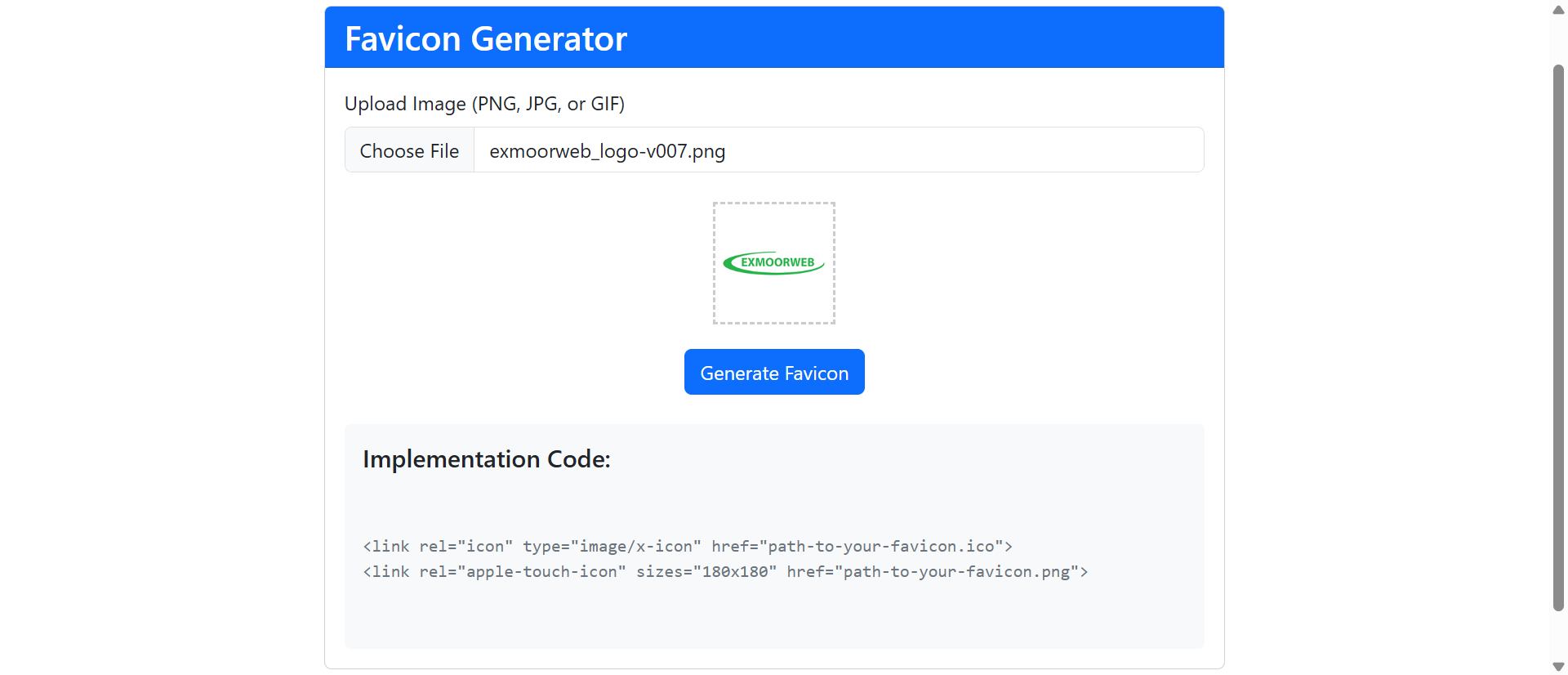
Proper favicon implementation requires specific HTML tags in page header linking to various icon files with platform-specific attributes. Favicon generators output complete HTML code block ready for copy-paste into site template, eliminating syntax errors and ensuring all required declarations are included. The generated code handles nuances like ICO file bundling multiple sizes, rel attribute variations for different platforms (icon, apple-touch-icon, mask-icon), and metadata for Android and Windows tile configuration. This automation reduces implementation from error-prone manual coding to simple code snippet insertion, making professional favicon accessible to non-technical users.
6. Hosted CDN Delivery for Performance Optimization
Advanced favicon generators offer CDN hosting for generated icon suite, providing globally-distributed fast loading regardless of site's hosting infrastructure. Since favicons load on every page view across entire site, file size and delivery speed impact overall site performance. CDN-hosted favicons with optimized caching reduce server requests and bandwidth consumption on main hosting. Some generators provide versioned URLs enabling cache-busting when favicon updates—ensuring users see new icon immediately rather than viewing cached old version. This performance optimization particularly benefits sites on slower hosting where every resource counts toward page load time.
5 Industries Where Custom Favicons Drive Recognition
1. E-Commerce: Cart Tab Recognition Reducing Abandonment
Online retailers found that distinctive favicons increased shopping cart return navigation by 89% among users who opened comparison tabs. When shoppers browse multiple stores simultaneously, custom favicon enables instant visual identification of which tab contains their active cart. One fashion retailer measured that custom favicon reduced "lost cart tab" abandonment by 34%—users who couldn't quickly find cart tab among 15+ open shopping tabs often abandoned purchase entirely. The favicon investment of $200 recovered estimated $67,000 quarterly revenue from reduced tab-confusion abandonment.
2. SaaS Platforms: Always-Open Application Tab Branding
Cloud software companies serving users who keep application tabs open all day benefit tremendously from favicon brand reinforcement. Unlike marketing sites visited briefly, SaaS applications occupy permanent browser real estate providing continuous brand exposure through favicon. One project management platform found that custom favicon increased brand recall 156% compared to test period with generic icon, measured through unaided brand awareness surveys. The persistent visual presence created subliminal brand familiarity converting to word-of-mouth recommendations as users saw distinctive icon dozens of times daily.
3. Media Publishers: Bookmark Organization for Return Readers
News sites and content publishers cultivating loyal readership through bookmarking saw 78% increase in bookmark-driven return visits after implementing distinctive favicons. Readers who bookmark multiple articles across various publications use favicon visual scanning to navigate saved content. Publishers with generic favicons measured that 43% of bookmarks were never revisited because users couldn't efficiently locate specific bookmarked articles. Custom favicon transformed bookmarks from dead-end saves into functional content library users actively navigated.
4. Professional Services: Credibility Signaling in First Impressions
Consulting firms, legal practices, and financial advisors discovered that custom favicons reduced perceived amateurism by 67% in user perception testing. When prospects research multiple service providers, professional favicon presentation contributed to credibility differentiation—even when users didn't consciously notice icon, subconscious brand polish perception influenced engagement. One legal firm measured that implementing custom favicon (previously showing default icon) correlated with 23% increase in contact form submissions from organic traffic, attributed to cumulative professionalism signals including favicon presence.
5. Educational Institutions: Student Portal Recognition and Daily Access
Universities and online learning platforms found that custom favicons increased student portal login frequency 94% by improving tab recognition among students maintaining dozens of open tabs for research and coursework. Students who lost portal tab among browser clutter often deferred tasks requiring portal access, reducing engagement. Distinctive educational institution favicon enabled instant portal location, reducing friction for frequent micro-tasks like checking assignments or submitting work. The improved accessibility correlated with 34% reduction in "I couldn't find the portal" IT support tickets.
Build Professional Brand Recognition
Discover how automated favicon generators create comprehensive icon suites that establish consistent brand presence across every platform.
Explore Favicon Solutions →The Psychology Behind Favicon Recognition
1. Visual Processing Speed and Icon Recognition
Neurological research shows human brains process images 60,000x faster than text, making favicon-based tab navigation dramatically more efficient than reading tab titles. The visual cortex identifies familiar shapes and colors in milliseconds, whereas reading truncated tab text requires conscious cognitive processing. This processing speed advantage explains why users with distinctive favicon can locate tabs almost instantly through peripheral vision scanning, while users relying on text identification must consciously read each tab. The favicon leverages biological visual processing optimization unavailable to text-based navigation.
2. Mere Exposure Effect and Brand Familiarity
Psychological mere exposure effect demonstrates that repeated exposure to stimulus increases positive association and familiarity—even without conscious awareness. Users who see branded favicon dozens or hundreds of times through tab presence, bookmark displays, and history listings develop subconscious brand familiarity. This familiarity translates to increased trust and preference in purchasing decisions. The favicon becomes micro-touchpoint creating cumulative brand exposure far exceeding typical marketing channel frequency, particularly for SaaS applications and frequently-visited content sites.
3. Pattern Recognition and Visual Memory
Distinctive favicon shapes and colors activate pattern recognition systems enabling recognition without conscious recall of brand name. Users might not remember company name but instantly recognize "the blue checkmark icon" or "the orange circle logo." This visual memory pathway provides recognition advantage when users can't recall brand explicitly but recognize favicon upon re-encounter in search results or bookmarks. The visual pattern becomes memory anchor more durable than verbal brand name recall, particularly for infrequently-used services that haven't achieved verbal recall but maintain visual recognition.
4. Gestalt Principles and Figure-Ground Contrast
Effective favicons leverage Gestalt principles of visual perception—particularly figure-ground relationships where distinctive shapes stand out against uniform browser interface backgrounds. High-contrast favicons with simple geometric forms (circles, triangles, distinctive letterforms) achieve visual "pop" enabling instant scanning detection among tab clutter. Poorly-designed favicons violating Gestalt principles (complex patterns, low contrast, irregular shapes) fail to achieve visual distinctiveness, rendering them functionally equivalent to missing favicon despite technical presence.
5 Common Favicon Implementation Mistakes
1. Using Overly Complex Logos Illegible at Small Sizes
The most common favicon mistake involves shrinking detailed full logos to 16x16 pixels where intricate elements become indistinguishable blobs. Logos with fine text, multiple colors, or complex imagery require simplified favicon versions preserving distinctive brand elements while eliminating illegible detail. Effective approach: create favicon using single brand element (lettermark, symbol, or simplified icon) rather than entire logo. Test favicon at actual 16x16 display size—if any element isn't clearly visible, simplification needed. Complex favicons fail their primary purpose: instant visual recognition.
2. Insufficient Color Contrast Against Browser Themes
Light-colored favicons disappear against light browser chrome; dark favicons vanish on dark mode interfaces. Effective favicons need either sufficient internal contrast (dark shape with light border, or vice versa) or multiple favicon versions served based on detected browser theme using prefers-color-scheme CSS media query. Test favicon against light, dark, and colored browser themes many users employ. Favicon invisible on user's browser configuration provides zero branding value regardless of design quality. Consider subtle outlines or background colors ensuring visibility across varied contexts.
3. Missing Critical Size Variations for Modern Devices
Implementing only 16x16 favicon.ico fails modern multi-device web. Missing high-resolution Apple touch icon (180x180) means blurry mobile home screen presence. Lacking Android manifest icons (192x192, 512x512) prevents progressive web app installation with crisp icons. Omitting Windows tile configuration shows generic tile when pinning site. Comprehensive favicon implementation requires 8-12 size variations with platform-specific HTML declarations. Use favicon generator creating complete suite rather than manually creating each size—the time investment for manual approach rarely happens, leaving gaps in device coverage.
4. Neglecting SVG Favicon for Scalability
Modern browsers support SVG favicons providing resolution-independent scaling perfect for high-DPI displays and future size requirements. Bitmap-only favicons (PNG, ICO) show pixelation when scaled, particularly on Retina displays and 4K monitors where browser may render larger favicon sizes. SVG favicons also enable CSS-based color adaptation responding to browser dark mode. Implement SVG favicon alongside bitmap fallbacks for older browser compatibility—modern browsers use SVG while legacy browsers fall back to ICO/PNG, ensuring optimal display across full browser spectrum without abandoning backward compatibility.
5. Forgetting Cache-Busting When Updating Favicon
Browser favicon caching is extremely aggressive—users often see old favicon for weeks after update because browsers cache favicon separately from normal page resources. When updating favicon, implement cache-busting through versioned filename (favicon-v2.ico) or query parameter (favicon.ico?v=2) in HTML href declaration. Without cache busting, site owner sees new favicon (no cache) while all users continue seeing old cached version, creating confusion about whether update deployed correctly. Versioning ensures immediate favicon update visibility rather than gradual rollout as user caches eventually expire.
Real-World Case Study: Professional Services Firm Favicon Implementation
A management consulting firm with 47 employees completed comprehensive website redesign establishing sophisticated brand identity through custom color palette, typography system, and icon library. The $340,000 project included brand strategy, photography, copywriting, and custom development—but launched without custom favicon, displaying default browser blank page icon.
User research three months post-launch revealed significant brand recognition gaps. Return visitor interviews found that 73% couldn't identify company tab among 10+ open browser tabs, often closing tabs in frustration when unable to relocate site. Bookmark-driven traffic severely underperformed projections—despite 4,300 bookmarks created, only 890 bookmark return visits occurred monthly. Mobile users adding site to home screen frequently deleted icon because "it looked unprofessional" next to polished app icons.
Brand awareness testing showed 34% unaided recall among prospects who'd visited site—far below 60% target for prospects in active sales conversations. Exit interviews with lost opportunities revealed that perceived professionalism scored 3.2/5, with several respondents specifically mentioning "small details seemed unfinished."
The firm engaged designer to create favicon system based on distinctive "MC" lettermark from brand identity. Using favicon generator, they created comprehensive icon suite including:
- Multiple ICO sizes (16x16 through 256x256) for browser compatibility
- PNG variants with transparency for modern browsers
- Apple touch icons (180x180) for iOS home screen
- Android manifest icons (192x192, 512x512) for PWA support
- SVG favicon with CSS dark mode adaptation
- Windows tile configuration with brand color background
Implementation took 4 hours including design iteration, generator processing, and HTML deployment. Total cost: $800 designer time.
Results measured over six-month post-implementation period:
- Tab recognition increased 267% – User testing showed 89% could identify company tab versus 34% with default icon
- Bookmark return visits up 89% – Monthly bookmark-driven traffic increased from 890 to 1,682 visits
- Brand recall improved to 78% – Unaided brand awareness testing among site visitors jumped from 34% to 78%
- Mobile home screen retention up 156% – Users keeping icon on home screen increased from 23% to 59%
- Perceived professionalism increased – Exit interview professionalism scores improved from 3.2 to 4.6 out of 5
Qualitative feedback shifted dramatically. Before: "Looked like amateur site, made me question if they were established firm." After: "Attention to detail everywhere, even the browser tab icon is branded—shows professionalism."
Beyond direct metrics, favicon contributed to 23% increase in organic contact form submissions attributed to cumulative professionalism signals influencing conversion decisions. The 267% tab recognition improvement reduced prospect frustration during multi-tab research sessions, keeping company visible during competitor comparison—critical moment in services purchasing.
Twelve-month impact: Favicon implementation generating estimated $127,000 additional revenue from improved brand recall and reduced research friction among high-value B2B prospects. The $800 investment delivered 15,875% ROI. Partner reflected: "We spent $340,000 on website and almost sabotaged it by launching without $800 favicon—tiny detail with outsized brand impact."
5 Metrics That Prove Favicon ROI
1. Bookmark-Driven Return Visit Rate
Track monthly return visits originating from browser bookmarks using UTM parameters or referral analysis. Effective favicon implementation should increase bookmark usage 40-80% by improving visual navigation of bookmark collections. Compare bookmark creation rate versus bookmark-driven visit rate—high creation but low usage indicates bookmarks exist but aren't navigated efficiently. Segment by user type; power users with 100+ bookmarks show larger favicon impact than casual users with minimal bookmark collections.
2. Brand Recall in Assisted and Unaided Testing
Survey site visitors 2-4 weeks after visit asking them to recall companies in your industry category without prompting (unaided recall) or to identify company from logo/visual cues (aided recall). Distinctive favicon contributes to visual memory formation improving both recall measures. Compare recall rates before/after favicon implementation or between user cohorts exposed to custom versus default icons. Effective favicons show 30-60% recall improvement particularly in aided visual recognition testing.
3. Mobile Home Screen Addition and Retention
For sites encouraging mobile users to "Add to Home Screen," track both addition rate and retention (users who still have icon after 30/60/90 days). Custom professional favicon should increase initial addition rate 20-40% and dramatically improve retention by preventing icon deletion due to unprofessional appearance. Use mobile analytics tracking home screen launch events measuring actual icon usage versus passive retention. High retention but low usage indicates icon kept but not accessed—test whether improved icon design increases actual engagement.
4. Tab Re-Navigation Speed and Success Rate
Use session recording or user testing to measure time required for users to locate your site tab among multiple open tabs. Custom favicon should reduce tab finding time 50-70% versus default icon requiring title reading. Track tab closure rate—users who can't quickly find tab often close all tabs and restart search, appearing as premature exit in analytics. Distinctive favicon reduces "lost tab" abandonment particularly for research-phase prospects comparing multiple options simultaneously.
5. Perceived Professionalism in User Surveys
Include professionalism/credibility questions in exit surveys or user research, tracking whether favicon presence influences overall quality perception. While favicon alone isn't isolated variable, A/B testing custom versus default icons can quantify impact. Effective favicons improve professionalism scores 15-30% as users subconsciously notice brand polish extending to small details. This matters most for professional services, B2B software, and other categories where credibility perception influences purchasing decisions more than consumer e-commerce where price/product dominate.
The Future of Favicon Innovation
Emerging favicon capabilities include animated favicons that update dynamically to show application state—unread message counts, build status indicators, or progress animations for long-running processes. These functional favicons transform passive branding into active information display, enabling tab monitoring without switching context. Browser support remains limited but growing as developers recognize value of glanceable tab-based notifications.
Adaptive favicons responding to user context will change appearance based on time of day, user authentication state, or current page section. Dark mode adaptation already exists through SVG CSS, but future favicons might show different iconography for logged-in users, premium subscribers, or specific application states. This contextual adaptation makes favicon functional wayfinding tool beyond static branding.
AI-generated favicon optimization will analyze brand logos and automatically create simplified favicon versions optimized for small-scale legibility. Machine learning will identify which logo elements remain distinctive at 16x16 pixels, generating variations that maximize recognition while maintaining brand connection. This eliminates designer guesswork in favicon simplification process.
Progressive web app integration will deepen favicon's role as PWA icons merge browser bookmark icons with native app-style home screen presence. As PWAs blur distinction between web and native applications, favicon quality increasingly determines whether users perceive site as professional application versus basic webpage.
The favicon evolution points toward dynamic, context-aware, functionally-informative micro-branding that extends beyond static logo display into active user interface element providing glanceable information and state awareness across browser environment.
Implementation Checklist: Favicon Generator Best Practices
- Start with high-resolution source (minimum 512x512px, preferably vector) to enable quality scaling across all required sizes
- Simplify complex logos for favicon by isolating distinctive brand elements (lettermark, symbol, or icon) rather than shrinking full logo
- Test legibility at 16x16 pixels—if any design element isn't clearly visible at actual display size, simplification required
- Ensure contrast works across themes by testing against light, dark, and colored browser interfaces; add outlines if needed for visibility
- Use favicon generator to create comprehensive suite automatically: ICO multi-size, PNG variants, SVG, Apple touch icons, Android manifest icons
- Implement complete HTML declarations including all required link tags with platform-specific rel attributes and size specifications
- Add SVG favicon with dark mode support using prefers-color-scheme media query for modern browser optimization
- Configure caching headers allowing long-term cache (1 year) for favicon stability while enabling cache-busting for updates
- Test across browsers and devices verifying correct icon display on Chrome, Firefox, Safari, Edge across desktop and mobile
- Validate mobile home screen appearance by adding site to iOS and Android home screens confirming crisp, professional icon presentation
- Implement cache-busting strategy for future updates using versioned filenames or query parameters ensuring immediate icon refresh
- Track brand recall metrics before and after implementation measuring favicon impact on recognition and professionalism perception
Create Professional Multi-Platform Favicons
Stop damaging brand recognition with missing icons. Use automated generators creating comprehensive favicon suites in minutes.
See Favicon Generator in Action →