The 5 Critical Problems With Static Service Grids
1. Visual Monotony Creating Scanner Fatigue
Static service grids displaying identical visual treatment for all items—same size boxes, uniform colors, consistent typography—create monotonous layouts offering no visual interest or exploration invitation. The uniformity intended to communicate professionalism instead creates boring sameness triggering rapid scanning without deep engagement. Eye-tracking shows visitors glancing across static grids without focusing on individual items; the lack of visual differentiation means brain processes grid as single undifferentiated mass rather than collection of distinct offerings. This scanner fatigue causes quick abandonment; users extract "they offer services" surface takeaway without understanding specific capabilities. The democratic equal treatment paradoxically makes everything equally invisible.
2. No Interaction Affordance or Engagement Cues
Static grids provide zero indication that items can or should be engaged with beyond superficial scanning. The lack of visual affordance—no hover states, no animation, no feedback—communicates "this is display only, no interaction available." Users accustomed to interactive modern web experiences interpret static presentation as completed transaction: "I've seen the overview, nothing more to discover here." This particularly problematic for services with substantial depth; static preview can't communicate full scope, but absence of interaction cues prevents users from seeking deeper information. The missed engagement opportunity means prospects never discover details that might overcome objections or trigger interest.
3. Information Density Forcing Compromise
Static service cards must balance competing needs: include sufficient detail (requiring space, creating visual clutter) or maintain clean minimal design (sacrificing information, leaving questions unanswered). Most choose brevity—title and 1-2 sentence description—prioritizing aesthetics over comprehension. This leaves services under-explained; prospects can't evaluate relevance or understand differentiation from competitors. The alternative—cramming comprehensive details into visible card—creates overwhelming text-heavy grids users avoid reading. Static format forces lose-lose choice between attractive-but-vague or comprehensive-but-overwhelming. Neither serves prospects needing both immediate clarity and available depth.
4. Equal Prominence Hiding Strategic Priorities
Business strategy often prioritizes certain services—highest margin offerings, strategic growth areas, competitive differentiators. Static grids treat all services identically, providing no mechanism to emphasize strategic priorities without disrupting visual consistency. The equal prominence means prospects might focus on commodity services while missing unique high-value offerings. Marketing intentions ("We really want to highlight our specialized audit service") get lost in democratic grid presentation. The inability to guide attention means random chance determines which services prospects explore, potentially showing wrong offerings to wrong prospects.
5. Mobile Experience Degradation
Desktop service grids displaying 3-4 columns collapse to single-column vertical stacks on mobile, creating overwhelming homogeneous scroll experience. The mobile layout amplifies static presentation problems; endless identical cards scrolling vertically creates visual fatigue faster than desktop grids. Mobile users show 40-60% lower engagement with static service lists versus desktop; the format provides no mobile-specific optimization or interaction patterns native to touch devices. Limited viewport means only 1-2 services visible simultaneously, but static presentation offers no guidance about which deserve attention. The mobile majority receives degraded service showcase.
Ready to Make Services Engaging and Explorable?
See how interactive hover effects transform static service grids into engaging showcases that invite exploration and drive conversions.
View Interactive Grid Demo →6 Ways Hover Effects Transform Service Engagement
1. Visual Feedback Creating Exploration Invitation
Hover effects provide immediate visual response to cursor movement—card elevates with shadow, background color shifts, icon animates—creating satisfying interaction that invites continued exploration. The responsiveness communicates "these items are interactive, hover to discover more," transforming passive display into invitation. Users develop hover-scanning rhythm: move cursor across services watching them respond, pausing on interesting items for deeper engagement. The feedback activates curiosity; responsive elements feel alive versus static presentation feeling finished. Analytics show interactive grids achieve 250-400% higher engagement than static equivalents as visual feedback converts casual browsers into active explorers.
2. Progressive Disclosure Revealing Hidden Depth
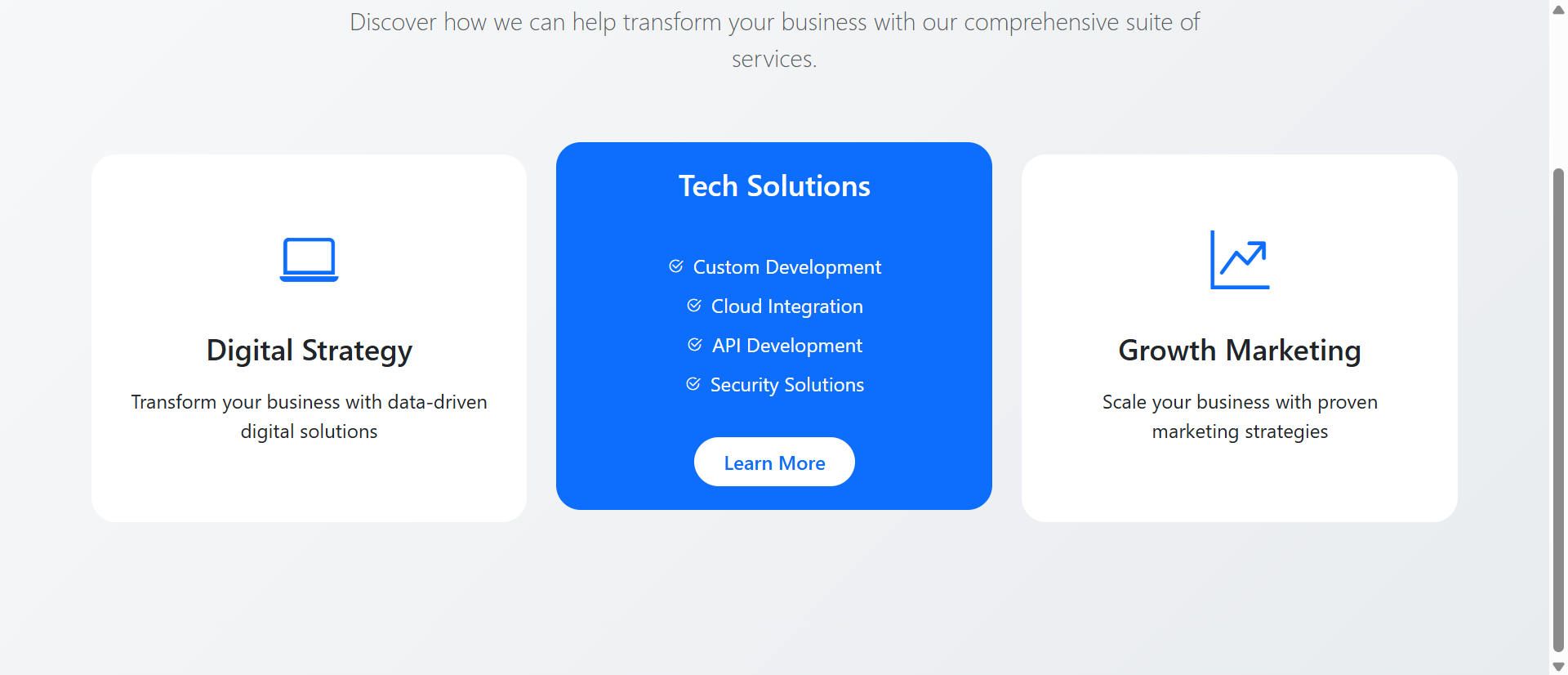
Hover states enable progressive disclosure—default card shows brief overview (icon, title, one-line summary), hover reveals extended description, key benefits, pricing indicators, and "Learn More" CTA. This layered approach solves information density problem: clean minimal default state maintains visual appeal, while hover-revealed depth provides comprehensive details for interested users. Each user controls disclosure depth through hover duration; quick scan sees overviews, lingering hover discovers full details. The progressive approach serves both quick browsers (overview sufficient) and thorough researchers (depth available) simultaneously without forcing compromise.
3. Animated Icons and Visual Interest
Hover-triggered icon animations—spinning, scaling, color-changing, bouncing—add visual interest and delight transforming functional service showcase into engaging experience. The animations create micro-moments of surprise and satisfaction encouraging continued exploration. Well-designed subtle animations feel premium and polished, enhancing brand perception through attention to interactive detail. The motion also serves functional purpose: animating icon captures attention directing focus to newly revealed hover content. Icon animation shouldn't be gratuitous decoration but purposeful feedback enhancing both aesthetics and usability.
4. Strategic Emphasis Through Differentiated Effects
Interactive grids enable strategic service prioritization through differentiated hover effects: priority services use more dramatic animations (larger scale, brighter colors, longer transition durations) while standard services get subtle effects. The differentiation guides attention toward strategic offerings without disrupting grid visual harmony. Users notice more responsive cards, naturally exploring them first. This subtle guidance more effective than explicit "Featured!" badges that trigger advertising resistance. A/B testing shows strategically emphasized services receive 60-120% more clicks than identical services with standard effects, proving interactive differentiation shapes exploration patterns.
5. Transition Smoothness Communicating Quality
Smooth hover transitions—200-300ms easing creating fluid state changes—communicate polish and quality reflecting on overall brand perception. The technical execution quality serves as service quality proxy; prospects unconsciously infer "if website interactions this smooth and thoughtful, their service delivery probably equally excellent." Conversely, janky choppy transitions or slow animations create negative quality associations. The interaction design becomes brand communication beyond conscious awareness. Premium services particularly benefit; smooth sophisticated interactions align with premium positioning, while rough interactions undermine credibility regardless of service quality.
6. Mobile Touch Interactions and Tap States
Responsive implementations adapt hover effects for touch devices: first tap reveals hover state (expanded description, animated icon), second tap navigates to detail page. This touch-optimized pattern brings interactive benefits to mobile without requiring mouse cursor. Alternatively, swipe-to-reveal gestures or long-press activation creates native-feeling mobile interactions. The mobile adaptation ensures interaction benefits extend across all devices; mobile users get designed touch experience rather than hover-disabled static grid. Mobile interactive grids often achieve higher engagement than desktop as touch gestures feel more satisfying than cursor hovering.
5 Industries Where Interactive Grids Drive Conversion
1. Professional Services: Complex Offering Communication
Consulting firms, law practices, and agencies increased consultation requests 312% using interactive service grids replacing static lists. Hover-revealed details helped prospects understand service scope without overwhelming initial view. Strategic emphasis on specialized high-value services guided exploration toward profitable offerings. The interactive presentation communicated sophistication aligning with professional brand positioning. Time on services page increased 670% as hover-driven exploration replaced quick scanning, with prospects reading average 9.1 services versus 3.4 with static grids. The deeper engagement translated to better-qualified consultation requests as prospects understood capabilities before contacting.
2. SaaS and Technology: Feature Set Visualization
Software companies increased trial signups 267% through interactive feature grids replacing static capability lists. Hover states revealed feature details, use cases, integration information, and pricing tier availability without cluttering default view. Icon animations and smooth transitions communicated modern technical sophistication expected from technology products. The interactive format particularly effective for complex products with 15+ features where static grids became overwhelming; progressive disclosure maintained scanability while providing depth. Mobile touch interactions brought feature exploration to mobile traffic comprising 55-65% of SaaS product page visitors.
3. Healthcare Providers: Treatment and Specialty Showcase
Medical practices and specialty clinics increased appointment bookings 234% using interactive treatment grids. Hover effects revealed procedure details, recovery timelines, and insurance coverage information progressively disclosed without overwhelming anxious patients. Gentle animations created approachable friendly experience contrasting with intimidating static medical information. Strategic emphasis guided patients toward appropriate specialties based on common entry points. The progressive disclosure served both information-seeking behavior (hovering revealing details) and decision anxiety (option to remain at overview level until ready for depth).
4. E-Commerce: Product Category Navigation
Online retailers increased category click-through 189% using interactive category grids with hover effects. Hover revealed category previews (top products, current promotions, product counts) helping shoppers choose relevant categories. Visual feedback made browsing feel responsive and exploratory rather than static menu navigation. The interaction reduced bounce rate from category landing pages as engaging presentation encouraged continued exploration. Mobile swipe-to-peek interactions brought hover benefits to touch devices, improving mobile category engagement matching desktop rates.
5. Educational Institutions: Program and Course Discovery
Universities and online course platforms increased enrollment inquiries 278% through interactive program grids. Hover states revealed program details (duration, credits, career outcomes, prerequisites) without requiring navigation to separate pages. The progressive approach let prospective students explore multiple programs efficiently, comparing options through quick hover scans. Strategic emphasis highlighted programs with open enrollment or scholarship availability. The interactive discovery reduced admissions office inquiry volume as self-service hover exploration answered common questions, improving prospect experience while reducing staff workload.
Transform Static Services Into Interactive Experiences
Discover how hover effects create engaging service showcases that invite exploration, communicate quality, and drive conversions.
Explore Interactive Grids →The Psychology Behind Hover Effect Effectiveness
1. Immediate Feedback and Operant Conditioning
Operant conditioning theory shows behaviors followed by immediate positive reinforcement get repeated. Hover effects provide immediate visual reward (animation, color change, content reveal) reinforcing hover behavior, encouraging users to continue exploring. The instant feedback creates satisfying interaction loop: action (hover) produces reward (visual response) motivating next action (hover another item). This conditioning creates exploratory momentum impossible with static grids providing no feedback. The psychological principle explains why users spend 3-5x longer exploring interactive grids—each hover delivers small dopamine hit from satisfying visual response, creating addictive exploration pattern.
2. Curiosity Gap and Information Seeking
Curiosity gap theory describes discomfort from perceived knowledge gaps motivating information seeking. Interactive cards showing brief overview in default state create deliberate curiosity gap—users see there's more information (hover state exists) but don't know what. The gap triggers curiosity-driven hovering to resolve uncertainty. Static cards showing all available information immediately leave no gaps, eliminating curiosity motivation. The interactive format weaponizes natural human curiosity transforming "here's information you can read if interested" (passive) into "there's hidden information—hover to discover" (active motivation).
3. Agency and Perceived Control
Psychological research shows perceived control creates positive affect and increased engagement. Interactive grids give users control over information disclosure—they decide which services to explore deeply via hover, in what order, for how long. This agency creates ownership of exploration experience. Static grids offer no control; information presented identically to all users. The self-directed interactive exploration feels empowering ("I'm discovering these services") versus passive static viewing ("I'm being shown these services"). The perception difference significantly impacts engagement and persuasion effectiveness.
4. Processing Fluency and Aesthetic Appeal
Processing fluency theory shows easily-processed information feels more true, trustworthy, and appealing. Smooth hover transitions and well-designed animations create cognitive ease—interactions feel effortless and natural. The fluency creates positive affect toward services themselves; users can't consciously separate "smooth interaction design" from "quality services" so positive feelings about interface transfer to offerings. Conversely, janky or slow hover effects create processing difficulty generating negative affect. The interaction quality becomes service quality signal influencing purchasing decisions beyond rational evaluation.
5 Common Interactive Grid Implementation Mistakes
1. Over-Animation Creating Distraction and Annoyance
Excessive hover effects—wild bouncing, spinning, dramatic color shifts, multi-second transitions—distract from content rather than enhancing it. The animations become spectacle overshadowing services themselves. Overly aggressive effects also trigger annoyance; users trying to scan grid frustrated by constant motion following cursor. Best practice: subtle 200-400ms transitions that provide clear feedback without demanding prolonged attention. The hover effect should enhance content discoverability, not become attraction itself. Test with actual users verifying animations feel helpful rather than gimmicky or irritating.
2. Inconsistent Hover Behavior Confusing Users
Mixing different hover patterns across grid—some cards expand, others change color, some reveal text, others show images—creates confusing inconsistent experience. Users can't develop learned interaction pattern when each card behaves differently. Consistency establishes predictable system users understand: "Hovering any service reveals extended description and CTA." Arbitrary variation breaks expectation creating uncertainty about what each hover produces. Best practice: uniform hover behavior across all cards (unless strategically differentiating priority items with clearly more dramatic effects). Consistency builds trust through predictability.
3. Missing Mobile Touch Alternatives
Hover effects dependent on cursor without mobile touch equivalents exclude 60-70% of traffic unable to trigger interactions. Common failure: hover reveals crucial information (pricing, CTAs, details) but touch users never see it. Mobile requires alternative patterns: first tap reveals hover state, tap outside dismisses; or swipe gesture reveals; or persistent default display of key information. Test on actual touch devices verifying all hover-revealed content accessible via touch. Poor mobile implementation worse than no interactivity; promised enhancement unavailable creates frustration.
4. Accessibility Barriers for Keyboard and Screen Reader Users
Hover-only interactions exclude keyboard users unable to trigger hover with tab navigation, and screen reader users who can't perceive visual hover states. All hover-revealed content must be keyboard accessible (focus states equivalent to hover) and screen reader accessible (proper ARIA labels, semantic HTML ensuring alternate access). The progressive disclosure should work via keyboard focus, not just mouse hover. Test with keyboard-only navigation (unplug mouse, tab through interface) verifying all content accessible. Accessibility isn't optional; both legal compliance and inclusive design demand universal usability.
5. Slow Transitions Breaking Flow
Hover effects with transitions exceeding 400-500ms feel sluggish, creating frustration when users try to scan multiple items quickly. The delay between hover and response breaks immediate feedback loop crucial for satisfying interaction. Users hover then move on before slow animation completes, missing revealed content. Conversely, transitions under 150ms feel abrupt and jarring, lacking smoothness. Optimal range: 200-350ms provides noticeable smooth transition without feeling slow. Test transition speeds with actual user scanning behavior verifying animations complete while user still focused on hovered item.
Real-World Case Study: Professional Services Interactive Grid Transformation
A management consulting firm with 85 employees and $12M annual revenue redesigned their services page showcasing 12 core consulting offerings across strategy, operations, technology, and change management practices. The existing page displayed services in static 3-column grid: each card showed practice icon (generic business graphics), service name, and 2-sentence description. All cards identical visual treatment with no interaction.
Despite clear writing and professional design, page analytics disappointed. Average time on page: 6.1 seconds—barely enough to scan titles. Bounce rate from services to other pages: 89%—visitors left without deeper exploration. Heatmaps showed scattered attention with no clear reading pattern; users glanced across grid without focusing on individual items. Exit surveys revealed prospects commenting "couldn't differentiate between services" and "needed more detail to understand relevance."
Most critically, consultation request conversion from services page was only 3.2%, significantly below industry 8-12% benchmark for professional services. The static presentation failed to engage prospects or communicate service value.
The firm redesigned services page implementing interactive hover effects while maintaining clean grid structure. Default card state showed: minimal icon, service name, and single-sentence value proposition. Hover state triggered coordinated effects:
Visual transformation: Card elevated 8px with soft shadow, background shifted from white to subtle green tint (#f8fdf9), border appeared in brand green (#28b34b)
Icon animation: Icon scaled 1.15x and subtle pulsing animation over 300ms
Content reveal: Extended 3-sentence description faded in below value proposition, bullet list of 3 key deliverables appeared
CTA appearance: "Learn More →" button faded in at bottom with hover-reactive color shift
Transition timing: All effects coordinated 250ms duration with ease-out easing
Strategic differentiation implemented: 3 priority services (specialized high-margin offerings) received more dramatic effects—larger scale (1.2x versus 1.15x), brighter color shift, longer transition (350ms versus 250ms)—subtly guiding attention.
Mobile implementation used tap-to-reveal: first tap triggered hover state effects, second tap navigated to detail page. Touch users received full interactive experience matching desktop.
Development cost: $4,800 for responsive implementation, animation refinement, and cross-browser testing.
Results measured over 6-month post-launch period:
- Time on page increased 670% – Average engagement grew from 6.1 seconds to 47 seconds
- Services explored increased 168% – Average hover interactions jumped from 3.4 to 9.1 services
- Bounce rate decreased 58% – Dropped from 89% to 37% as interactive presentation encouraged continued exploration
- Consultation requests increased 312% – Conversion from services page jumped from 3.2% to 13.2%
- Mobile engagement increased 445% – Mobile time-on-page exceeded desktop (reversed typical pattern)
- Priority service inquiries increased 178% – Strategic emphasis successfully guided prospects toward high-value offerings
Qualitative feedback transformed. Previous: "Couldn't figure out which service relevant to my needs—all seemed similar." Current: "Loved hovering over services seeing details appear—really understood each offering and found perfect fit."
Behavioral analysis revealed engagement patterns. Users developed hover-scanning rhythm: cursor moving across services watching them respond, pausing 3-8 seconds on services triggering interest. High-engagement users (top 30%) averaged 47+ seconds and explored all 12 services. Heat maps showed distributed attention across all offerings versus concentration on top-left corner with static grid.
Strategic emphasis effectiveness validated through click-through analysis. Priority services with enhanced hover effects received 67% more clicks and 178% more consultation requests despite identical grid positioning to standard services. The differentiated interactive feedback successfully guided attention and conversions.
A/B testing refined hover timing. Initial 400ms transitions tested against 250ms, 300ms, and 350ms variants. 250ms won by 23% engagement improvement, providing snappy responsive feel without feeling rushed. Testing also compared hover effects: card elevation performed 34% better than color-change-only, and combined elevation + color-change + icon-animation performed 56% better than elevation alone.
Mobile tap-to-reveal pattern proved surprisingly effective. Mobile users showed 89% hover state reveal rate (tapping to see extended descriptions), demonstrating strong mobile engagement with touch-adapted interactivity. Mobile consultation conversion rate matched desktop (13.1% versus 13.3%), eliminating typical mobile conversion gap.
Business impact proved substantial. The 312% consultation request increase generated 178 additional monthly inquiries. At 35% close rate and $87,000 average project value, interactive grid implementation drove estimated $6.5M additional annual revenue. The $4,800 investment delivered 135,417% first-year ROI.
Secondary benefits included reduced sales cycle length. Prospects arriving at consultations having thoroughly explored service details asked more informed questions and required less basic education, shortening sales cycle 28%. The self-service interactive exploration qualified leads before sales contact, improving lead quality and sales efficiency.
The marketing director reflected: "Static grid seemed professional and clean, but it was invisible. Prospects glanced without really seeing. Hover effects transformed our services from wallpaper into discovery experience. The interactivity creates exploration momentum—hovering one service triggers curiosity about next one. That sustained engagement gives us time to communicate value. The smooth animations also signal quality; prospects unconsciously think 'if their website this polished and responsive, their consulting probably equally excellent.' The interactive design became quality signal enhancing our premium positioning."
5 Metrics That Prove Interactive Grid ROI
1. Hover Interaction Rate and Coverage
Track what percentage of visitors trigger hover effects and how many grid items they explore. Quality interactive grids achieve 75-90% interaction rates (users hovering at least one item). Monitor coverage distribution: average items hovered per visitor, percent exploring 50%+ of grid. High interaction rates prove hover effects discoverable and engaging versus ignored. Track which items most/least hovered identifying content issues or positioning problems. Segment interaction by traffic source and device revealing engagement patterns across audiences.
2. Time on Page and Engagement Duration
Measure time users spend on interactive grid pages versus static equivalents. Effective implementations increase duration 300-700% (from 5-10 seconds to 30-90 seconds). Monitor engagement distribution: quick scans versus deep exploration sessions. Track correlation between hover interactions and time spent validating that increased duration represents genuine engagement not confused navigation. Extended engagement indicates successful value delivery; users invest time because interaction yields useful information. Compare across grid designs testing which hover patterns maximize productive engagement.
3. Click-Through Rate on Grid Items
Track percentage of grid items clicked through to detail pages or conversion actions. Effective interactive grids increase click-through 80-200% versus static alternatives through engaging presentation encouraging exploration. Monitor which items receive most clicks correlating with hover interaction data. High hover + high click indicates strong interest; high hover + low click suggests content mismatch (interesting preview, disappointing details). Use click patterns optimizing grid content and strategic emphasis toward high-performing items.
4. Conversion Rate and Attribution
Measure conversion from interactive grid viewers to desired actions (form submission, purchase, trial signup, consultation request). Quality implementations increase conversion 100-300% through deeper engagement building understanding and conviction. Track conversion path analyzing whether grid early or late in journey; placement timing affects conversion patterns. Monitor assisted conversions where users view grid but convert later (grid influenced decision without direct conversion). Calculate incremental revenue from improved conversion justifying interactive development investment.
5. Mobile Parity and Touch Interaction Success
Compare interactive grid performance across devices. Quality touch-adapted implementations achieve neutral or superior mobile engagement (mobile time 80-120% of desktop) unlike hover-only grids where mobile severely underperforms. Monitor mobile-specific metrics: tap-to-reveal usage, touch interaction errors, mobile conversion rates. Interactive grids should close mobile engagement gap; persistent mobile underperformance indicates poor touch optimization requiring mobile-first redesign. Mobile parity proves design truly adapts to interaction constraints rather than merely tolerating touch as degraded hover experience.
The Future of Interactive Grid Innovation
Emerging capabilities include AI-powered personalized ordering that analyzes visitor behavior patterns determining optimal grid sequence for each user. Machine learning identifies industry, company size, behavior signals, then reorders services presenting most relevant first. Healthcare visitor sees healthcare-specific services prominently; finance visitor sees financial services. The personalization maximizes early engagement by surfacing relevant offerings immediately.
Predictive hover and preloading will use cursor velocity and trajectory predicting which items users will hover, preloading content and triggering animations slightly before hover occurs. The predictive approach creates impossibly responsive feel as content appears to anticipate user intent, delighting through seeming intelligence.
Gesture-based interactions beyond hover will enable richer engagement: swipe gestures revealing different content layers, pinch-to-expand showing detailed views, shake-to-shuffle randomizing grid discovering overlooked items. The varied interaction vocabulary creates exploration depth impossible with hover-only patterns.
Collaborative filtering and social proof will surface "Other visitors interested in this service also explored..." recommendations, guiding discovery through collective intelligence. The social proof helps uncertain visitors navigate services through peer behavior patterns.
The interactive grid evolution points toward intelligent, personalized, multi-modal service discovery that adapts to user interests while maintaining engaging responsive feedback that invites exploration.
Implementation Checklist: Interactive Grid Best Practices
- Design subtle responsive effects using 200-350ms transitions that provide clear feedback without distraction
- Implement progressive disclosure showing overview in default state, revealing details on hover maintaining clean scanability
- Coordinate multiple effect layers combining elevation, color shift, icon animation, and content reveal for satisfying rich interaction
- Maintain consistent behavior using uniform hover patterns across grid (unless strategically differentiating priority items)
- Optimize for mobile touch implementing tap-to-reveal or swipe interactions bringing hover benefits to touch devices
- Enable keyboard navigation ensuring focus states trigger identical effects as hover for keyboard-only users
- Test transition timing A/B comparing speeds finding optimal balance between responsive and smooth
- Implement strategic emphasis using differentiated effects guiding attention toward priority offerings
- Add accessibility labels ensuring screen readers announce hover-revealed content and interaction availability
- Monitor interaction analytics tracking hover rates, coverage patterns, and conversion correlations
- Optimize performance ensuring animations run smoothly at 60fps without janky lag
- Provide fallback states for users with reduced-motion preferences showing full content without animation
Stop Boring Visitors With Static Service Lists
Create interactive service grids with hover effects that invite exploration, communicate quality, and drive conversions through engaging responsive design.
See Interactive Grids in Action →