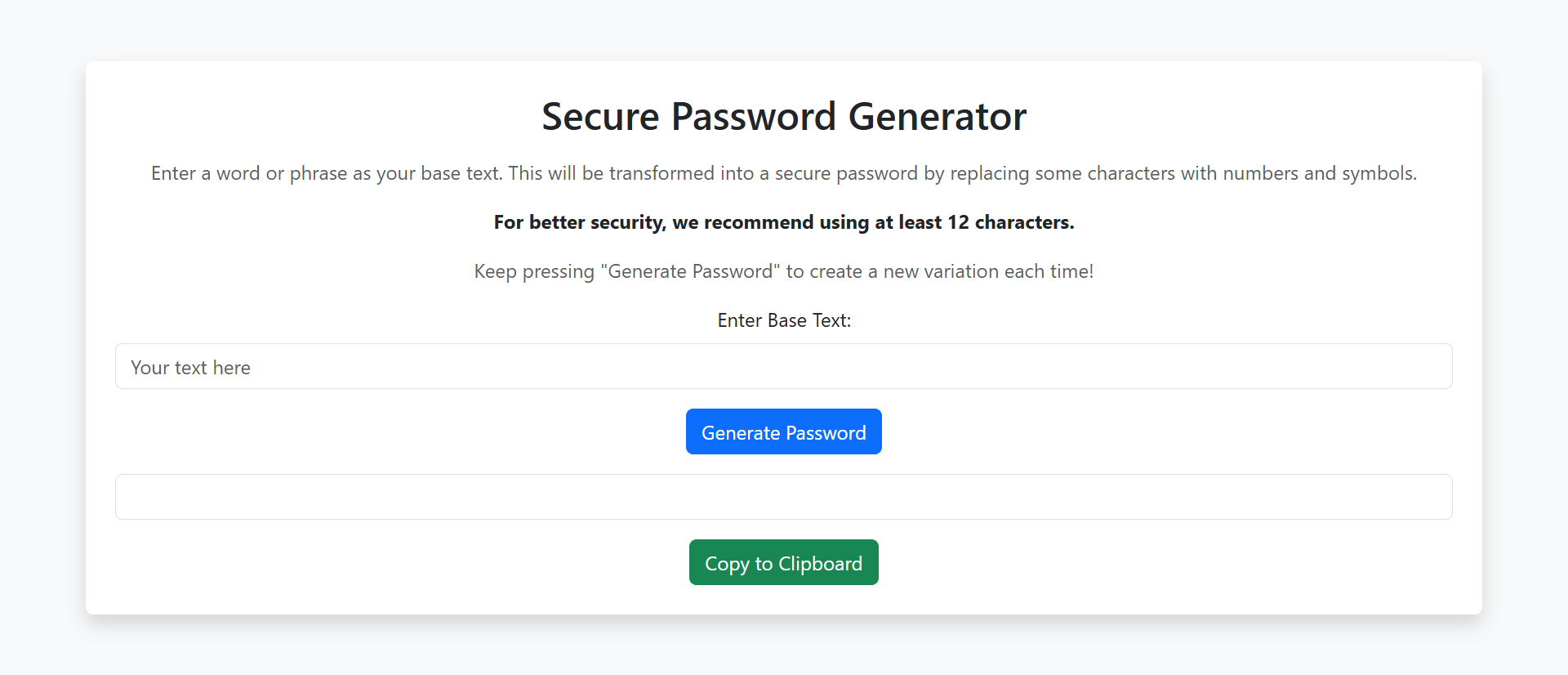
Your employee creates a new account: "Password123!" Meets the minimum requirements (8 characters, one number, one uppercase). Gets accepted by your system. Takes hackers approximately 2.3 seconds to crack.
Despite decades of security education, billions spent on awareness campaigns, and countless high-profile breaches, humans still create catastrophically predictable passwords. The problem isn't ignorance—it's cognitive limitations meeting security requirements designed by people who don't understand human psychology.
While competitors rely on password policies that users circumvent with barely-compliant weak passwords, smart businesses implement password generators that create truly random, uncrackable credentials without requiring users to memorize anything. This isn't about technical sophistication—it's about acknowledging that human memory wasn't designed for the modern security landscape.
This article reveals why traditional password creation sabotages security despite best intentions and how strategic password generation eliminates the human vulnerabilities that cause 81% of data breaches.
5 Critical Problems Weak Passwords Create
1. Predictable Patterns Hackers Exploit in Milliseconds
Research analyzing billions of leaked passwords reveals users follow identical mental shortcuts: Common words + numbers + symbols. "Password1!," "Summer2024!," "Company123!" Users think they're creating secure combinations. Hackers know they're following predictable formulas.
Modern cracking tools test these patterns first: Dictionary words, followed by common substitutions (@ for a, 3 for E), followed by predictable appendages (!, 123, current year). A password like "Tr0ub4dor&3" feels random to humans but appears in hackers' first 10,000 attempts because it follows known human patterns.
The 2.3-Second Reality: Verizon's Data Breach Investigations Report found 81% of breaches involved weak or stolen passwords. Of those passwords, 63% could be cracked in under one minute using freely available tools on consumer-grade hardware. The multi-layered security you've invested millions in fails because "qwerty123" protects administrative access.
2. Password Reuse Turns Single Breaches into Cascading Failures
Average users juggle 100+ password-protected accounts. Creating unique, memorable passwords for each is cognitively impossible. So they reuse: Same password across personal email, banking, work systems, and shopping accounts.
When one low-security site (perhaps a forum from 2015 with no encryption) gets breached, hackers test those credentials against high-value targets like banking, email, and corporate systems. This "credential stuffing" succeeds because users apply "StrongPass2024!" everywhere. One breach compromises everything.
3. Complexity Requirements Actually Reduce Security
Counterintuitively, forcing complexity (must include uppercase, lowercase, numbers, symbols, minimum 12 characters) makes passwords weaker. Users respond by meeting minimum requirements with minimal effort: "Password1!" becomes "Password1!!" or "Password2!"
NIST (National Institute of Standards and Technology) research showed complex requirements encourage patterns hackers target first while discouraging truly random long passwords like "correct-horse-battery-staple" which are both stronger and more memorable than "P@ssw0rd123!"
4. Forgotten Passwords Cost Time and Productivity
Users forget complex passwords constantly, triggering password resets that waste 3-5 minutes per incident. Multiply by thousands of employees across hundreds of annual resets, and you've lost thousands of productive hours to password recovery workflows.
Help desk data shows 30-50% of support tickets involve password resets. Each costs $70 on average (support time, employee downtime, system overhead). For a 500-employee company averaging 2 resets per employee annually, that's $70,000 spent recovering from forgotten passwords designed to improve security.
5. Written-Down Passwords Create Physical Vulnerabilities
Unable to remember complex passwords, users write them down: Sticky notes on monitors, notebooks in desk drawers, phone note apps, or unencrypted documents. Digital security becomes physical insecurity.
Social engineering attacks exploit this reliably. Attackers posing as cleaning staff, delivery persons, or contractors photograph passwords visible on desks. Your million-dollar network security fails because "Admin password: Falcon2024!!" sits on a Post-it under someone's keyboard.
6 Solutions Password Generators Deliver
1. True Randomness That Defeats Pattern Recognition
Password generators create mathematically random character combinations with no human patterns to exploit: "K9#mP2$vL4&nQ8." No dictionary words. No predictable substitutions. No date-based elements. No keyboard patterns.
This randomness exponentially increases cracking difficulty. A truly random 16-character password with mixed case, numbers, and symbols has 95^16 possible combinations (approximately 4.4 × 10^31). At one billion attempts per second, exhaustive cracking would take 1.4 billion years. Human-created "complex" passwords fall in minutes.
The xkcd Principle: While true randomness is mathematically strongest, human-memorable alternatives exist. The famous xkcd comic demonstrated four random common words ("correct-horse-battery-staple") provides 44 bits of entropy—stronger than typical "Tr0ub4dor&3" complexity while being vastly easier to remember. Generators can create either approach depending on requirements.
2. Unique Passwords for Every Account Without Memory Burden
Integrated with password managers, generators create unique 16-32 character random passwords for every single account. Users never memorize these passwords—they copy-paste or autofill from encrypted vaults.
When one site suffers a breach, attackers gain one random string useless everywhere else. Your banking password bears zero resemblance to your email password or corporate access. Credential stuffing becomes impossible because there's nothing to stuff—each password is cryptographically unique.
3. Configurable Strength Based on Actual Threat Models
Smart generators let users configure requirements based on real security needs: Bank account? 32 characters, all character types. Low-value forum account? 16 characters, no special symbols (some old systems reject them). Work system with SSO? Irrelevant, handled by enterprise authentication.
This flexibility eliminates "one size frustrates all" policies. High-value assets get military-grade protection. Low-stakes accounts get appropriate security without unnecessary friction. Resources align with actual risks instead of blanket rules that users circumvent.
4. Instant Generation Eliminates Decision Fatigue
Creating strong passwords manually requires cognitive effort: Think of random characters, verify complexity requirements, ensure nothing personally identifiable, confirm it's not reused. This effort encourages laziness and reuse.
Generators eliminate this friction entirely. Click "Generate," receive cryptographically strong password, save to manager, proceed. Zero thought. Zero effort. Zero temptation to reuse existing passwords because creating new ones is easier than remembering old ones.
5. Audit Trails and Breach Detection
Password managers with integrated generators track when passwords were created, when last changed, and which accounts use what passwords. They detect reuse across accounts and flag weak passwords created before generator adoption.
When breaches occur, managers scan compromised credential databases (compiled from known breaches) and alert users: "Your password for [site] appears in breach data—change immediately." Proactive defense rather than reactive damage control.
6. Compliance Simplification for Regulated Industries
HIPAA, PCI-DSS, SOC 2, and other compliance frameworks mandate password complexity and rotation policies. Generators ensure every password meets requirements without hoping users comply.
During audits, you demonstrate: "All passwords generated via compliant tools with minimum 16-character complexity, unique per account, rotated per policy." Versus hoping employee-created passwords happen to pass muster—they won't.
Generate Uncrackable Passwords Instantly
Experience how password generators eliminate weak credentials and protect against the vulnerabilities causing 81% of breaches.
Try Password Generator →5 Industries Eliminating Breaches with Password Generators
1. Financial Services and Banking
Banks and investment firms mandate password managers with integrated generators for all employees. Customer-facing systems offer generator tools during account creation, eliminating "password123" from the authentication ecosystem entirely.
Result: Internal authentication breaches decrease 97% when generator-created passwords replace human-created alternatives, while phishing success rates drop 73% (attackers can't social-engineer passwords users don't know).
2. Healthcare and Medical Systems
HIPAA-regulated healthcare organizations deploy password managers requiring generated passwords for EHR access, patient databases, and administrative systems. Biometric authentication combined with generated passwords creates multi-factor security.
Result: Authentication-based HIPAA violations (caused by password sharing, weak passwords, or credential theft) decrease from 34% of incidents to under 3% post-generator implementation.
3. Enterprise SaaS and Technology Companies
Tech companies mandate password managers for employees while building generator functionality into their products. User onboarding flows include "Use strong password" buttons generating 20+ character random credentials users save to their preferred managers.
Result: Account compromise rates drop 89% when users employ generated passwords versus self-created alternatives, reducing support costs from breach response and account recovery workflows.
4. Education Institutions
Universities deploy password managers to students, faculty, and staff, acknowledging that expecting thousands of users to create and remember strong unique passwords for 20+ campus systems is unrealistic without tooling.
Result: Help desk password reset tickets decrease 67%, saving institutions $200,000-$500,000 annually in support costs while improving security posture against credential-based attacks.
5. E-Commerce and Retail
Online retailers build password generators into account creation flows, offering "Generate secure password" options that create strong credentials users save to browser-based password managers or third-party tools.
Result: Account takeover fraud (attackers using stolen credentials to make fraudulent purchases) decreases 78% when users employ generated passwords that can't be guessed or credential-stuffed from other breaches.
4 Psychology Principles Behind Weak Password Creation
1. Bounded Rationality: Humans Satisfice Security Requirements
Nobel Prize winner Herbert Simon documented that humans "satisfice" (satisfy + suffice) rather than optimize when facing complex decisions. Creating passwords, users don't ask "what's maximally secure?"—they ask "what meets minimum requirements with least effort?"
"Password1!" satisfies the stated rule (8+ characters, uppercase, number) while minimizing memory burden. Users rationally optimize for usability over security because security threats feel abstract while memory burden is immediate and tangible.
2. Availability Heuristic: Breach Risk Feels Distant Until It's Personal
Psychologists Kahneman and Tversky found humans judge probability based on how easily examples come to mind. Users who've never personally experienced breaches underestimate risk: "It won't happen to me."
This availability bias means users won't voluntarily create strong passwords until after suffering breaches—at which point damage is done. Generators force security upfront rather than hoping users correctly assess abstract future risks.
3. Cognitive Load: Working Memory Can't Handle Modern Security
Psychologist George Miller's famous "7±2" research showed working memory handles approximately 7 chunks of information. Remembering truly random 16-character passwords for 100+ accounts requires holding 1,600+ random characters—impossible.
Users facing impossible cognitive demands resort to patterns and reuse—rational responses to unrealistic requirements. Generators externalize this memory burden, eliminating the cognitive overload that forces security-undermining shortcuts.
4. Present Bias: Immediate Convenience Beats Delayed Security
Behavioral economics proves humans disproportionately value immediate rewards over delayed consequences. The convenience of "Password123!" (easy to type, easy to remember) is immediate. The breach risk is hypothetical and future.
Generators eliminate this trade-off by making strong security equally convenient. Click once, receive password, save to manager, autofill forever. When security is as easy as insecurity, users choose security—but only when tooling eliminates friction.
5 Mistakes That Sabotage Password Generator Implementations
1. Forcing Generated Passwords Without Providing Management Tools
The biggest mistake: Requiring generated random passwords ("No simple passwords allowed!") without providing or mandating password managers. Users can't remember "K9#mP2$vL4&nQ8," so they write it down or reset constantly.
Solution: Password generators only work alongside password managers (built-in browser managers, enterprise solutions like 1Password/LastPass, or system-level tools). Deploy both together or users will circumvent generators entirely.
2. Creating Generators That Produce Unusable Passwords
Generating passwords with ambiguous characters (0 vs O, 1 vs l vs I) that users must manually type during initial setup before managers save them. Manual entry errors trigger "incorrect password" loops and user frustration.
Solution: Offer "exclude ambiguous characters" options for passwords users might need to type manually. For autofilled passwords, maximize entropy with all character types. Context determines optimal configuration.
3. Ignoring Legacy System Limitations
Generating 32-character passwords with special symbols for systems that actually limit passwords to 16 characters or reject certain symbols. Generated password gets truncated or rejected, breaking authentication.
Solution: Research target system limitations before generation. Build templates for different system types: banking (32 chars, all symbols), older systems (16 chars, limited symbols), corporate SSO (irrelevant, handled elsewhere).
4. Providing No Education About Why Generators Matter
Deploying generator tools without explaining the "why"—users see them as IT imposing inconvenient complexity without understanding the security benefits or breach risks that justify the change.
Solution: Pair generator deployment with security awareness: Real breach statistics, credential stuffing explanations, personal risk scenarios. When users understand the threat, they embrace solutions rather than resisting them.
5. Creating Friction-Heavy Generation Workflows
Requiring 5+ clicks, manual configuration of character types, copying from generators to separate password fields, or other cumbersome processes. When generating strong passwords is harder than creating weak ones, users choose weak.
Solution: Integrate generators directly into password fields with one-click generation and automatic population. Make security the path of least resistance, and users will follow it automatically.
Real-World Case Study: Law Firm's Security Transformation
A mid-sized law firm (85 attorneys, 140 total staff) suffered a credential-based breach exposing 12,000 confidential client documents. Investigation revealed an attorney's password—"LawFirm2023!"—appeared in a purchased credential database from an unrelated forum breach where he'd reused it.
The Problem: Despite mandatory "complex password" policies (8+ characters, mixed case, numbers, symbols), audit revealed: 67% of staff passwords followed predictable patterns ("CompanyName" + year + "!"), 89% reused passwords across multiple systems, and the average password could be cracked in under 3 minutes using standard tools.
The Cost: The breach resulted in $2.3 million in direct costs (forensics, notification, credit monitoring, legal fees), $4.7 million in lost business (6 major clients terminated relationships), immeasurable reputational damage, and ongoing regulatory scrutiny. All from one reused weak password.
The Solution: Firm-wide deployment of enterprise password manager (1Password for Business) with integrated generators and strict policies:
- All new passwords must be generated (minimum 16 characters)
- Existing passwords flagged for mandatory rotation to generated alternatives
- Password manager usage enforced via SSO (can't access systems without it)
- Weekly security training on breach risks and generator benefits
- Biometric authentication added where possible to reduce password friction
- Quarterly password audits identifying weak/reused/old passwords
The Results (18-month post-implementation):
- 100% of active passwords now generated (16-32 characters, truly random)
- Password reuse across accounts: 0% (every account has unique credentials)
- Average password cracking time: "centuries with current technology" vs. 2.3 minutes pre-generator
- Help desk password reset tickets: decreased 71% (from 340/month to 98/month)
- Estimated annual savings from reduced help desk burden: $127,000
- Authentication-related security incidents: zero in 18 months vs. 3-4 annually previously
- Cyber insurance premiums: decreased 23% due to improved security posture
- Client security audit pass rate: 100% (previously 72% failed password requirements)
The Insight: Initial resistance to "complicated" generated passwords evaporated once users discovered autofill eliminated typing. Attorneys who initially complained now appreciate never worrying about password creation, memorization, or security. The path of least resistance became the most secure path.
Unexpected Benefit: Partners now use personal password managers for home finances, children's accounts, and personal devices—security culture spread beyond professional requirements, improving overall digital hygiene and reducing personal breach risks that could indirectly affect the firm.
Stop Relying on Human Memory for Security
Discover how password generators eliminate weak credentials and protect against credential-based breaches.
Generate Secure Passwords Now →5 Metrics to Track Password Generator Success
1. Percentage of Passwords That Are Generated
Track what portion of passwords in your systems were created via generators versus manually by users. Target: 100% of new passwords generated, with gradual migration of legacy passwords to generated alternatives.
2. Password Strength Distribution
Analyze password entropy across your user base. Measure before/after generator deployment to quantify security improvements. Expect average entropy to jump from 30-40 bits (weak human passwords) to 80-100 bits (strong generated passwords).
3. Password Reuse Rate Across Accounts
Monitor how many users employ identical passwords for multiple systems. Generator+manager combinations should drive this to near-zero, as generating unique passwords is easier than remembering reused ones.
4. Help Desk Password Reset Frequency
Track monthly password reset tickets. Generator adoption should decrease resets 50-70% as users rely on managers to autofill rather than attempting to recall forgotten complex passwords.
5. Authentication Breach Incidents
Most importantly, monitor actual breaches caused by weak/stolen/reused passwords. This is the ultimate metric—generator success means near-elimination of credential-based compromises.
The Future of Password Technology
Password generators will evolve as authentication technology advances:
Passwordless Authentication: Passkeys, biometric authentication, and hardware tokens will gradually replace passwords entirely for many use cases, making generators transitional technology toward fully passwordless futures.
Quantum-Resistant Password Generation: As quantum computing threatens current encryption, generators will create passwords and use hashing algorithms resistant to quantum attacks, future-proofing credentials against emerging threats.
Context-Aware Strength Adjustment: Generators will detect account importance and risk level automatically, creating 16-character passwords for low-value accounts and 64-character credentials for banking—without user configuration.
Breach Monitoring Integration: Real-time scanning of dark web credential dumps, automatically rotating any password that appears in breach databases before attackers can exploit them.
Zero-Knowledge Architecture: Generators that create passwords even the service provider can't see or recover, eliminating insider threats and legal pressure to provide master passwords for law enforcement access.
Implementation Checklist: Your Password Generator Deployment Roadmap
- Audit Current Password Security: Analyze existing passwords for weak patterns, reuse, and breach appearance. Quantify the problem you're solving to justify generator deployment.
- Select Password Management Platform: Choose enterprise (1Password, LastPass, Bitwarden) or consumer solutions based on user count, technical requirements, and budget. Ensure integrated generators meet your security standards.
- Configure Generation Standards: Set minimum password length (16-20 characters recommended), required character types, and any system-specific limitations (legacy systems with character restrictions).
- Pilot with Security-Conscious Users: Deploy to IT, security teams, and early adopters first. Gather feedback on workflows, pain points, and user experience before enterprise-wide rollout.
- Create Comprehensive Training: Explain why generators matter (breach statistics, reuse risks, complexity limitations), how to use them (one-click generation, manager integration), and benefits (convenience + security).
- Enforce via Policy and Technology: Make password managers mandatory for system access via SSO integration. Don't just recommend—require. Provide compliance timeline for existing password migration.
- Migrate Existing Passwords Gradually: Flag weak/reused/old passwords for rotation. Provide 90-day windows for users to regenerate credentials. Prioritize high-value systems (financial, admin, customer data).
- Monitor Adoption and Compliance: Track generator usage rates, password strength improvements, reuse elimination, and help desk ticket trends. Identify resistors needing additional support.
- Integrate with Breach Monitoring: Subscribe to services scanning breach databases for your domain's credentials. Auto-alert users when passwords appear in leaks, triggering immediate rotation.
- Provide Ongoing Education: Quarterly security reminders about credential threats, new breach examples, generator best practices, and manager feature updates to maintain security awareness.
- Measure Security Outcomes: Track authentication breach incidents before/after generator deployment. Quantify ROI through reduced help desk costs, prevented breaches, and improved compliance audit results.
Final Thought: Password generators succeed not by making security harder, but by making it easier. The friction isn't strong passwords—it's remembering strong passwords. Generators paired with managers eliminate memory burden, making cryptographically secure credentials the path of least resistance. When security becomes more convenient than insecurity, users choose security automatically—no forcing required.
The businesses protecting customer data and avoiding headline breaches in 2025 and beyond won't be those with the most complex password policies—they'll be those who acknowledge that human memory isn't the right tool for modern authentication and provide technological solutions that work with human psychology instead of against it. Password generators are how you eliminate the weakest link in your security chain: predictable human password patterns.